
SCL 2026.2 is faster, smarter, and more efficient.
SCL version 2026.2
SCL 2026.2 is our most significant release to date, touching nearly every part of the platform. A fully rebuilt mobile app, a reworked admissions experience, expanded gamification, new classroom tools, and a sweeping UI refresh across dozens of modules make this a milestone update for students, teachers, and administrators alike.
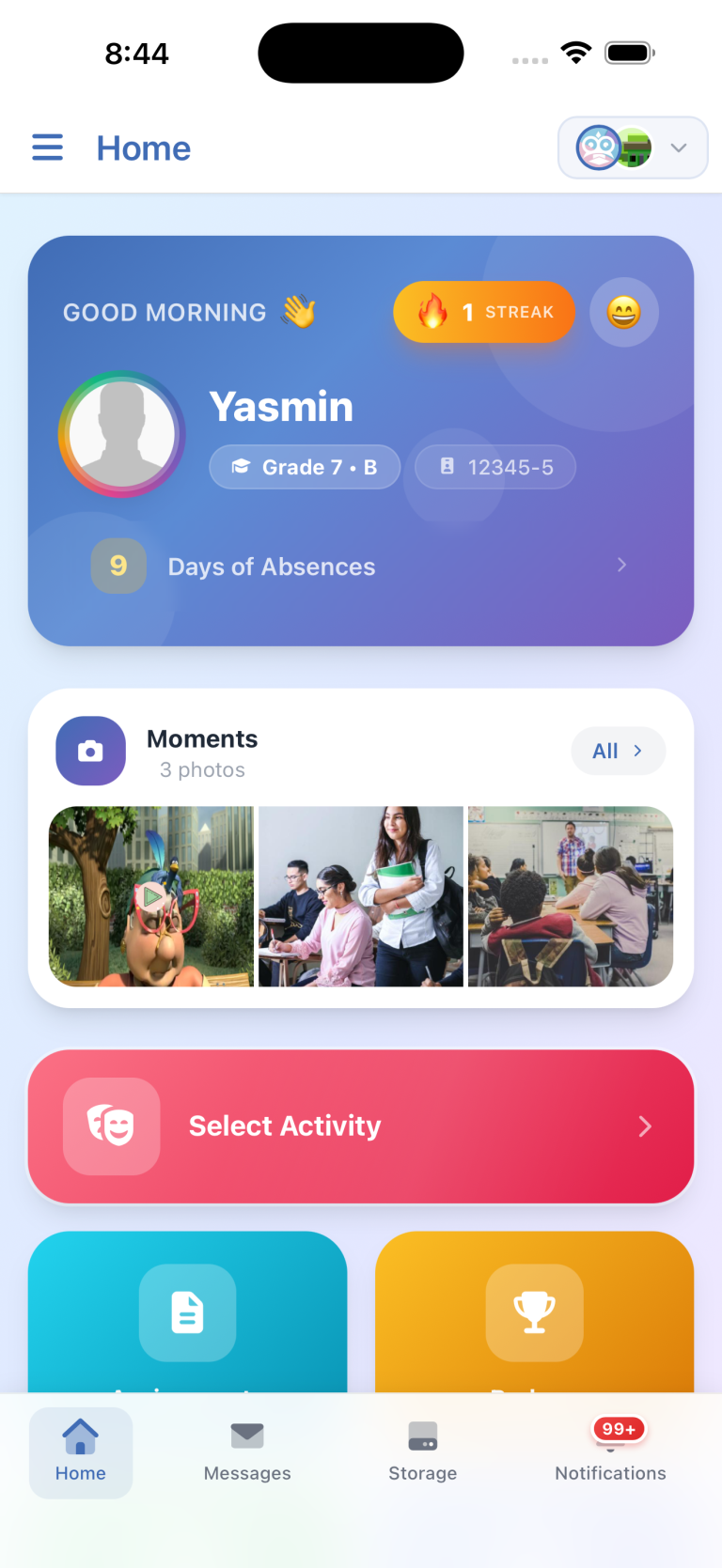
Mobile App: Built From Scratch
- The SCL mobile app has been completely redesigned with API v4, delivering a much-improved interface, smoother animations, and a faster overall experience for students, parents, and teachers.
- New additions include a full timetable, Discussions, Badges, the Store, and multi-account support across different schools, all within the same app.
- Private Messages now support unread-only filtering, emergency contacts can be updated directly from the contacts list, and medical information can be viewed and edited on the go.
Admissions: A Complete Rework
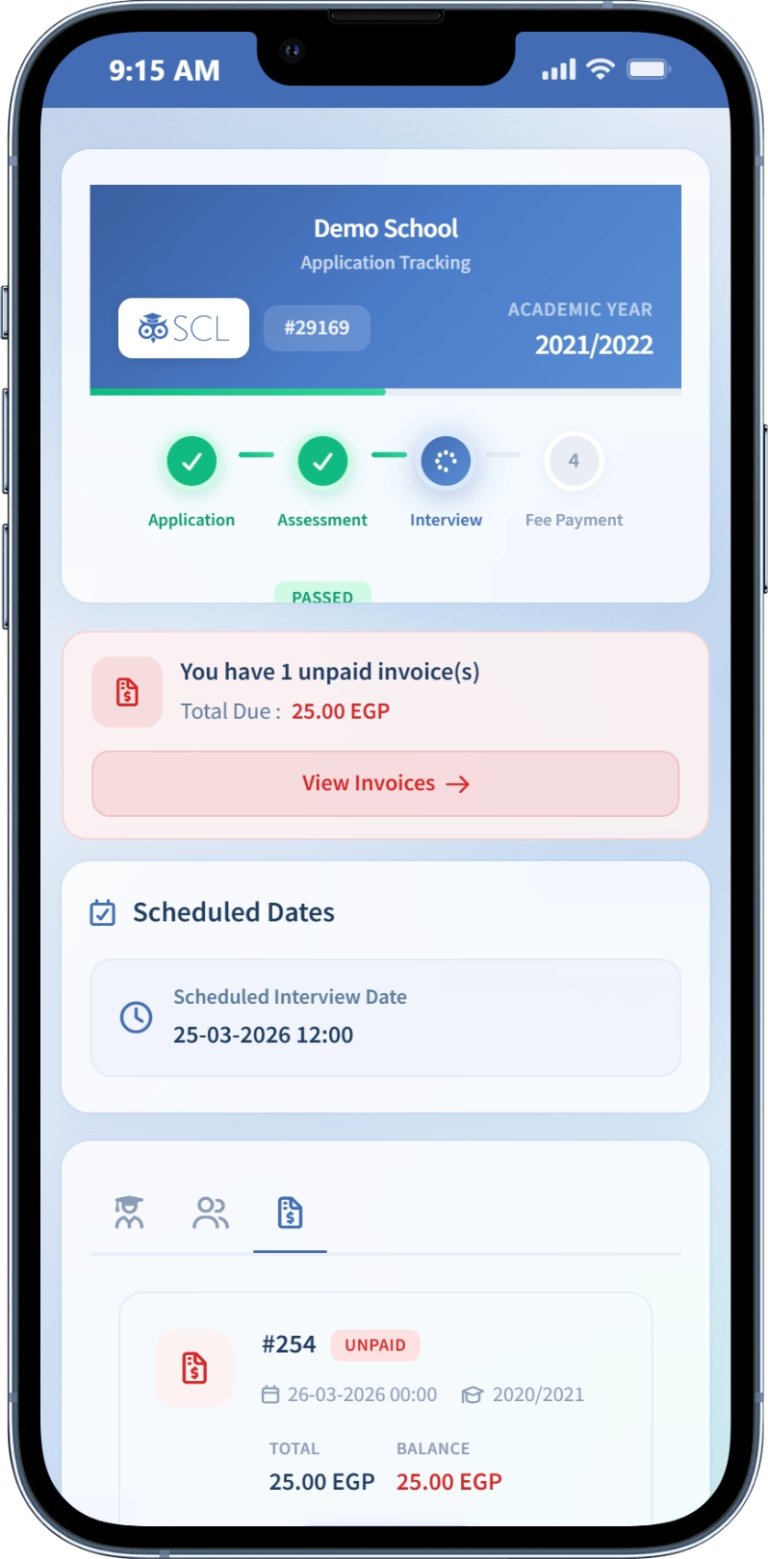
- Application fees are now fully supported, with configurable online payment requirements, expiration timers, and optional integration with assessment slot selection.
- Applicants now have a dedicated tracking portal to view their submission, follow their phase of progression, and manage their invoices independently.
- Assessment slots have been rebuilt with smarter time-slot calculation, support for manually added schedules, and editable entries.
- New applicant tags make it easier for the admission office to categorize and search applicants alongside their status and phase.
Billing & Finance
- Billing now supports tuition fees structured by academic year, giving schools more flexibility in how they set up fee cycles.
- Admissions and billing are now more connected, with manual invoice creation for applicants and automatic student information linking upon enrollment.
- Invoice installment logic now enforces sequential payment order, preventing subsequent invoices from being paid before earlier ones are settled.
Student Engagement & Gamification
- Login streaks are now live for all users, adding a motivating daily engagement mechanic across the platform.
- A new Mood Selection feature lets students record how they are feeling, configurable as optional or required, with a dedicated report, advanced filtering, and a dashboard widget.
- The Games Center has three new educational games: Chemistry Lab (100+ discoverable reactions), Math Ninja, and Stand Lemonade, alongside a reworked leaderboard and updated permissions.
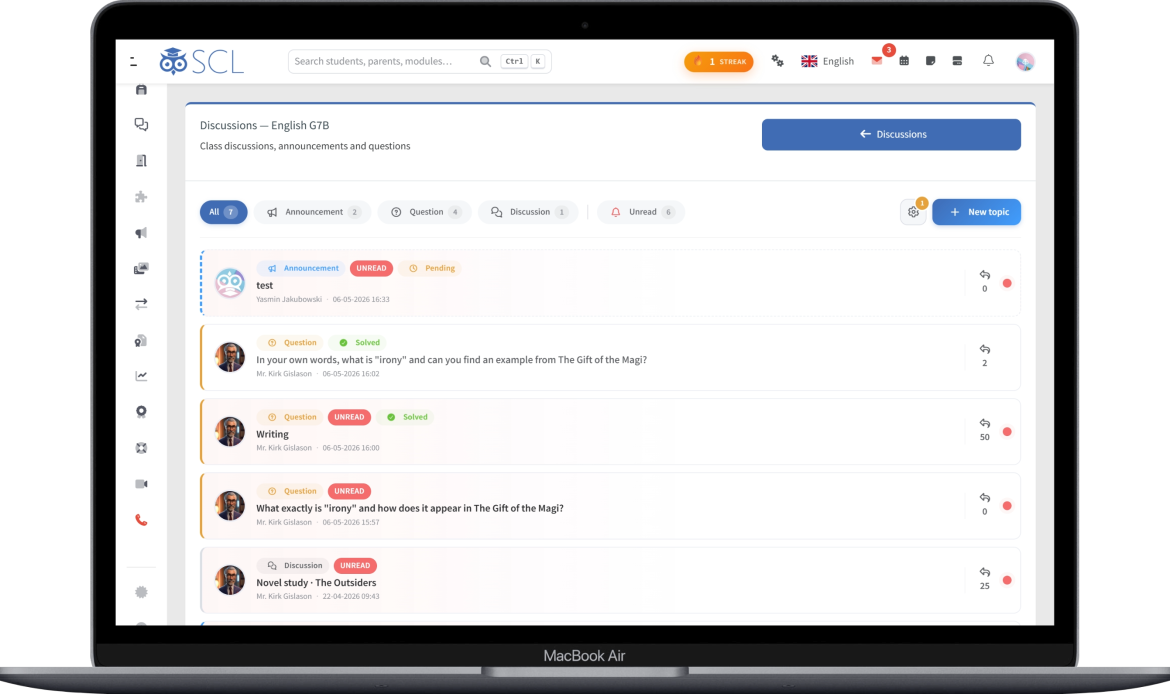
Discussions: A New Educational Channel
- Teachers and HODs can now create Discussions within their teacher groups, supporting announcements, open questions, and educational conversations with students.
- Moderation tools include pinning, locking, best-answer selection, and attachment support, with automatic notifications on new topics and replies.
Interactive Assignments & Curriculum
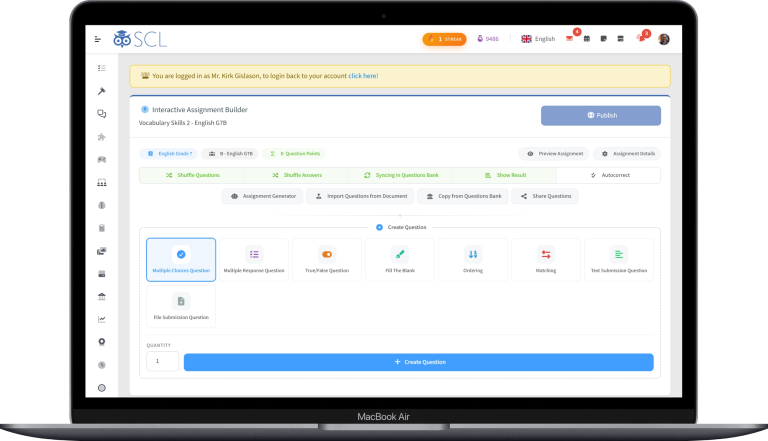
- Two new question types, Sorting and Matching, have been added to the interactive assignment builder.
- A new Share Questions feature lets teachers export and import questions across subjects or share them with other SCL schools.
- Teachers can now insert formatted code blocks and KaTeX equations, including chemistry and physics formulas, directly into assignment and answer editors.
- The Curriculum Center has received a major overhaul: the Unit Planner now supports lessons, timelines, pacing, covering, and PDF/Excel export, while the Lesson Planner introduces I/D/M notes, HOD approval workflows, and direct reflection on unit plan progress.
Communication & Messaging
- A new Lists feature lets users save custom recipient groups for faster message composition.
- Composing a message as a teacher now prompts for message type, all messages are unified in a single interface, and user search now shows avatars and organized details for quicker results.
- The Newsletter module has been upgraded with family-based sending (students and parents in one send), estimated recipient counts, public list building by user group or classroom, and the ability to preview sent messages with attachments.
Security & Authentication
- SCL now supports Passkeys and magic-link email login for a faster, password-free sign-in experience.
- Edurealm ID is now available as a unified account that lets users sign in to all Edurealm products with a single identity.
- Google and Microsoft login are now supported via configurable OpenID integrations under Settings > Integrations > Authentications.
- Users can view their active sessions and disable two-factor authentication directly from their profile.
Reporting & Analytics
- A new Grading Summary report provides a complete performance overview of all students within an educational level across a selected academic period.
- A new missing skills assessments report and teacher dashboard widget help teachers quickly identify and act on incomplete assessments.
- Several reports have been refreshed, including the Class Report with educational level summaries, Admission Statistics, Missing Grading Marks, Missing Categories, and Message Audit.
SCL Portal
- The new SCL Portal is a connected hub for all Edurealm-linked accounts, featuring a Certification Center with official quizzes, a Community Q&A space for cross-school collaboration, a structured Help Center with tutorials, and a fully public Roadmap where users from any school can contribute ideas and get credited.
Platform-Wide UI/UX Overhaul
- This release includes a broad visual refresh across dozens of modules: the gradebook, class and homeroom attendance, stickers, badges, messages, skills assessments, progress reports, medical records, report cards, timetable, weekly bulletins, student and parent dashboards, and many more.
- The gradebook's Next Theme has been rebuilt to match the performance of Standard mode while adding mobile responsiveness, student photo display, and grading category pagination, making it the first fully mobile-friendly gradebook in SCL.
- Student and parent ID cards have a refreshed layout, with accent colors that automatically adapt to each school's logo.