
Setting Your Own Grading Scales, Weighting Assessment Types, and Scoring IB Criteria in One Gradebook
One Gradebook for Every Way You Grade
SCL Grading gives every school division its own grading scale, assessment types and weights, so a school running more than one curriculum marks each programme the way that programme expects. Administrators and coordinators set the rules once for the academic year, and every teacher works inside the same gradebook. Teachers enter marks in one grid, students down and assignments across, grouped under the assessment types you defined. Percentage divisions get a live earned grade the moment a score lands. IB divisions score against criteria instead, with band descriptors, best-fit levels and a current MYP level calculated by the same rule the report card will use. An assignment can also carry the standards, subject objectives and ATL skills it assesses, so the marks a teacher enters here are what fills the coverage and mastery views back in the Curriculum Center. Parents and students read the same marks in the web portal and the mobile app, with visibility you control globally, per division and per student. Your office keeps period locking, unlock windows and central exam control, so grades stay consistent across every teacher and nothing reaches a family before you are ready.
Grading Scales and Assessment Types
Grading Scale
Assessment Types
Weights Per Subject
Grading Settings
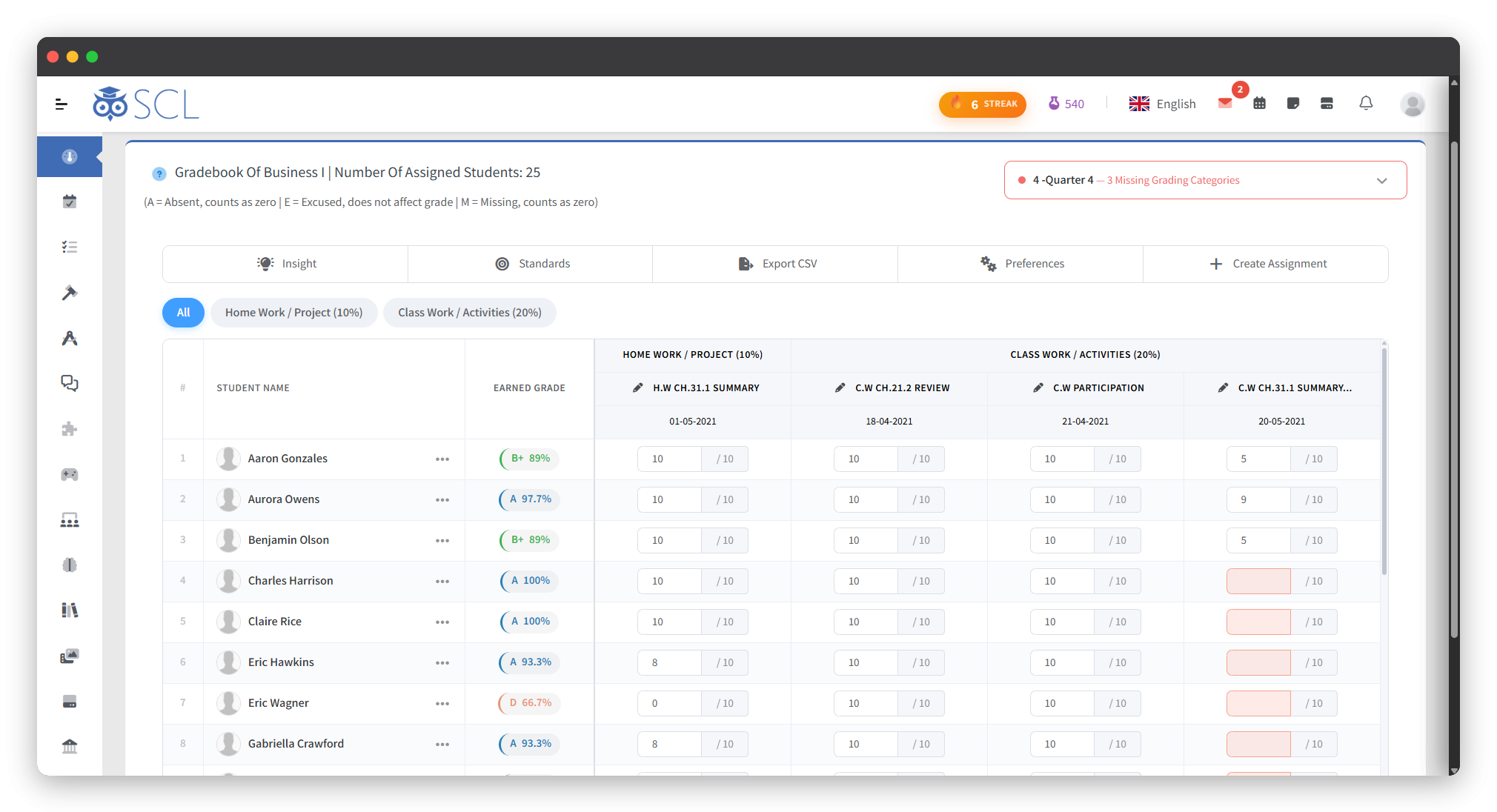
The Teacher's Gradebook
The Gradebook Grid
Absent, Excused and Missing
Marks Without Retyping
The Live Earned Grade
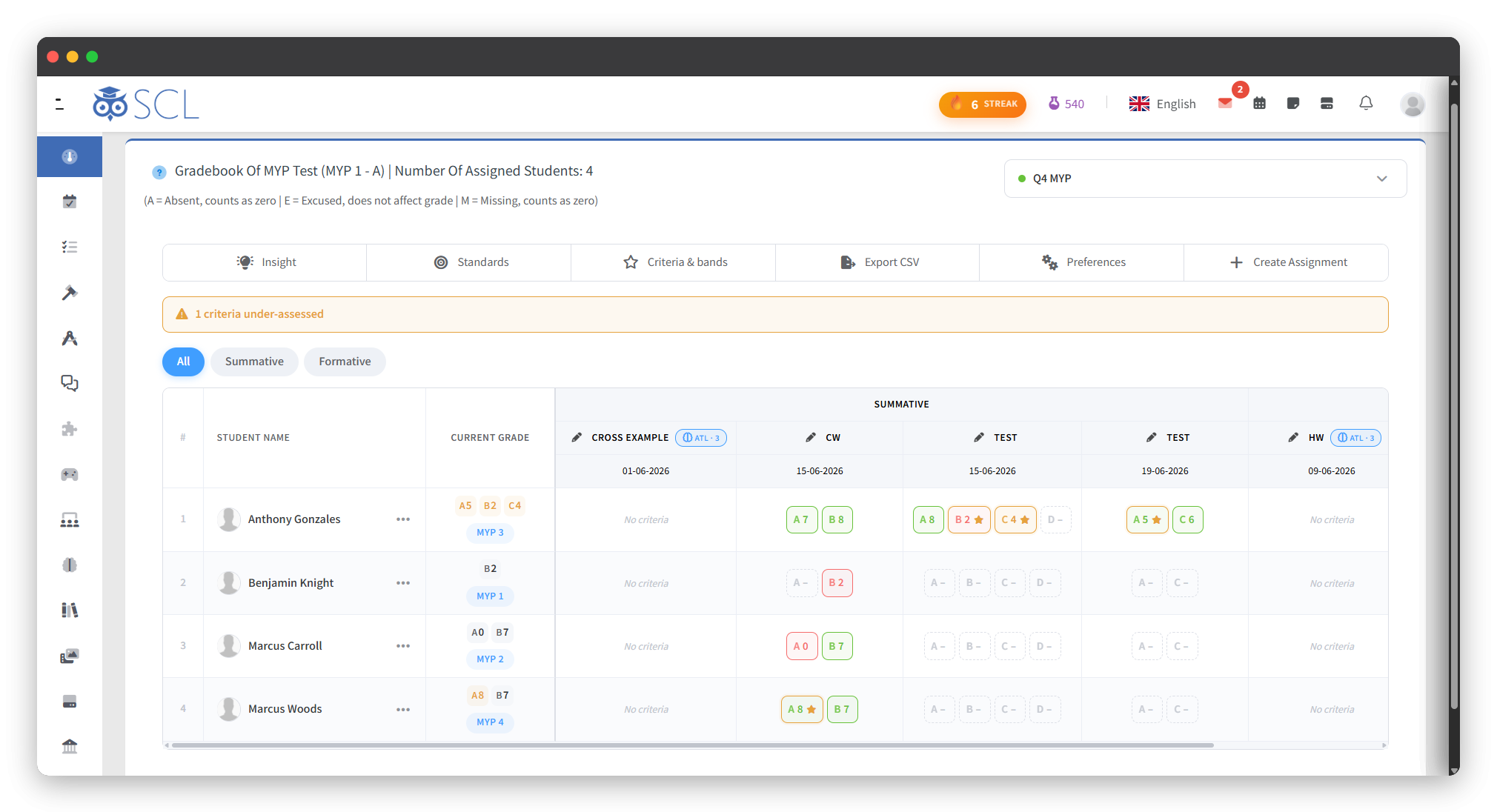
Criterion Grading for IB Divisions
Subject Criteria
Band Descriptors
Best-Fit Levels
Criterion Coverage
Oversight and Access
Locked Periods and Unlock Windows
Examination Control
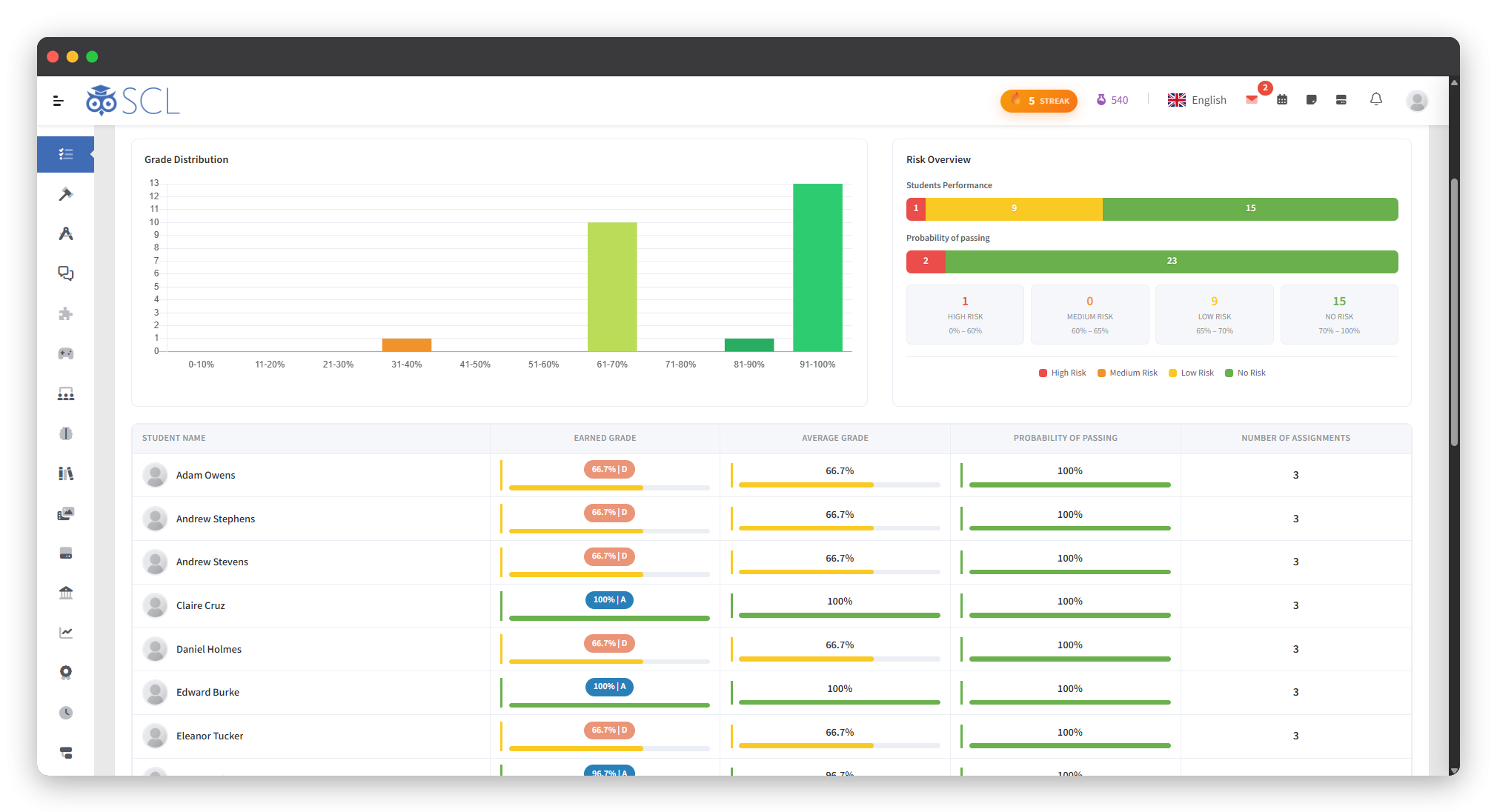
Insight and Rubric Insights
See It Live
See How SCL Fits Your Grading Policy
Walk through the gradebook, the criterion screens and the locked marking periods with our team, and see how percentage and criterion grading sit side by side in one system.