
SCL 2026.3 is built for IB schools, and better for everyone.
SCL version 2026.3
SCL 2026.3 is a landmark release for curriculum-driven schools. It introduces full criterion-based grading for IB MYP and PYP, a first-class Curriculum Center with frameworks and subject objectives, and a completely rebuilt Unit Planner that becomes the single home for curriculum design. Alongside these, a complete built-in School Library, parent and teacher Appointment booking, Learning Observations, and a sweeping set of in-app help guides and interface refinements make this one of our deepest updates yet. Schools on percentage grading see no disruption, as the new grading track activates per division.
Criterion-Based Grading for IB (MYP / PYP)
- A new rubric grading track, enabled per division, lets teachers define assessment criteria and strands per subject, seeded in one click from a built-in IB MYP criteria library and IB PYP, MYP and DP band descriptor packs.
- Coverage overviews, whole-division auto-mapping of IB criteria, and one-click reset to IB defaults make setting up an entire programme fast, with obvious gaps and one-click fixes.
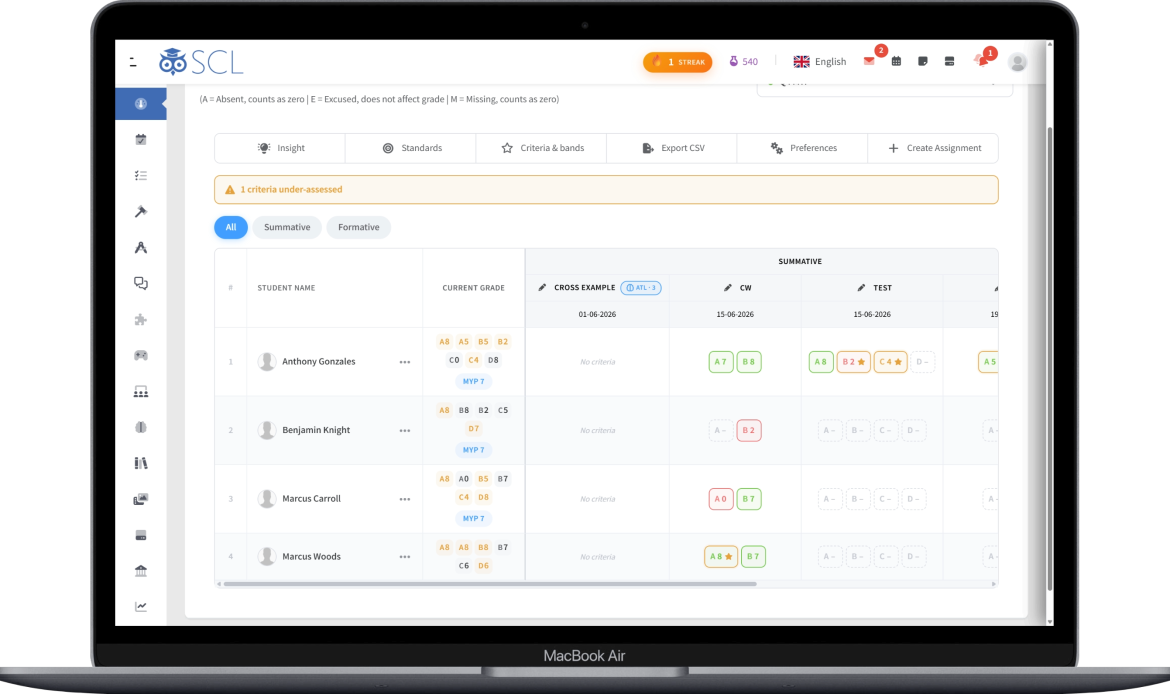
- Teachers create assignments in Percentage or Rubric mode, classify each as Summative or Formative, and score students per criterion, with formative work kept visible but never entering the report card.
- The gradebook scores rubric assignments inline with colour-coded criterion chips and a band picker drawn from the division's achievement levels, complete with per-criterion feedback and MYP best-fit flags.
Rubric Insights, Report Cards & Family Views
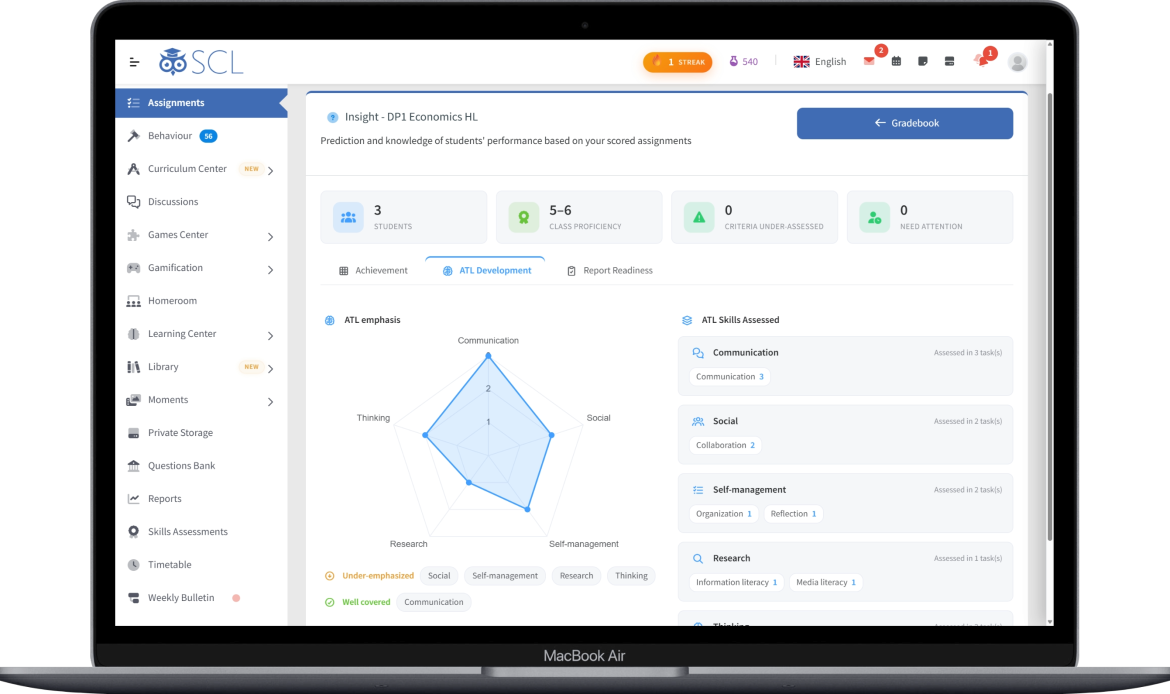
- A new Insights dashboard turns criterion scores into intelligence: achievement heatmaps, class criterion averages, MYP level distribution, per-student growth profiles, ATL development, and a report-readiness checklist.
- Report card generation follows IB best-fit rules automatically, mapping A+B+C+D to MYP 1 to 7, while PYP report cards now print Units of Inquiry straight from the Unit Planner.
- Teachers can generate a criterion-referenced report comment from a student's results, drafted in their chosen tone and ready to edit.
- Students and parents now see the rubric gradebook the IB way, with MYP levels, PYP per-criterion proficiency, and DP 1 to 7 subject grades, all read-only and mobile-friendly.
School Library: A Complete Lending System
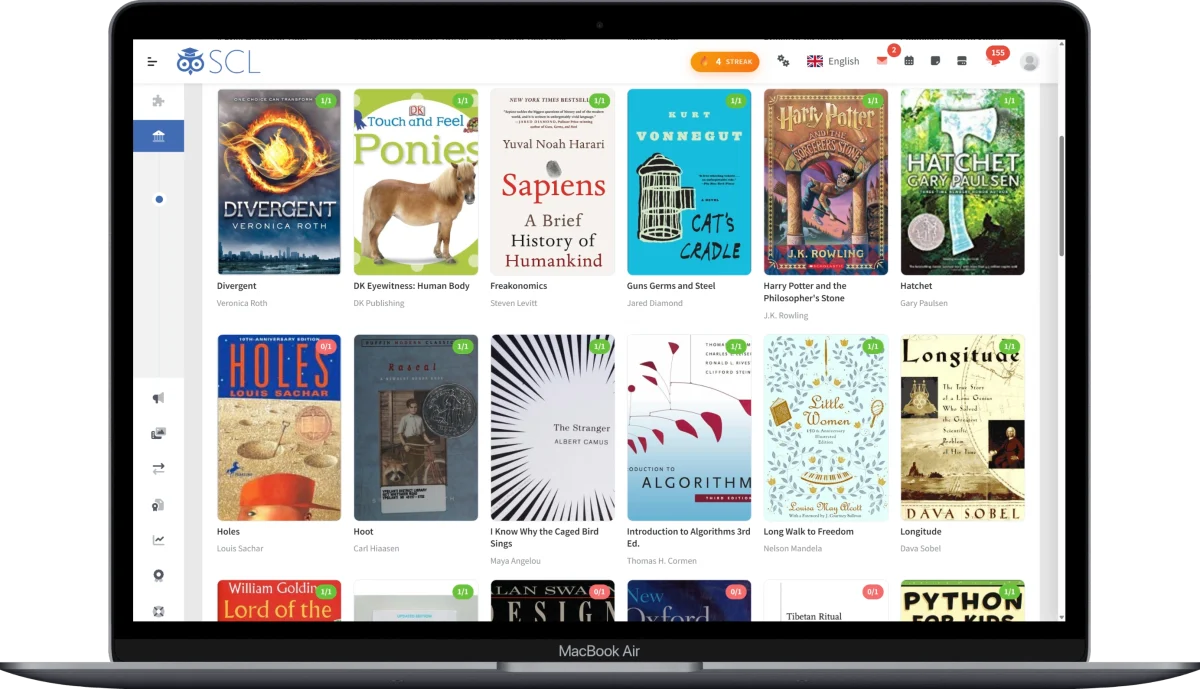
- A full lending library is built right in, with no separate system or extra login, giving librarians one hub for the catalog, circulation desk and admin pages, with live counts of titles, copies, loans and overdues.
- Build the catalog fast by typing an ISBN, with title, authors, publisher, cover art and more looked up automatically and saved to your own server, plus batch copy creation, categories, reading levels and collections.
- The Circulation Desk issues, returns and renews with an ordinary barcode scanner, and students, teachers and staff can each borrow under their own configurable loan rules.
- Reservations (holds), class-set lending, reading challenges, star ratings and moderated reviews, a Discover experience for students and parents (in the mobile app too), stocktake shelf audits, and automatic due-date reminders round out the module.
Subject Objectives & Standards Mastery
- IB subject objectives (MYP Criterion A to D, DP assessment objectives, PYP expectations) are now modeled as their own layer, filled in a click from ready-made toolbox packs or edited by hand, with a per-division coverage overview.
- In MYP, objectives and assessment criteria are now one shared definition, so wording edited once stays in sync across every subject that teaches it.
- Every assignment now carries a Curriculum Alignment section to bind it to a unit and tick the standards it assesses, with the matching unit auto-selected from the due date.
- A printable per-student Standards Mastery Report gathers every standard with its summative and formative evidence, ready for conferences and inspection.
Skills Tracking for Every School
- The skills layer (which IB calls ATL) is now available to any curriculum, not just IB, and can be given the school's own name such as Competencies, 4Cs or Learning Skills.
- Ready-made non-IB packs now ship alongside the IB ones, including 21st-Century Skills (the 4Cs), Habits of Mind, and Learning Skills and Work Habits.
- Skills can be tagged on units as well as assignments, so a unit declares the skills it develops and the planner shows how balanced that coverage is.
Lesson Planner: Inherits the Unit's Intent
- A lesson that belongs to a unit now shows that unit's full conceptual framing alongside it, so teachers plan against the big ideas without leaving the page.
- Creating a lesson uses the same modern pickers as assignments, with Standards, Subject Objectives, Skills and an IB Conceptual Focus all as searchable chip grids narrowed to the unit's selections.
- Lessons carry their own standards and skills focus with Introduce, Develop, Master stages, and the AI lesson-plan generator now draws on the unit's concepts and the lesson's own declared focus.
Learning Observations
- Teachers can record short evidence notes about a student straight from the gradebook and class attendance, each with multiple tags, file attachments and an optional date observed.
- Observations are private by default, with the option to share an individual note with the student's parent once the school enables sharing.
- Coordinators get a dedicated Observations tab on the student profile that gathers every teacher's notes in one place, with quick stats, export and parent-visibility control.
Appointments: Parent and Teacher Meeting Booking
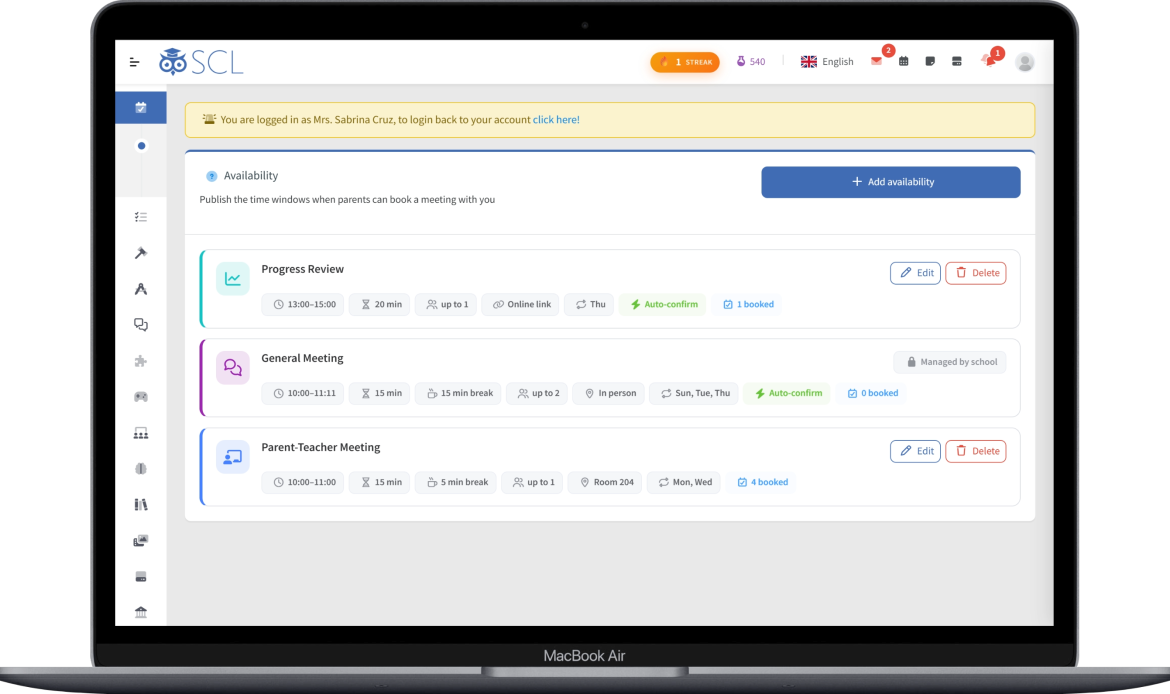
- Teachers and bookable staff publish availability windows, and parents book an open slot for a specific child from a new Appointments menu, with just one upcoming meeting per person at a time.
- Meetings run in person, over an external link (Zoom, Teams or Google Meet), or in a private, time-boxed SCL Virtual Classroom created the moment the teacher starts.
- Confirmations arrive by in-app message and email, with optional SMS, and both sides get clear Pending, Upcoming, Ongoing and Past views plus live "ready to start" cues.
- Admins get an Availability Planner to open slots across many teachers at once, school-wide defaults and meeting types, and a new Appointments report for auditing how each teacher handles requests.
Interactive Assignments & Security
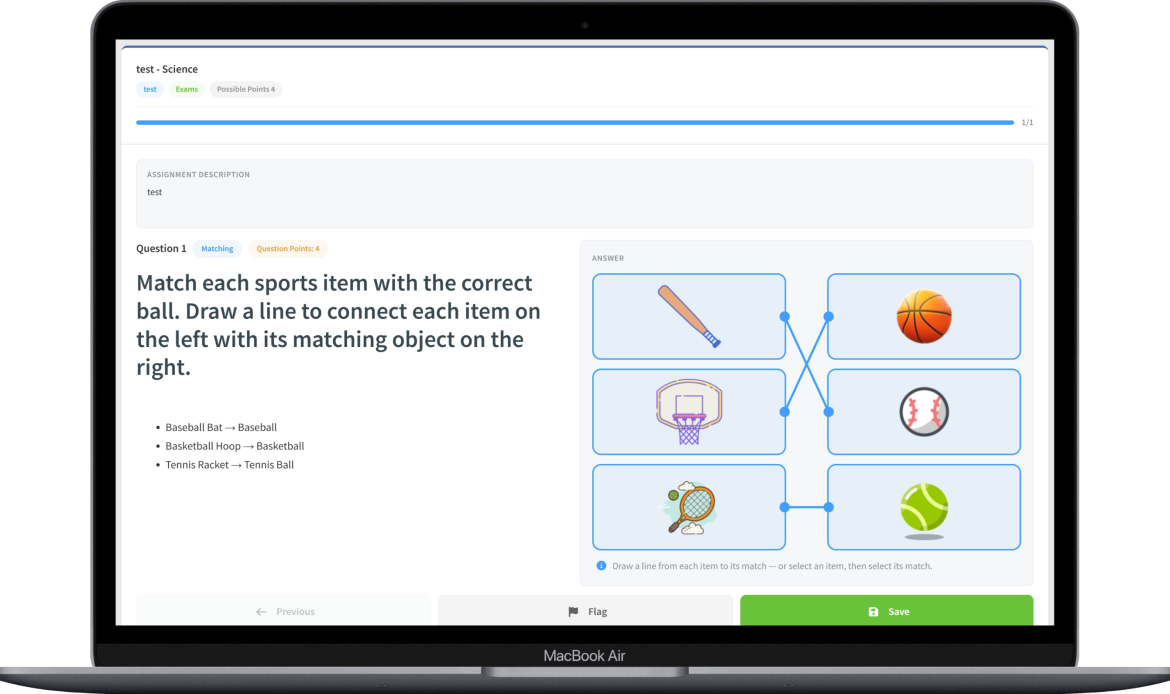
- Matching questions can now use pictures on either side of a pair, and students answer by connecting each item to its match with a line, a friendlier style suited to early-years learners.
- A new Security Settings page brings password changes, passkeys, two-step verification, external sign-in accounts and active sessions together in one place for every user type.
- Administrators can now change another user's password directly from the Users area, opening on a clear account card with quick links to edit, message or open the profile.
Billing API, Dashboard & Reporting
- A new backend Billing API lets an external system such as an Odoo ERP read invoices, payment transactions and full single-invoice details, secured by an API key tied to an IP allowlist.
- The admin dashboard gains seven new charts for Library circulation, most-borrowed titles, reading engagement, discussion activity and appointments, each shown only to staff with access to that area.
- Dozens of reports across Admission, Students, Academic, Communication and Transportation have been rebuilt as modern interactive tables, with sorting, filtering, pagination and export to Excel, CSV, PDF or print.
In-App Help & Interface Refinements
- Nearly every admin and teacher page now has a built-in, illustrated help guide that opens in a reader inside SCL, in the app's own light or dark theme, covering the Library, Curriculum Center, Grading, Assignments, Admission, Billing, Reports and much more.
- Management lists now stack cleanly into cards on phones, on/off settings appear as clear switch tiles with inline editing, and confirmation dialogs now signal risk with colour and read in the school's own language.
- Consistent terminology across the app renames Grade to Educational Level, Quarters and Terms to Academic Periods, and Grading Categories to Assessment Types, alongside calmer error, not-found and maintenance screens.
- Year rollover now carries the complete curriculum forward, copying each unit in full with its framing, standards, skills and resources, and optionally deep-copying lesson plans into the new year.