
A Bulletin per Class
Every class a teacher takes already has its own weekly bulletin, drawn from the classes they teach. There is nothing to create or set up, and each teacher sees only their own classes.
Weekly Bulletin
Every class a teacher takes has a weekly bulletin in SCL, laid out as a simple grid: a column for each day of the week, a row for assignments, and a row for each note category the school has defined. Teachers fill it in as the week goes, and parents and students read it in the mobile app or the web portal, each seeing only the classes they belong to.
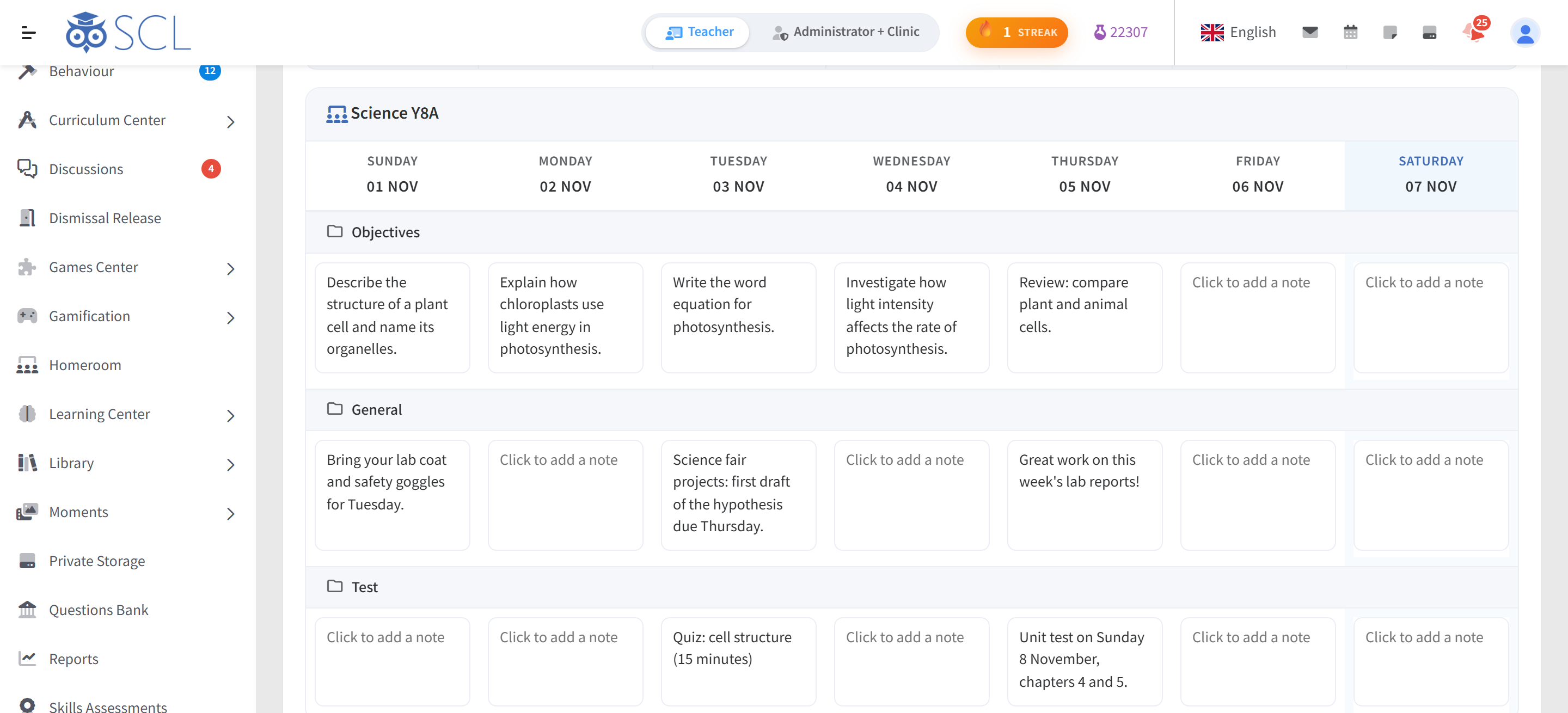
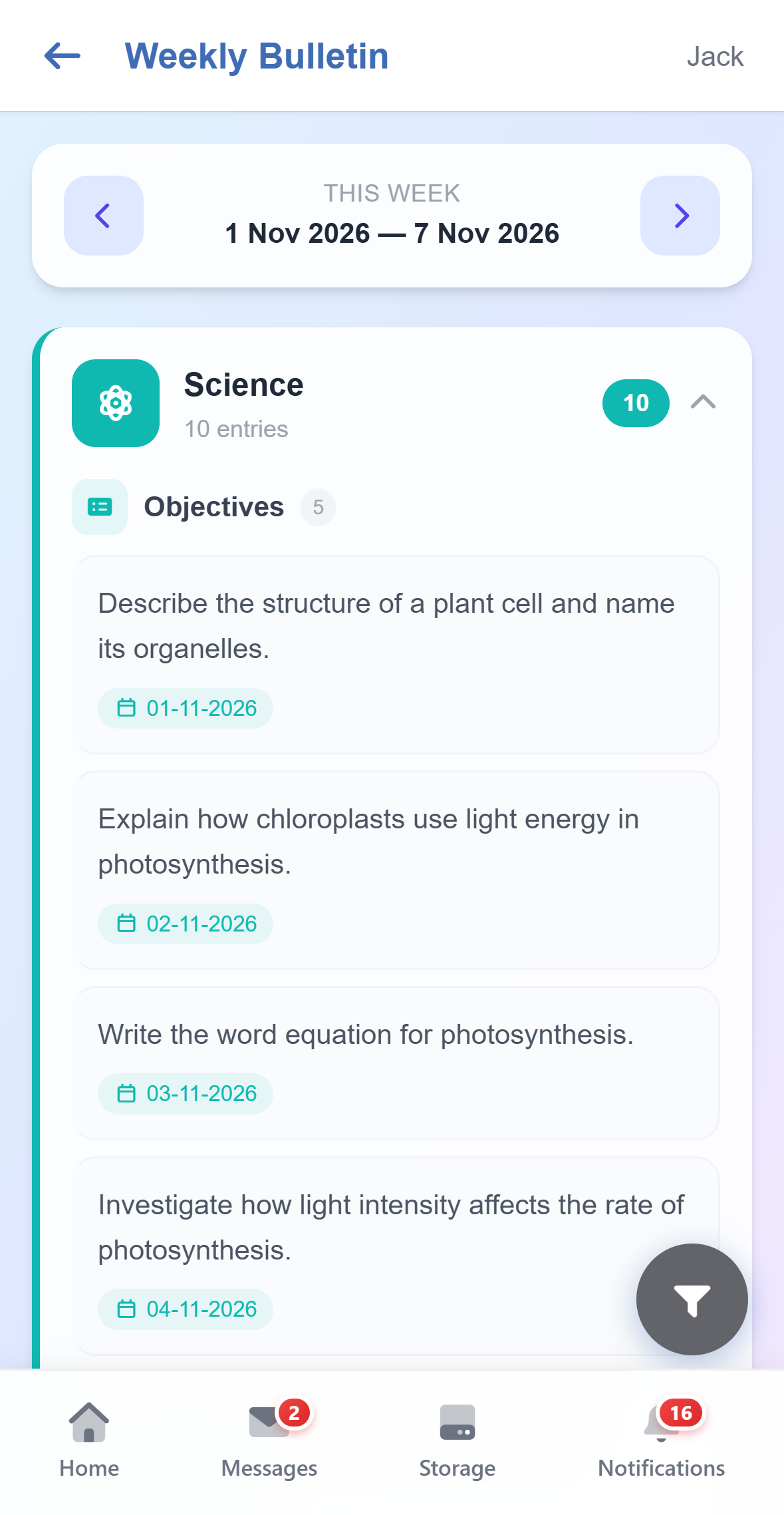
Every class a teacher takes already has its own weekly bulletin, drawn from the classes they teach. There is nothing to create or set up, and each teacher sees only their own classes.
The bulletin lays the week out as a grid, with a column for each day and a row for assignments and every note category. Parents and students see at a glance what falls on which day.
When a teacher flags an assignment for the bulletin while grading, it appears on the right day without being retyped. Schools can turn this on by default, so every assignment shows up as it is set.
Teachers click any day and type a note, a reminder, a reading, or what to bring tomorrow, and it saves on its own a moment later. There is no publish step and no form to submit.
Auto-copy mirrors a note into the teacher's other classes for the same day and category, so a message meant for several sections is written once. Any class the teacher has already edited is left untouched.
When another subject has already written in the same class on the same day, the teacher sees a note saying so. It keeps the day from filling up with overlapping messages from different teachers.
SCL Today
Day buttons narrow every class to a single day, answering what a child needs for tomorrow without reading across the week. Today's column is shaded, the chosen day stays selected from week to week, and on a phone the bulletin opens on today.
Interactive assignments get their own band, placed on the day they open and showing the date and time they open and close. Families know exactly when online work can be done, and work a teacher has not published yet never appears early.
Notes are written for the whole class, but an assignment appears only for the students it was set for. A child left out of a piece of work does not see it on their bulletin, so families never chase work that is not theirs.
In the SCL app the week opens as a card per subject, in the subject's own colour and icon, with a count of entries. Parents and students filter by subject or day, step between weeks, and return to this week with one click.
From any assignment in the bulletin a teacher opens Manage Assignment, and from interactive work they review student submissions, copy the assignment or preview it. The bulletin becomes the starting point for the week's marking.
Each child has their own unread marker, and the dot returns whenever a teacher adds or changes an entry for that week. A parent of several children sees which bulletin has news without opening them all.
Parents open the bulletin for each of their children, and students see their own, in the mobile app or the web portal. Everyone reads only the classes they are actually enrolled in.
A small dot marks each week's bulletin as unseen until a parent or student opens it. Families can see at a glance whether they are up to date, without another message in their inbox.
Heads of department and coordinators see the bulletins for every class in their subject, without changing what a teacher wrote. It gives them a clear view of what each section is being told.
Administrators can look into any class's bulletin across the whole school, so leadership always knows what families are being told each week. Nothing important stays buried inside a single classroom.
The Weekly Bulletin Entries report counts the notes for each class and subject, with a column for each bulletin category, over any date range, opening on the last two weeks. It shows leadership which classes are keeping families in the loop.
Admins define the note categories every bulletin uses and set how many weeks back or forward anyone can scroll. They also choose whether assignments and interactive assignments appear at all.
Connected modules
These modules share the same student record, so what happens in one shows in the others.
Private messages, class discussions, newsletters to any audience and classroom moments, for staff, parents and students, with read receipts and recall.
Run moderated class discussions with announcements, questions, best answers and approval before students post, inside the system they already use.
One app for grades, attendance, fees, messages, behaviour and medical details, across every child a family has at your school. Web and mobile.
Every student gets their assignments, gradebook, timetable, report card and virtual classrooms in one login, on the web and on their phone.
Set your own grading scales, weight assessment types per subject and score IB criteria in one gradebook, with a live earned grade for every student.