
Academic Progress
Parents can access their child's academic progress, including grades, assignments, and assessment results.
Parent Portal
A parent with three children at your school signs in once and sees all three. Not three logins, and not a portal per division.
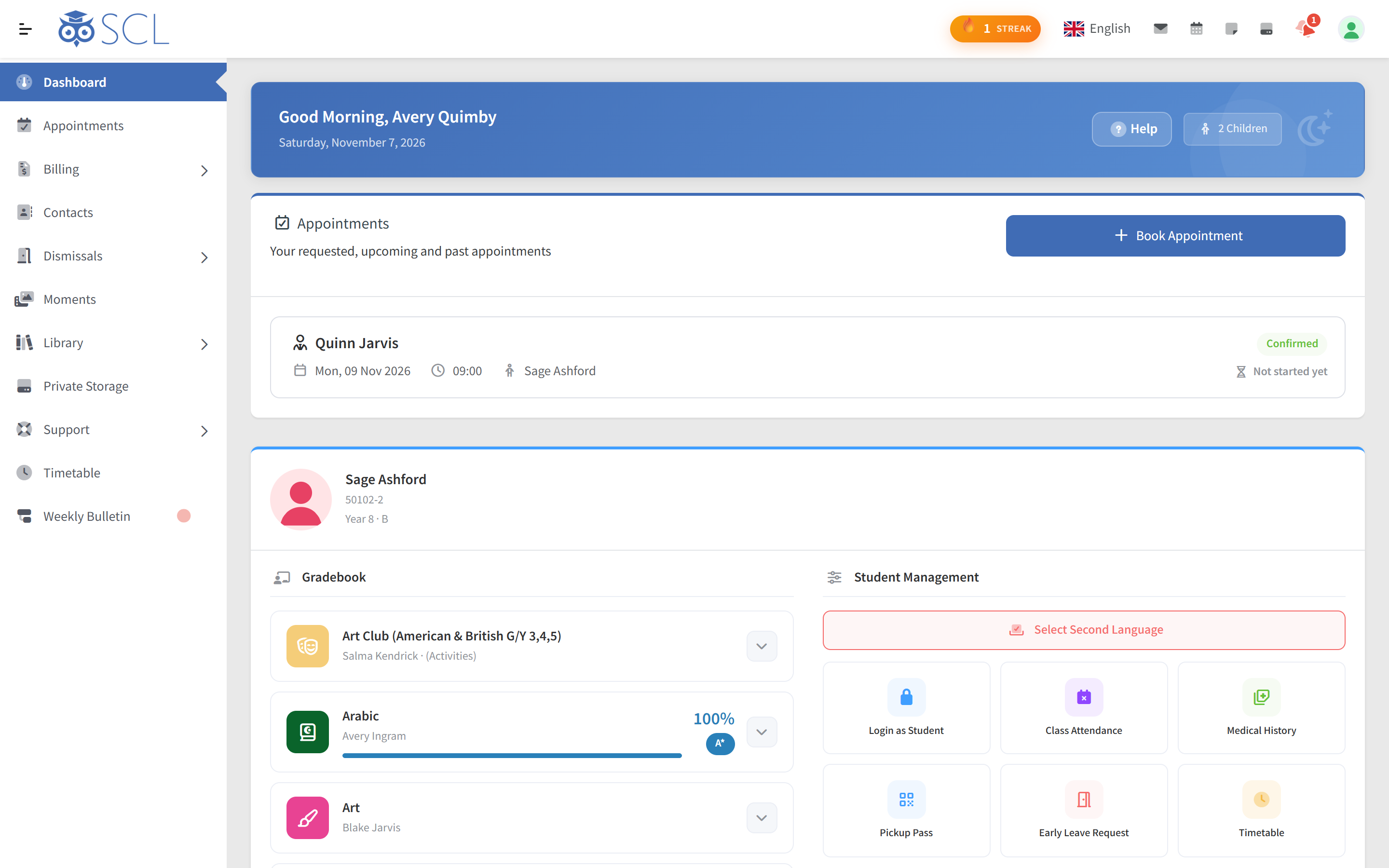
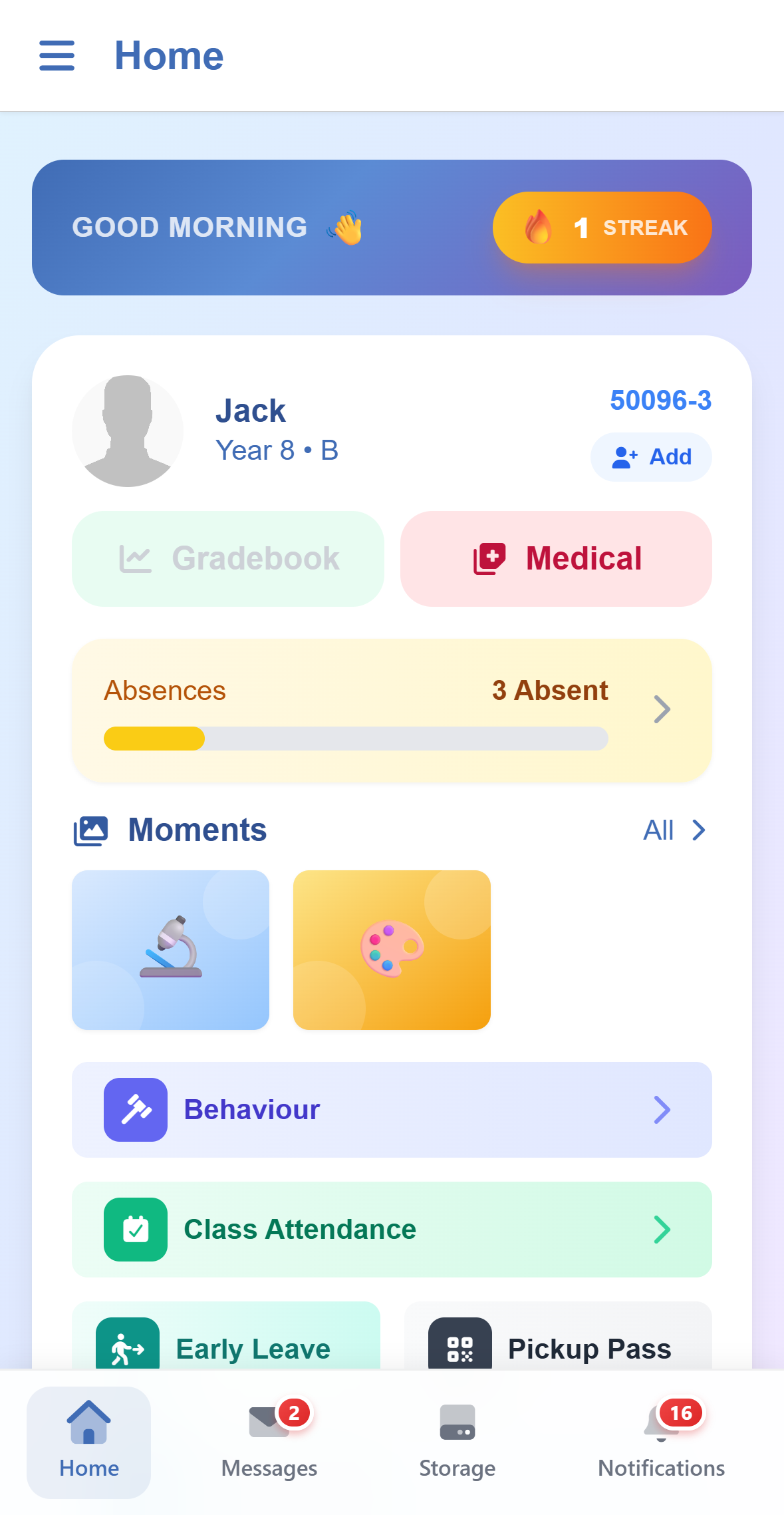
Key Features of the Parent Portal in SCL
SCL features empower parents to actively participate in their child's education, stay informed about their academic progress, and engage with the learning process more effectively.
Parents can access their child's academic progress, including grades, assignments, and assessment results.
Parents can view and manage fee payments, financial records, and any outstanding balances.
Parent portal allows parents to communicate directly with teachers, enabling them to discuss their child's performance and address any concerns.
Parents can view their child's attendance records to stay informed about their school attendance.
Parents can update their contact information and manage their personal profiles within the portal.
Parents can access the school calendar and stay informed about upcoming events, parent-teacher meetings, and other school activities.
SCL Today
Parents pick a teacher, a day and a free time, choose which child it concerns and add a reason, on the web or in the app. Confirmed meetings appear on the dashboard with a Join button for online ones, and the app saves them to the phone's calendar.
Wherever a subject is marked against criteria, in the IB MYP and PYP or on the school's own criteria in any curriculum, families see each criterion's level, what each band means and the skills behind each task, with summative work kept apart from practice. In the app, a Growth Profile shows each criterion's trend and the teacher's feedback.
Under Authorised Pickup, parents add a grandparent, relative or driver with their details, the children they may collect and an optional end date. The school approves each person, who then gets a pickup pass of their own, and the parent can revoke it at any time.
Teachers record short notes on what a child did or said in class, with tags and photos, documents, audio or video attached. Each stays private until the teacher marks it visible to parents, then appears on the parent's dashboard with a notification, where the school shares observations.
What the school sells, such as trips, uniforms or photo packages, appears for the grades a family's children are in, each item with places left and a deadline. Parents tick the children they are ordering for, get one invoice per child, and pay online from the phone.
The app keeps several accounts signed in, such as a parent's own and a staff account or a second school, with unread counts on each and no password to switch. Where the school allows it, a parent adds a child's account and sees the app exactly as the child does.
SCL enhances parental involvement, improves communication with the school, and empowers parents to take an active role in their child's educational journey, leading to a more positive and successful learning experience for the student.
SCL allows parents and students to explore and select extracurricular clubs or activities that align with the child's interests and talents. This feature provides parents with insights into the available clubs.
SCL include a behavior management module that allows parents to track their child's conduct and discipline at school. Teachers can update the system with information on behavior, such as punctuality, discipline infractions, and positive behavior reinforcement.
Parents can access educational resources, study materials, and other content shared by teachers or the school, which can assist them in supporting their child's learning at home.
The system can send timely notifications and alerts to parents about important events, parent-teacher meetings, school announcements, and other relevant information.
A secure medical record holds the school's own health questions, from medical problems and needs to medication and food allergies, dietary needs and other notes, alongside the child's clinic visits. Parents keep it up to date where the school allows, and emergency contacts sit under Contacts.
Moments is a secure and private media-sharing hub designed for schools, where teachers share students' special moments, both photos and videos, from events, activities and everyday school life. Parents and students view and like them within their trusted school community, and the school decides whether families may save a copy.
Parents follow marks, attendance and the week's assignments and tests as teachers record them, through the gradebook and the weekly bulletin. This allows them to stay updated on their child's progress and be more involved in their education.
By having all relevant information available in one place, parents can save time and effort in accessing and managing their child's educational data.
A secure QR Pickup Pass module that allows parents to generate a one-time-use QR code for picking up their children from school. The QR code can be used by the parent or shared with an authorized relative, ensuring a safe and reliable student pickup process. The system also maintains a detailed log of all pickups for added security and accountability.
Connected modules
These modules share the same student record, so what happens in one shows in the others.
Daily homeroom and per-subject attendance, excuse types you define, absences enterable for any past date, and automatic notifications to parents.
Admission fees, tuition instalments, transport subscriptions and store orders, charged to the student, paid online, and visible to parents in their portal.
Medical profiles, allergy alerts and a clinic visit log parents can see. Families keep their child's details current from the app, staff see them where needed.
Parent requests, school approvals, authorised collectors nominated per child and QR gate pickups, connected in one record instead of a paper list.