
Skip to the content

Billing System

School Fees, on the Same Record as Everything Else

Most schools bill from a finance package that has never heard of a student. Somebody exports a roster each term, and every leaver and transfer has to be reconciled by hand.

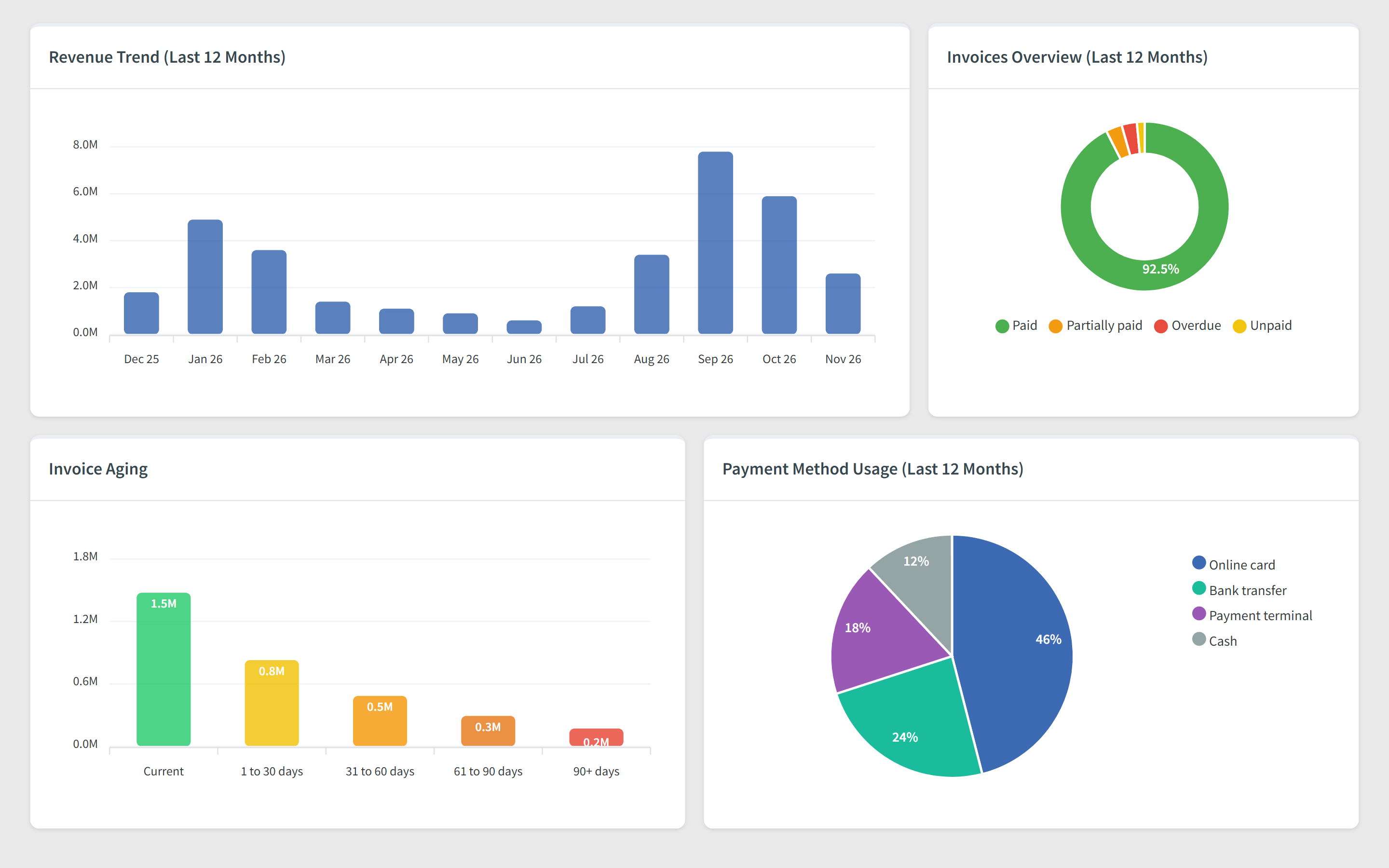
A billing overview in SCL with revenue collected each month, the share of invoices paid, outstanding amounts by age and how families pay, by card, transfer or cash.
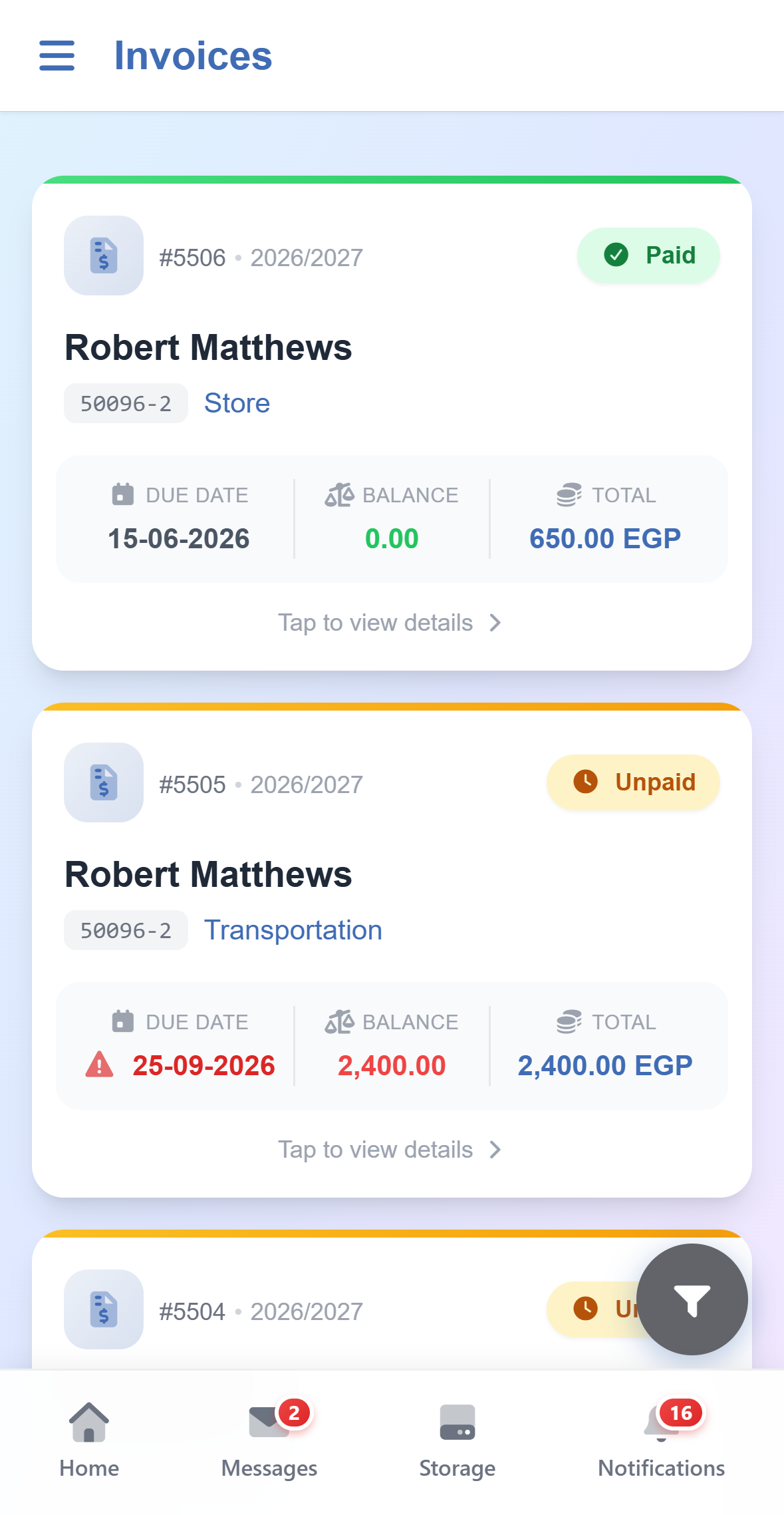
Invoices in the SCL app on a phone, showing each child's invoices with status, due date, balance and total, ready to open and pay.

In SCL the charge sits on the student record itself. A family accepted through admissions is billed the admission fee before they enroll. A bus place billed on the same invoice as tuition puts the child on that route in transportation, instead of being chased separately. A student who transfers out through the registrar is left out of future billing runs, because the same record drives both.

Parents see what they owe and pay it online in the parent portal, across every child they have at the school, and finance sees the position by grade and division in reports without exporting anything. A child's wallet top-up is raised here as an invoice too, paid through the same gateways and left out of your fee and revenue figures.

Billing in 81 Seconds

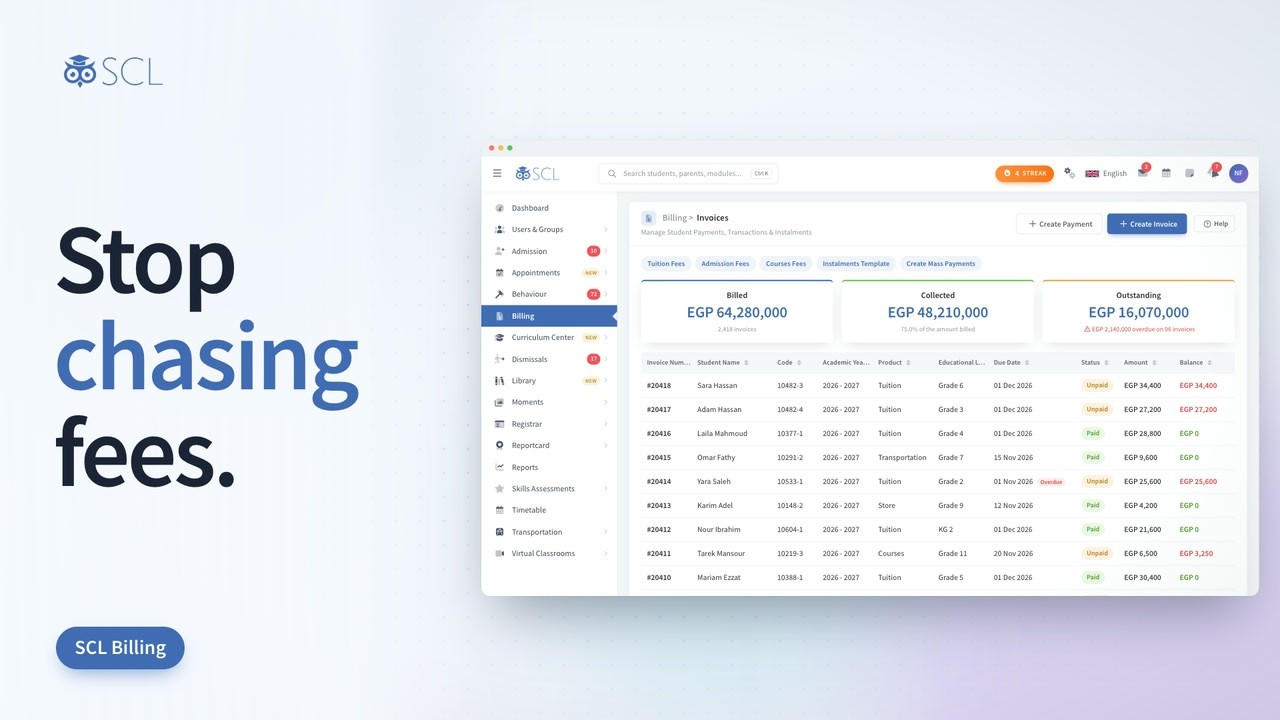
School Fees Without the Chasing

Set fees by level and split them into instalments, then invoice a whole year group in one go, each family on its own plan. Parents pay by card or wallet in the SCL app, the payment lands on its invoice by itself, and reminders go out on the days you choose.

Every Fee Your School Collects, in One Place

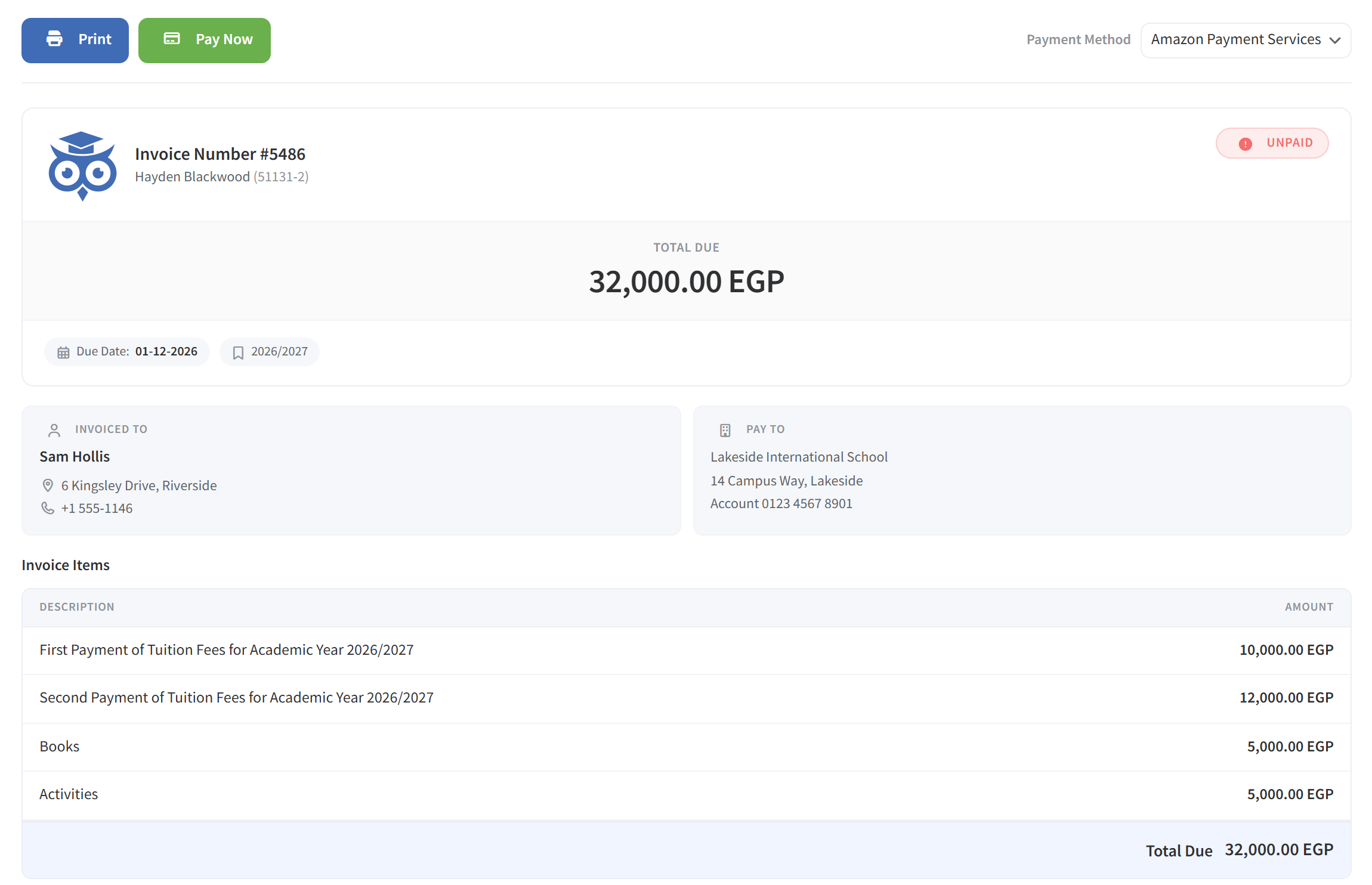
SCL Billing is where every amount your school collects is raised, tracked and settled. Finance teams invoice tuition, transport and course fees, admission assessment and registration fees, and store items, all against the same student record. Parents see every invoice in the parent portal and the mobile app, with its balance, due date and line items.

Tuition is set per educational level and split across instalments from reusable templates, so a whole level can be billed in one run instead of child by child. Payments arrive through the gateways you enable, from cash, bank transfer and payment terminal to online card and wallet payment.

Reminders go out before an invoice falls due and again while it runs overdue, and accounts suspend automatically after a set number of days, then release as soon as the balance is paid. Administrators keep a full transactions history; parents always know what they owe.

Essential elements

Billing System

Admission Fees

Assessment and registration fees are set per educational level, and when staff bill an applicant, Create Payment lists each one with its own switch. A fee already on an unpaid invoice is locked, with that invoice named, so the same fee is not billed twice. When the applicant enrolls, their invoices and payments move to the new student record.
Tuition and Instalments

Tuition is defined for each educational level, then split across instalments using reusable templates with their own due dates. A whole educational level can be billed in a single run rather than student by student.

Store Orders

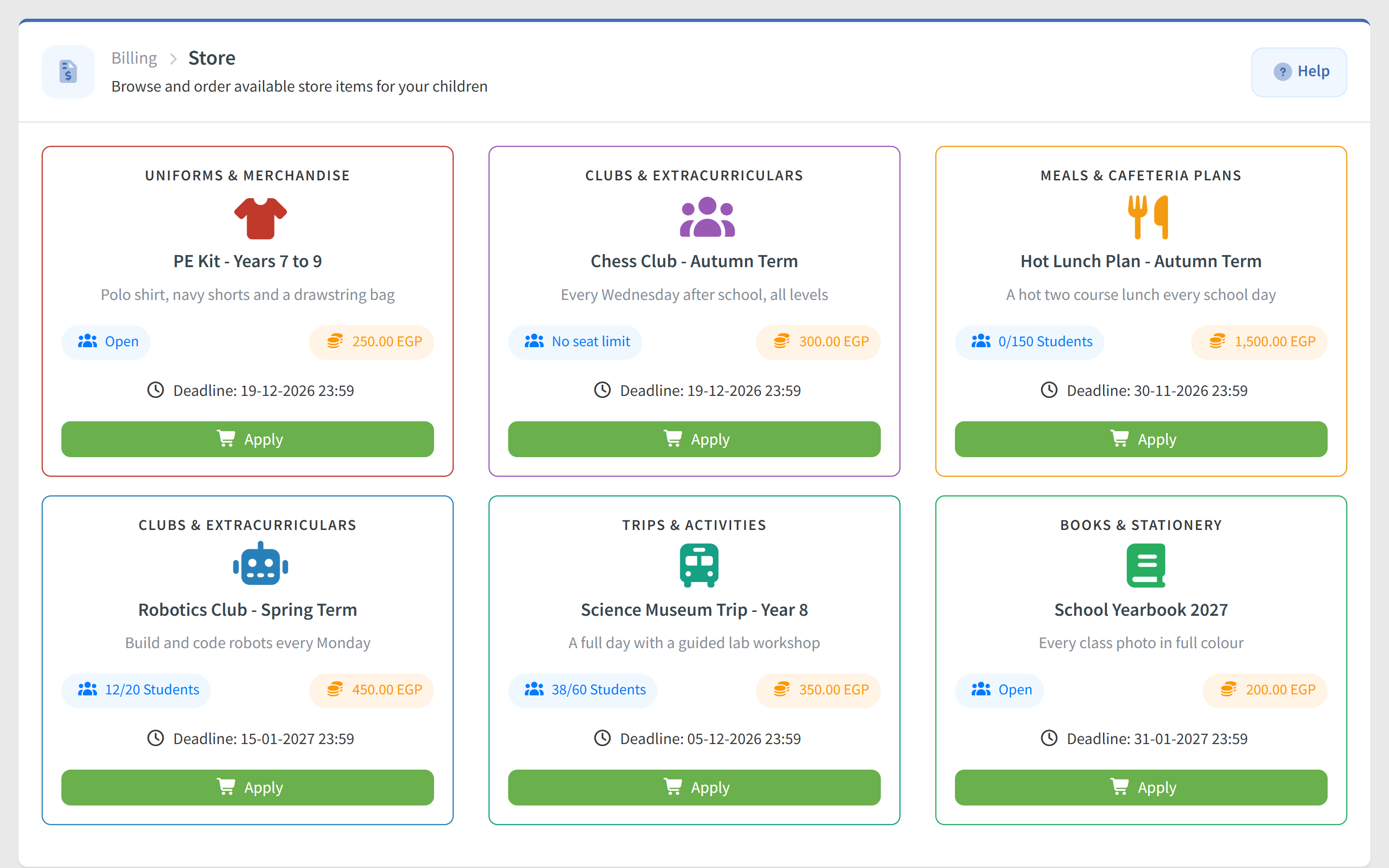
Trips, clubs and other paid items are published to selected educational levels with a capacity, a deadline and a price per student. Parents order for one child or several, and each order raises its own invoice that holds the place until payment completes.

Payment Gateways

Cash, bank transfer and payment terminal sit alongside online card and wallet payment through Kashier or Amazon Payment Services. Parents pay from the mobile app or the portal, and each gateway carries its own fixed and percentage transaction fee.

Reminders and Suspension

A reminder goes out before an invoice falls due, followed by first, second and final overdue notices by email, SMS and in-app message. Accounts can suspend automatically once an invoice ages past your limit, and release themselves the moment the balance is paid.

Transactions and Insight

Every payment is recorded against the invoice it settles, including partial payments and transaction fees. Dashboard widgets track revenue trend, invoice aging, payment method usage and the paid, unpaid and overdue split.

See it in SCL

SCL Today

Finance Reports and Payment Controls

Aged Receivables

Aged Receivables splits every outstanding balance into Not yet due, 1-30, 31-60, 61-90 and Over 90 days, and Collection Summary gives billed, collected and outstanding for each educational level with its collection rate. Owners see the position without a spreadsheet.

Cash Flow Forecast

Cash Flow Forecast lists what is still owed by the month it falls due, split by product, with the totals due within the next 30, 60 and 90 days. Finance plans spending around money that is actually scheduled to arrive.

Family Statement

Family Statement gives one consolidated balance for each family across every enrolled child, with the oldest due date. The office answers a parent with children in two divisions from a single line.

Uninvoiced Students

Uninvoiced Students lists enrolled students who have never been billed for a chosen product this academic year, with the amount expected. A missed tuition or bus invoice is caught before the term moves on.

Process Audit Reports

Refunds & Cancellations names who took each invoice off the books, when and why, Reminder Effectiveness shows how much chased debt was settled at each reminder stage, and Suspension Exposure lists the accounts the nightly job is about to suspend.

Store Programme Rosters

Each store programme shows its take-up by educational level and a Not Enrolled list of eligible children who have not ordered, with lapsed orders flagged. Staff enroll the children they select, message each parent once, and print the roster of paid orders.

Held Payment Notices

The family hears of a payment staff record by hand only after a short wait set in Billing Settings, and the invoice shows when they will be told. Void a mistaken entry before then and the family never hears of it. Online payments are announced at once.

Voided, Never Deleted

A voided payment is never deleted. Transactions has a Voided tab showing who recorded and who voided each payment or refund, when and why, and a payment voided by mistake can be restored from its invoice while the invoice still owes it. Staff allowed to void any payment are told of every void and restore, and everyone else voids only their own same-day entries, up to a limit.

Refunds on the Invoice

The Add Refund tab gives money back by any payment method, with a date, reference and required reason, against the product it refunds. Refunding everything paid marks the invoice Refunded. Each refund shows in Transactions and in Refunds & Cancellations, and where ETA eReceipts are on, a return receipt is filed for its own amount.

Beyond the Essentials

More Ways SCL Handles Your Fees

Tuition and Bus Discounts

When staff create a payment, they reduce a tuition item marked Discountable, or the transport fee, by a set amount or a percentage, and a mass tuition run takes a discount per student. Parents only ever see the amount they truly owe.

ETA eReceipts

For schools in Egypt, SCL files an official eReceipt with the Egyptian Tax Authority the moment an invoice is paid, and prints the ETA QR code onto it. Cancellations file their own return receipt, so reporting stays in one system, not a separate portal.

Parent Self-Service

Every invoice, due date, instalment schedule and running balance sits in the parent portal and the mobile app, for one child or several. Parents pay online in a click, so nobody has to phone the office to ask what is owed.

Exports and Accounting

Your finance team filters invoices and transactions by status, product or date, then exports the register to CSV in a click. A read-only billing API lets your accounting system pull the same invoices and payments, so figures are never keyed in twice.

Connected modules

Works Hand in Hand With

These modules share the same student record, so what happens in one shows in the others.

See How SCL Fits Your Fee Structure

Walk through instalment templates, the parent portal and the overdue notices with our team, and see how tuition, transport and store fees are raised, tracked and settled.