
Merits and Demerits
Build your own catalog of behaviours with the point value each one carries, positive or negative. Every teacher then picks from the same list, so a record means the same thing across the school.
Behaviour Management
When behaviour lives in a teacher's notebook, nobody can see a pattern. SCL gives your school one catalog of merits and demerits, with the point values you choose, so a late arrival means the same thing in every classroom and every division.
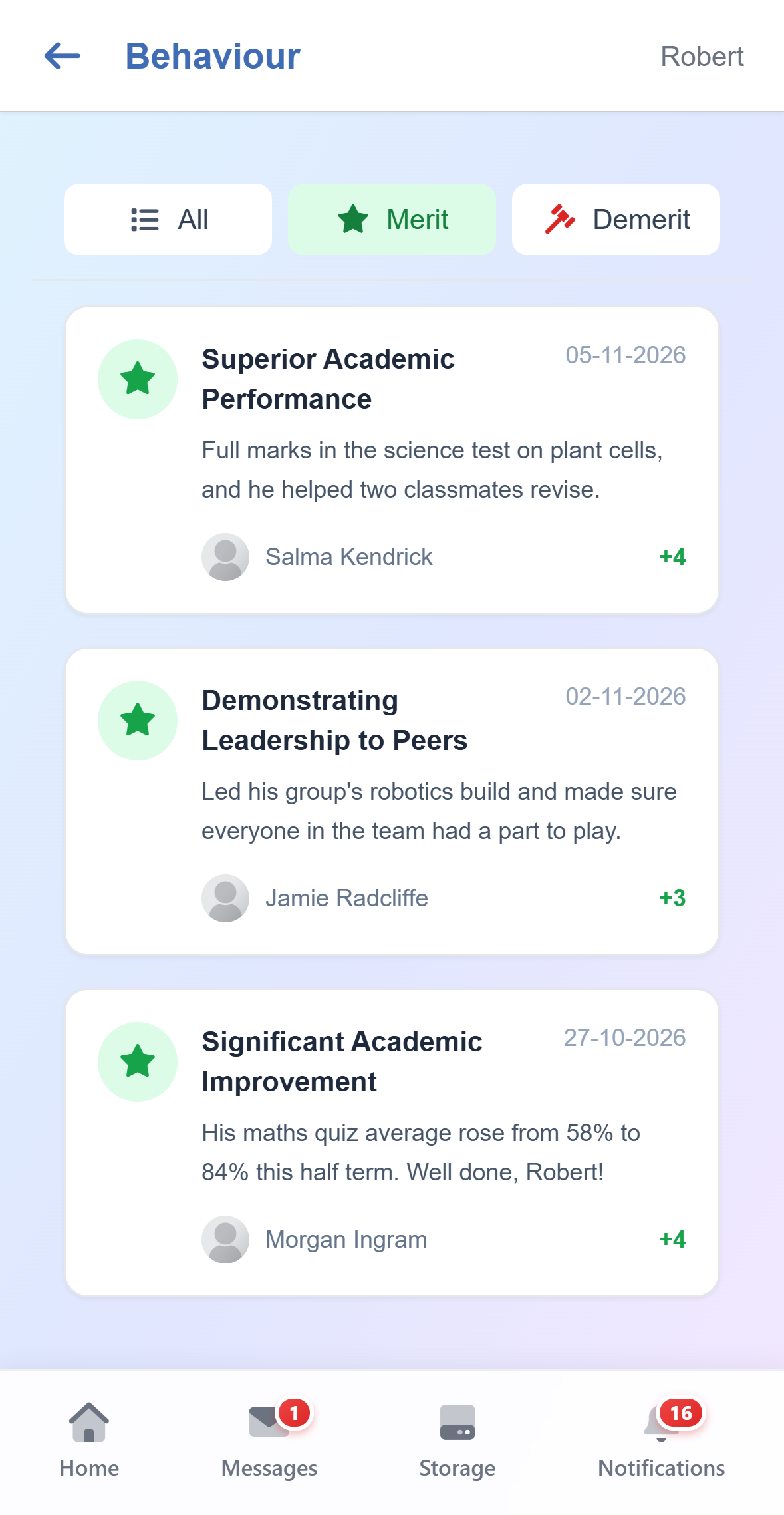
Build your own catalog of behaviours with the point value each one carries, positive or negative. Every teacher then picks from the same list, so a record means the same thing across the school.
A teacher picks the behaviour, chooses the students involved and writes down what happened. One incident can cover several students at once, so a group is logged in a single entry rather than one by one.
Keep a catalog of the responses your school actually uses, and tie each one to the merits and demerits it fits. Staff then see only the responses that make sense for the behaviour in front of them.
Every incident moves from Pending to In Progress to Resolved, so open cases stay visible. Resolving one requires recording the action taken, which keeps the account of what happened from going missing.
Choose which behaviours a teacher may close themselves and which have to reach a head of school. Everything else stays read-only for them, so a serious incident cannot be quietly resolved.
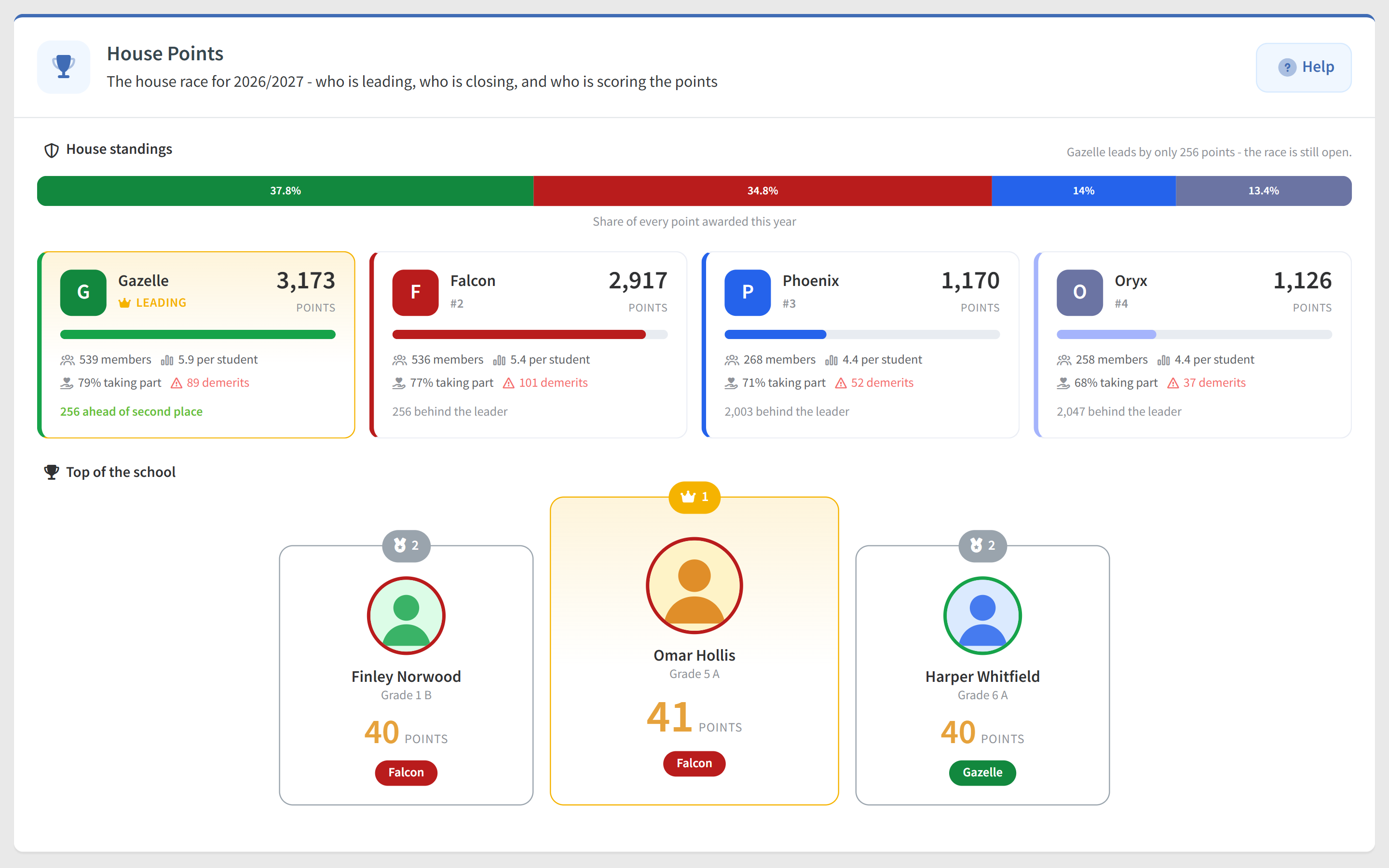
Merits on resolved incidents add to the student's house, and the leaderboard ranks houses across the year. Students open their own House Points page with the house race, a Roll of honour and their ranks, while the filters and the full leaderboard to export stay with staff.
SCL Today
Reports › Wellbeing & Behaviour › House Points shows each house's share of every point, its points per student and how many members take part, a monthly form guide and the school's top scorers. Every filtered view has its own address, ready to bookmark or put on the assembly screen.
Each house card shows its demerits beside its total, so conduct stays visible, but they never take points away. A house that had a difficult term still shows every point its students earned, and the race keeps its motivation.
Students log how they feel each day, from Great to Angry. The Mood Report breaks check-ins down by date, mood and educational level, Today's Mood on the dashboard counts who needs attention, and each profile shows a Sad or Angry streak and a Mood shift alert.
The Behaviour Overview chart on the admin dashboard counts incidents day by day as Pending, In Progress and Resolved. Click a day to open those incidents, so a backlog is seen and cleared before it grows.
Custom Reports can list behaviour records with their points, status and response, or add each student's behaviour score and incidents this year beside their house and class. Leadership filters, groups and charts the result and chooses which staff may open it.
Give Claude or ChatGPT, connected through SCL Connect, your behaviour matrix and it adds every merit and demerit with its points and responses, saying first how many incidents a points change would re-score. Recording incidents this way stays off until the school switches it on.
Connected modules
These modules share the same student record, so what happens in one shows in the others.
Badges, stickers and games that reward effort, designed by the teachers who give them rather than shipped as a fixed set nobody at your school chose.
One app for grades, attendance, fees, messages, behaviour and medical details, across every child a family has at your school. Web and mobile.
Academic, attendance, admission, communication and wellbeing reports, ready to filter, view and export across every division and grade in your school.
One student record from the first application to the final transcript. Profiles, guardians, documents, health, behaviour and academic history in a single SIS.