
Online Application Form
Parents apply from a phone, tablet or laptop through a four-step form covering the student, parents, medical details and a final review. No account is needed and nothing has to be printed.
Admission and Enrollment
Admission is the first thing a family experiences of your school, and in most schools it still runs on paper forms, spreadsheets and phone calls. SCL puts the whole intake online: parents apply from any device, pay the application fee as they submit or, where the school allows it, later from their private tracking page, and follow their child's progress there without calling the office.
Admissions in 46 Seconds
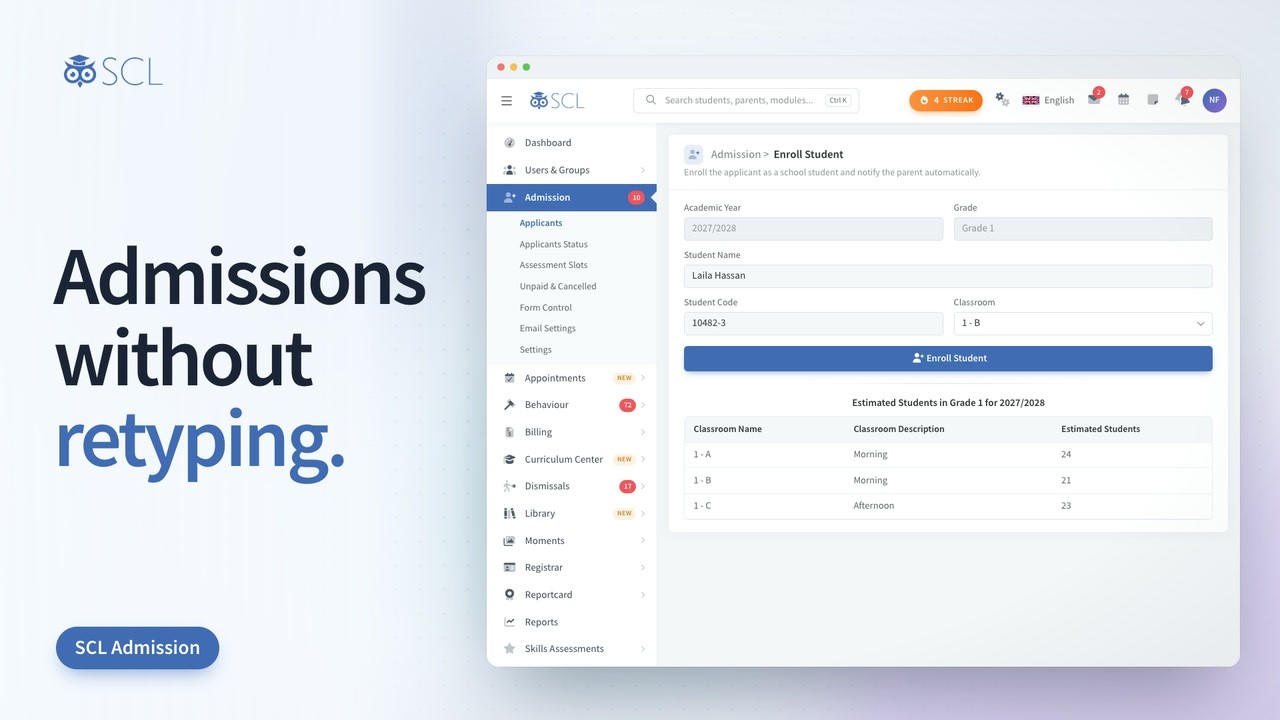
Families apply on your own form, book an assessment and pay the fee online, then follow every step on one tracking link. Once registration is paid, pick a classroom and click Enroll: the student, the parent account and the documents arrive with nothing typed twice.
Parents apply from a phone, tablet or laptop through a four-step form covering the student, parents, medical details and a final review. No account is needed and nothing has to be printed.
Decide every field on the application form: what appears, what is required, what must be unique and how wide it sits. Place each field you add under Student, Parent, Guardian, Emergency, Medical or Other.
Every applicant moves through Application, Assessment, Interview and Fee Payment, so nobody has to ask where a family has reached. Each user group can be blocked from the phases it should not be changing.
Publish assessment slots with a capacity for each and let applicants pick a time as they apply. Full slots disappear on their own, and staff can still assign a date by hand when a family needs one.
Set an application fee for each educational level and collect it online as the family submits, or let families submit first and pay from their tracking page: the application reaches Applicants once it is paid. Unpaid applications are cancelled after the time you set, so the list you work stays real.
Every applicant gets a private link showing their status, timeline, scheduled dates and uploaded documents. Families settle outstanding invoices from that same page instead of phoning the admissions office.
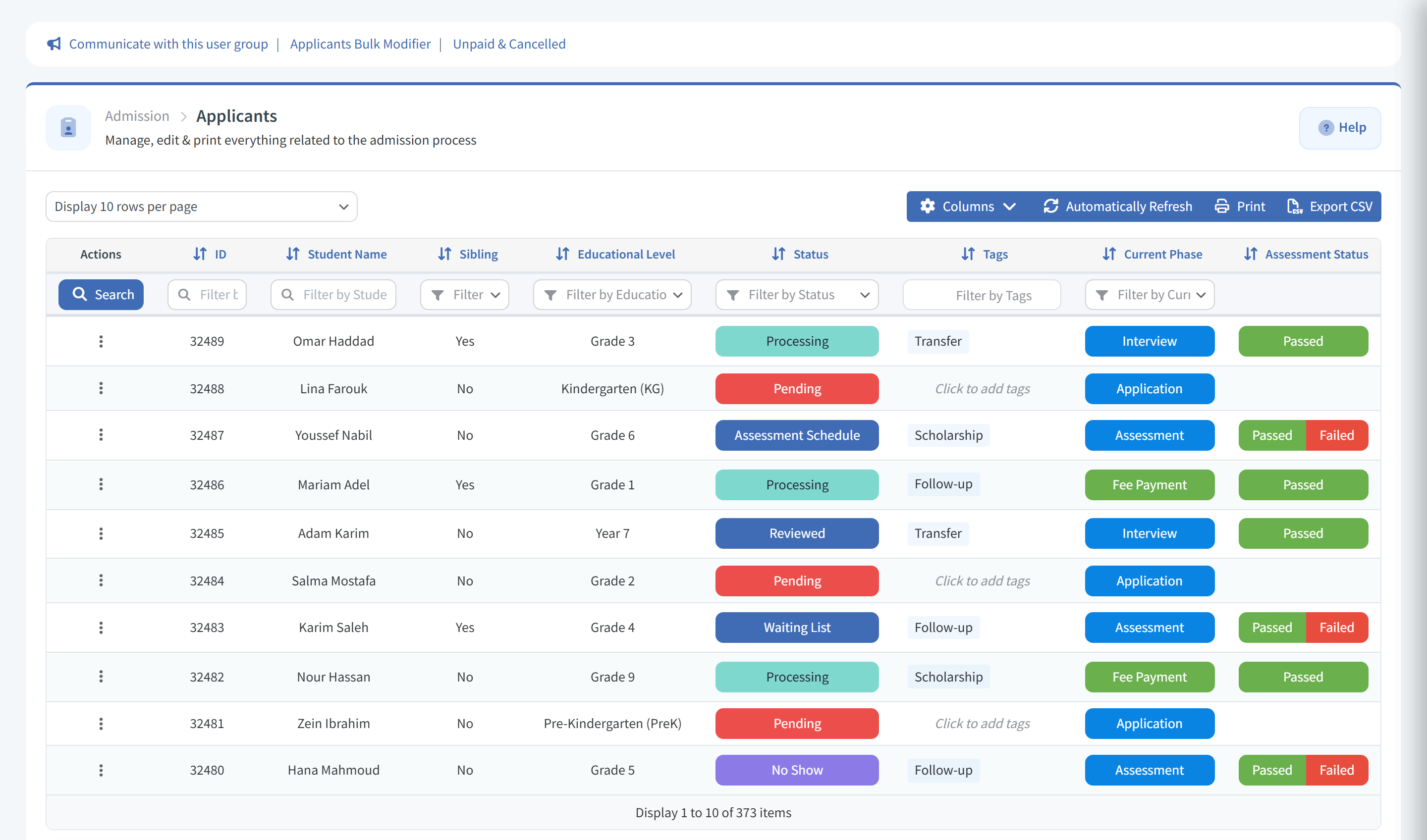
Define your own applicant statuses with their own colours, and change them in bulk across a whole cohort. The list sorts new applicants to the top so nothing sits unnoticed.
SCL records the campaign and the referring site that brought each family to your form. Marketing spend can finally be judged against applications actually received rather than guessed at.
Families upload supporting documents with the application, and staff add more to the record later. Everything a family sent follows the student automatically once they are enrolled.
Turn an accepted applicant into an enrolled student record in one click. SCL creates the parent account and family code, carries over contacts and medical details, copies the documents and moves any invoices across.
Admission mail goes out from its own sender identity, separate from the rest of the school. Ready templates cover receipt, assessment booking, decisions and enrollment, and each one is editable.
See the intake by grade and phase, and build your own applicant list from any field on the form. Sort it, filter it and export to Excel, CSV or PDF.
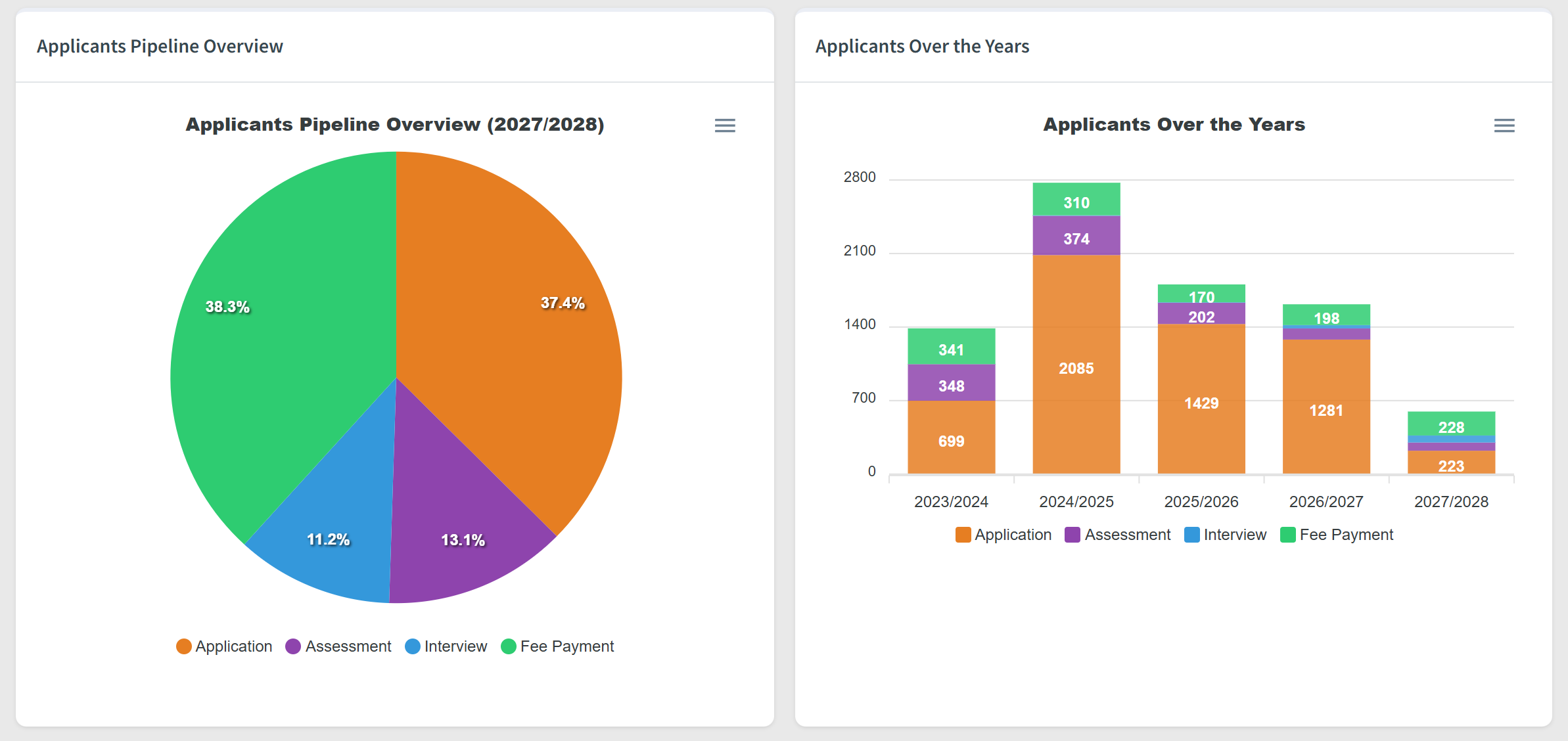
Admission analytics: the applicants pipeline by phase and applicants over the years
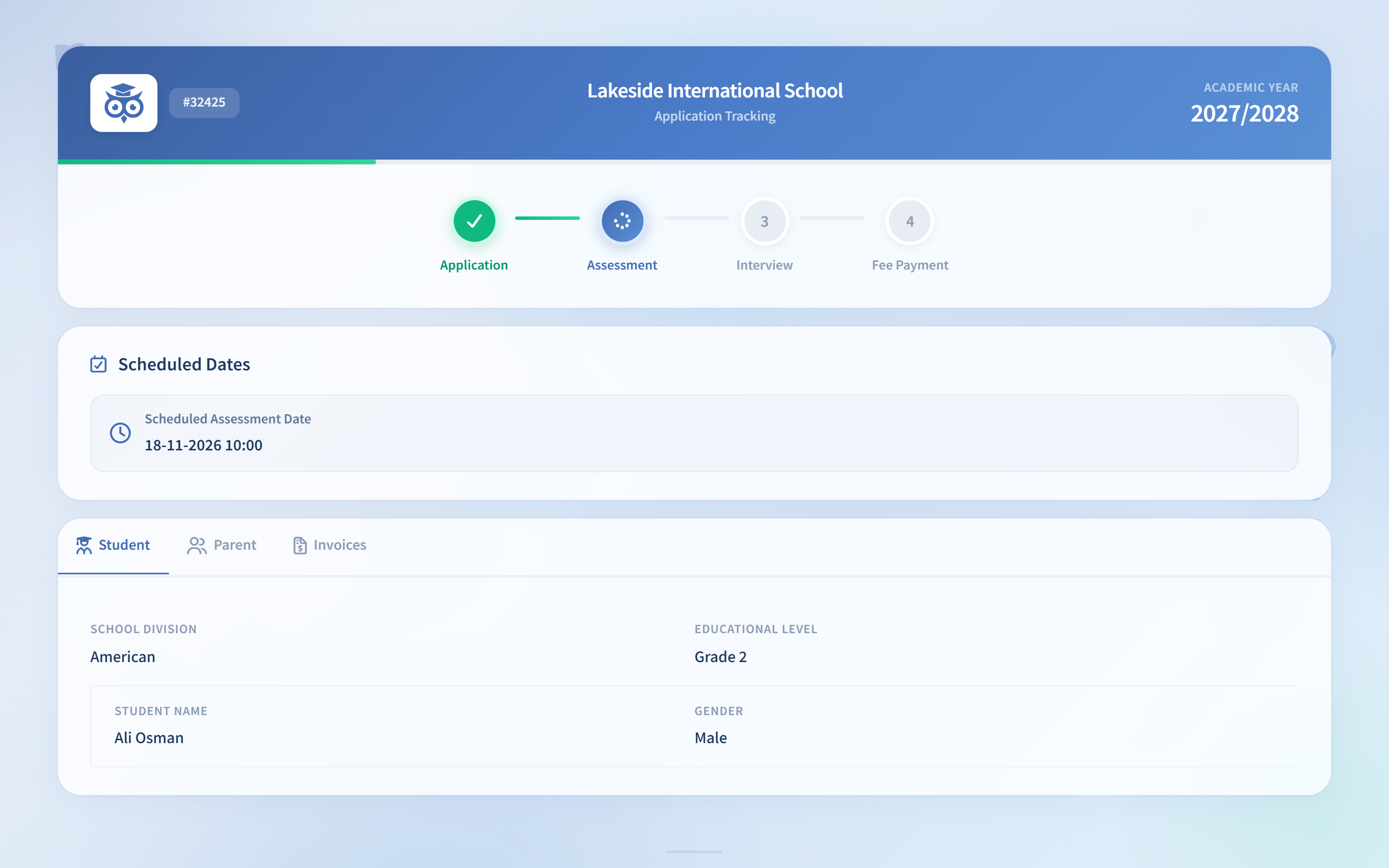
Families follow each application step by step, up to fee payment
SCL Today
Families who submitted but have not paid sit on one Unpaid & Cancelled list, with the time left before SCL cancels each application. Admissions staff copy a family's own payment link to send them, or move an applicant forward without the fee.
From one Manage Schedule panel, staff set each applicant's assessment, interview and payment appointments, with live seat counts for every open sitting. Saving a future date sends the family a notice, so nobody has to phone to confirm it.
Send To Admission emails or texts applicant families filtered by status, phase, educational level and year, straight away or at a scheduled time. A live count shows who will receive it and flags the families the chosen channel cannot reach.
Families with a child already at the school enter their Parent code on the form, and staff can filter applicants by Sibling. At enrollment the new student code is issued under the family's existing code, so the child joins the parent account the family already uses.
Admission Status closes the form for the whole school behind a page the school writes itself, or single educational levels can stop taking applications while staying listed as not accepting. A full level closes without taking the whole form offline.
With Conditional Display, a question appears only when an earlier answer, the educational level or the division calls for it, and it is required only while it is shown. Families fill in a shorter form and the school still gets every detail it needs.
Each application prints on the school's letterhead, with a photo box, siblings table, documents checklist, declaration and signature lines that can each be switched on or off. A blank copy is ready for families who apply in person.
Staff tag applicants and keep Private Notes that families never see, and the Applicants list filters by tag. The notes follow the child onto the student record at enrollment, so what the admissions team learned is not lost.
In the admission settings, the school writes what families should read before they submit, such as documents to bring, how to pay and what happens next. It appears in a Before you submit card on the form's last step, and families can be asked to tick that they have read it.
Connected modules
These modules share the same student record, so what happens in one shows in the others.
Admission fees, tuition instalments, transport subscriptions and store orders, charged to the student, paid online, and visible to parents in their portal.
One student record from the first application to the final transcript. Profiles, guardians, documents, health, behaviour and academic history in a single SIS.