نظام إدارة التعلم LMS المتكامل للمدارس الدولية

Teaching, assessment and student records on one database

A Learning Management System That Knows Your Students

Most schools run a learning management system alongside a separate نظام معلومات الطلاب, then spend the year keeping the two in step. Rosters drift. A student moves class in one and not the other. Marks are exported, reformatted and imported again. SCL is one system. The LMS and the SIS share a single database, so the class list a teacher sees is the enrolment the registrar made, and a mark entered in the سجل الدرجات is already on the student's record. Nothing syncs, because nothing is separate. That is what makes the rest work without extra effort. شهادات الدرجات build from grades teachers already entered. Unit and lesson plans in the curriculum center connect to the assignments that assess them. Virtual classrooms take their own attendance at the door. Families follow all of it from the بوابة أولياء الأمور, and students from the بوابة الطالب, on the web and on their phones. What follows is what teachers actually use day to day, from assignments and the gradebook through نقاشات الفصل و التلعيب to the Learning Center.

Streamlined Delivery, Personalized Learning, and Digital Readiness

What a Connected LMS Changes

SCL in schools streamlines education delivery, enhances communication, and fosters personalized learning. It saves time for teachers, supports collaboration, and prepares students for the digital era.

Enhanced Communication

SCL facilitates seamless communication between teachers, students, and parents. It offers features such as messaging, class discussion boards, and announcements, allowing for quick and effective communication, which is essential for clarifying doubts, sharing information, and fostering engagement.

Time-saving for Teachers

By automating administrative tasks like grading, assignment submission, and record-keeping, SCL helps teachers save time. This allows educators to focus more on planning engaging lessons, providing personalized feedback, and supporting students' academic growth.

Collaborative Learning Environment

SCL promotes collaboration among students through group activities, discussions, and shared projects. It encourages students to work together, share ideas, and learn from one another, fostering a collaborative and supportive learning environment.

Digital Readiness for Students

As technology plays a vital role in today's world, using SCL prepares students for the digital era. By engaging with online platforms and digital tools, students develop digital literacy and adaptability, essential skills for their future academic and professional success.
Gradebook and Assignments Features for Enhanced Learning Management

The Gradebook and Assignments

These features in Gradebook and Assignments within SCL significantly improve the grading process, simplify assignment management, and enhance communication between teachers and students, contributing to a more efficient and effective educational experience.

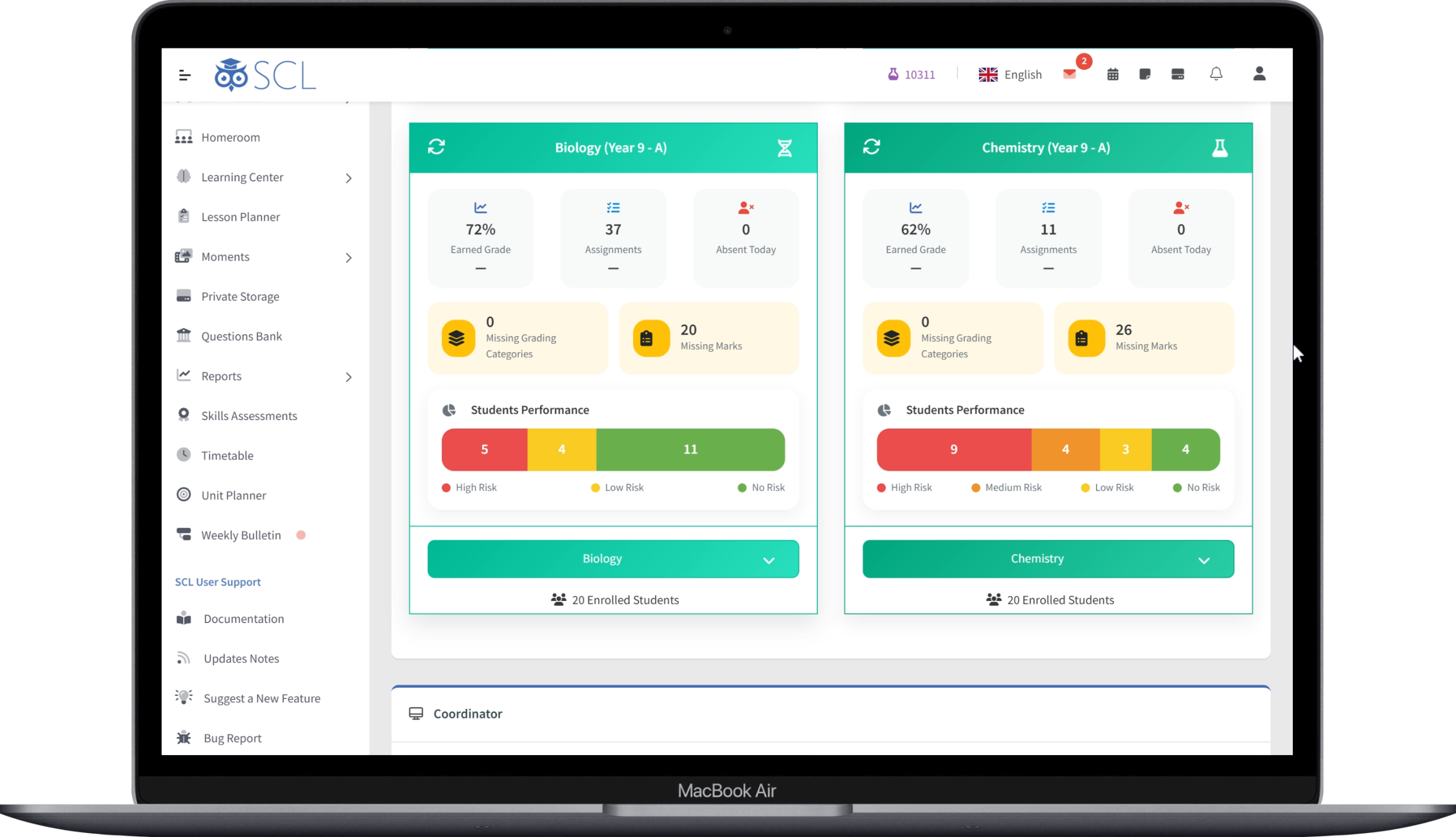
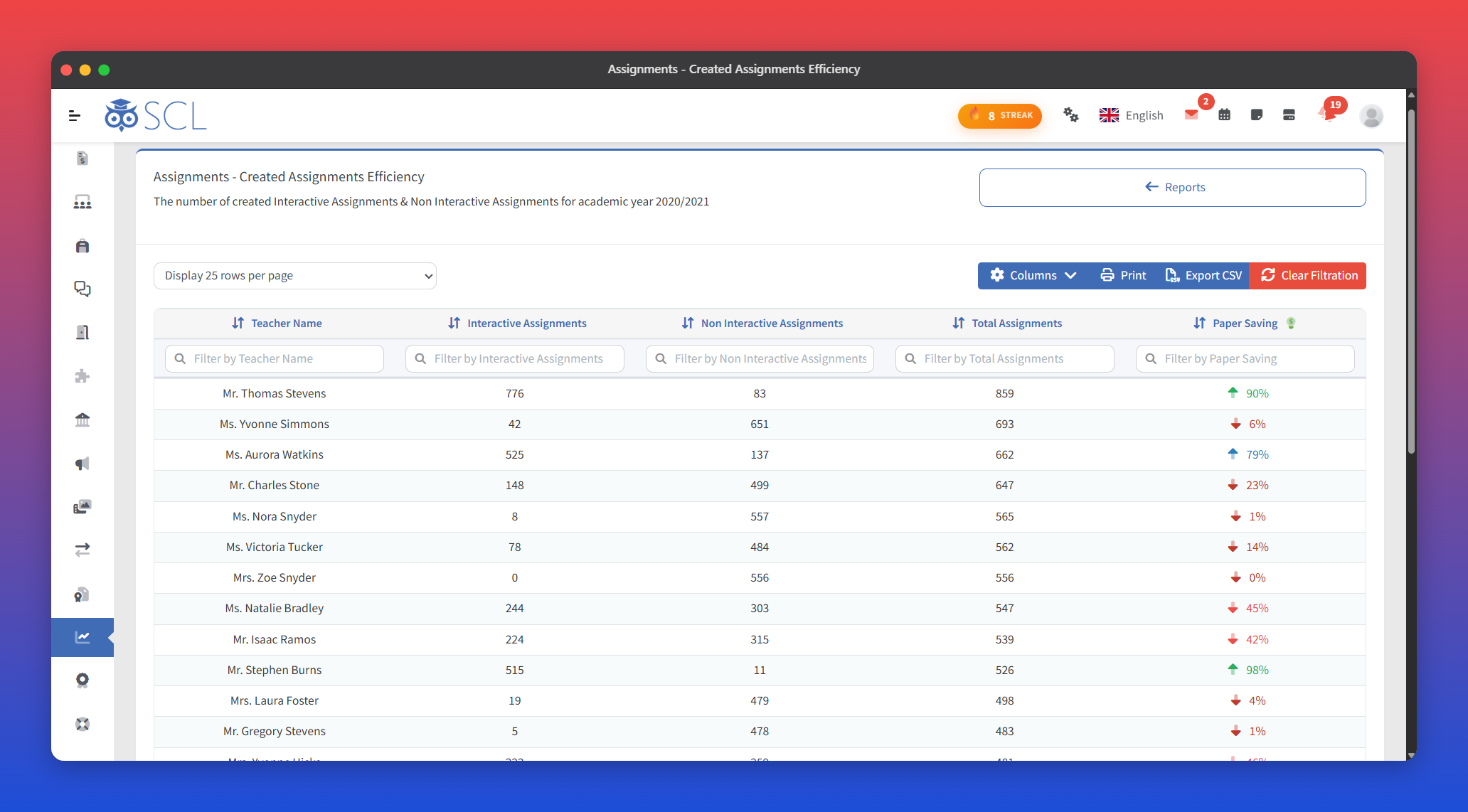
The SCL teacher dashboard, with a card per class showing its earned grade, assignment count, missing marks and how many students are high, low or no risk.

Grade Tracking

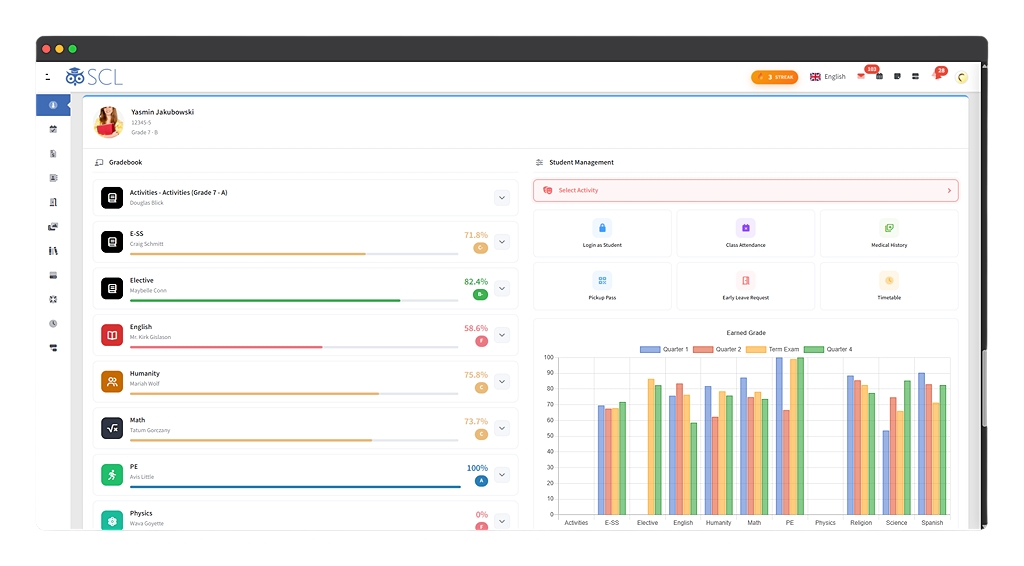
SCL allows teachers to record and track students' grades for various assignments, quizzes, exams, and other assessments.

Weighted Grading

SCL provides the option to assign different weights to various assessments, reflecting their significance in the overall grading system.

Real-time Updates

Teachers can update grades in real-time, enabling students to monitor their progress and performance continuously.

Grade Analytics

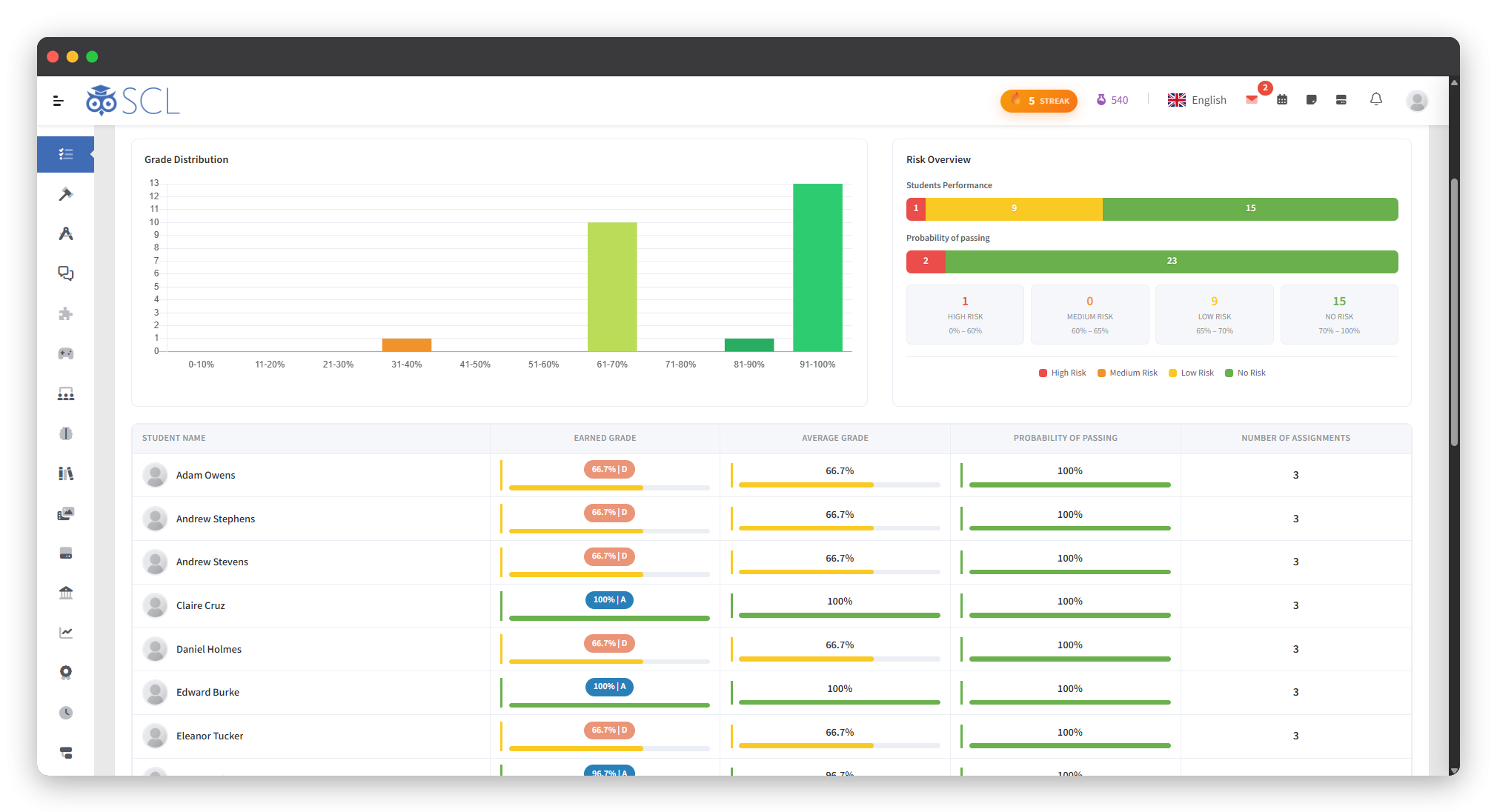
SCL offers grade analytics, allowing teachers to analyze student performance, identify trends, and intervene when needed to support struggling students.

Grade Calculation

SCL automatically calculates students' total scores based on the weighted grades, saving teachers time and ensuring accuracy.

Grade Visibility

Students and parents can access the gradebook to view individual grades, providing transparency and fostering accountability.

Assignment Creation

With SCL, teachers have the ability to create and publish assignments, providing essential details like due dates, instructions, and attachments. The system can also automate the process of autocorrection, saving valuable time for educators.

Plagiarism Detection

SCL platforms integrate plagiarism detection tools, enabling teachers to identify potential academic misconduct in students' submissions.

Assignment Reminders

SCL can send automated reminders to students about upcoming assignment due dates, helping them stay on track with their work.

Feedback and Grading

Teachers can provide personalized feedback and grades directly with SCL, promoting constructive communication between educators and students.

Assignment Analytics

SCL provides insights into assignment performance, allowing teachers to evaluate the effectiveness of their teaching strategies and adjust their approach as needed.

Questions Bank

Teachers can create assessments quickly and efficiently. The banks enable easy reuse of questions across different quizzes and exams, saving time in content creation.
Customized Report Cards, Skills Assessments, Progress Reports, and Analytics

Transcripts, Report Cards and Progress

SCL contribute to improved data analysis, personalized learning experiences, and better communication between teachers, students, and parents, ultimately enhancing the overall educational outcomes.

Transcript

With a single click, SCL can effortlessly generate transcripts for all students, ensuring a quick and accurate process without the need for manual data entry. Additionally, the system provides reports to help identify missing marks or assignments.

تقييمات المهارات

SCL supports skills assessments, allowing teachers to evaluate students' proficiency in specific competencies and learning objectives.

Personalized Comments

Teachers can add personalized comments and feedback for each student, providing valuable insights into their strengths and areas for improvement.

Subject-specific Reports

Customized report cards can include subject-specific grades, attendance records, and additional information relevant to each student's academic progress.

Individual Progress Tracking

SCL offers progress reports for each student, detailing their academic growth over a specific period.

Comparative Analysis

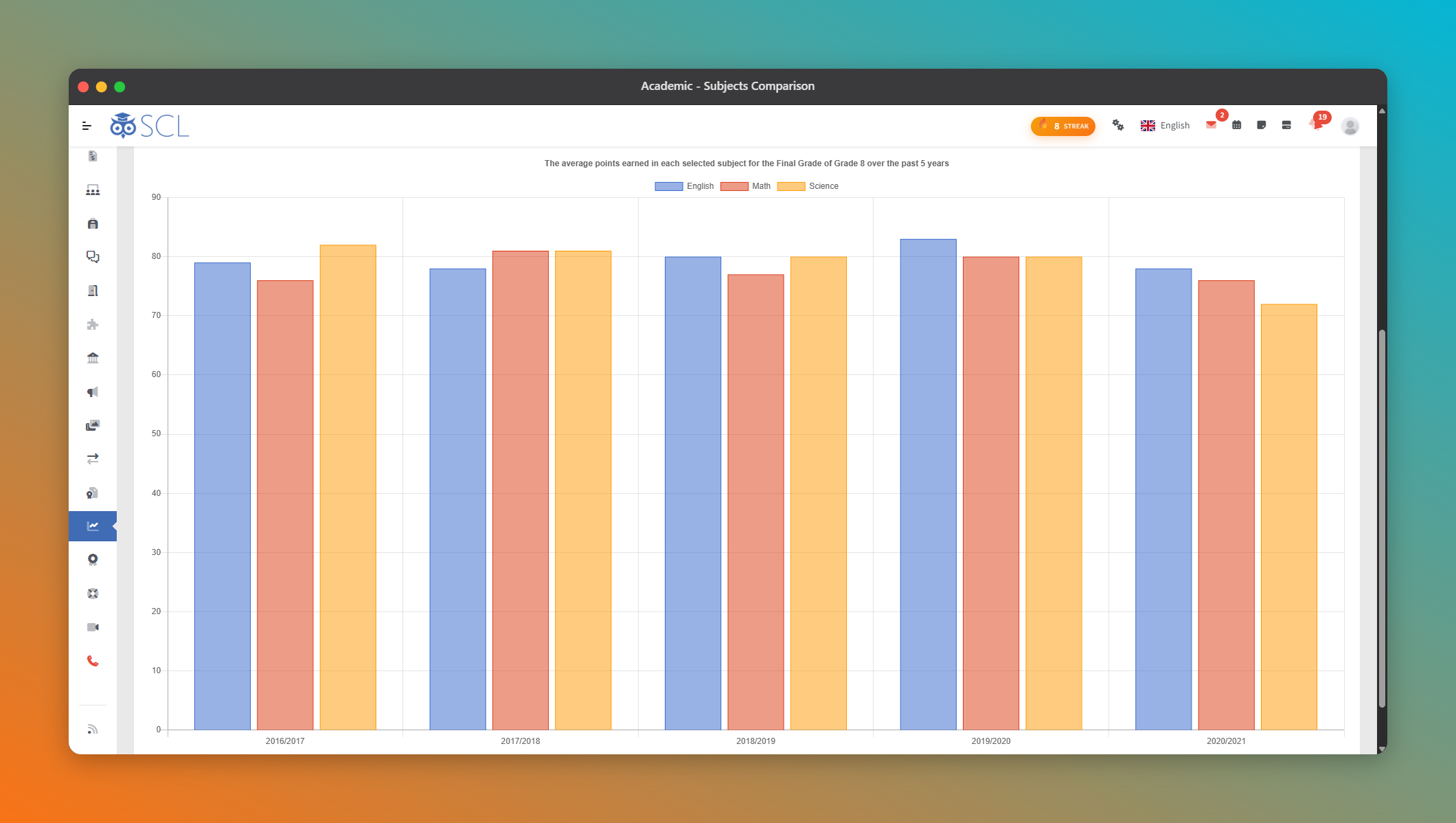
SCL can generate comparative progress reports, allowing teachers and parents to compare a student's performance over different time frames.

Data Visualization

SCL provides data visualization tools, presenting academic data in charts, graphs, and other visual formats for better understanding.

إتقان المعايير

Every score a teacher enters rolls up against the standards the assignment was tagged to, so a gap shows as a standard with thin evidence rather than a hunch. Teachers see it while there is still term left to act on it.
Seamless Communication

Communication, Classrooms and Collaboration

Sending newsletters through SCL between school and parents/students. It saves time and effort, ensures targeted delivery, and enhances engagement, creating a more connected and informed educational community.

Messaging and Notifications

SCL provides an internal messaging system to facilitate direct communication between students, teachers, and other users. Notifications keep users informed about school updates, assignment deadlines, and important announcements.

Approaches to Learning Skills

Tag an assignment with the ATL skills it develops, and the skills a student is building become visible alongside the marks. Useful in any programme, and required reporting in the IB.

التقويم والفعاليات

SCL calendar helps users stay organized by displaying course-related events, due dates, and other important milestones.

الفصول الافتراضية

Virtual classroom features allow instructors to conduct live online classes with interactive elements, fostering engagement and real-time interaction.

Private Storage

SCL provides secure storage with the option to share specific materials with students and parents. Educators can also track students' reading time and file access, enhancing personalized learning and support.

النشرة الأسبوعية

SCL's weekly bulletin offers an interactive platform for students and parents to track assignments, lesson plans, announcements, and events all in one place. It enhances communication and collaboration, keeping everyone informed and engaged.

Newsletter, Group Messages

Using SCL, educators or administrators can create newsletters easily. They can include text, voice clips, images, links, and other media to make the newsletter engaging and informative.

Newsletter Scheduling

Administrators can schedule the newsletter to be sent at a specific date and time, which is convenient for planning ahead and coordinating with important events or announcements.

إشعارات القراءة

SCL provides read receipts for newsletters and private messages, allowing educators and administrators to see who has opened and read the messages. This feature enables them to gauge the effectiveness of their communication and identify the recipients who might need follow-up or additional support.

Message Recall

In case of any critical updates or corrections needed in a newsletter, SCL offer a message recall feature. This allows the sender to retract the original message before recipients have a chance to read it, ensuring timely and accurate information dissemination.
Foster Positive Behavior

Behavior Management

Promote a positive learning environment with our behavior module integrated into SCL. Efficiently track student behavior, encourage positive conduct through rewards, and make data-driven decisions to foster a safe and supportive school culture. Enhance parental involvement and ensure timely interventions for improved student well-being and academic success

Student Behavior Tracking

SCL allows teachers and staff to record and track students' behavior on a daily basis. This can include positive behaviors like participation, punctuality, and helpfulness, as well as negative behaviors such as misconduct, tardiness, or disobedience.

Behavior Categories

SCL provide predefined behavior categories and allow schools to customize their own behavior categories based on their specific requirements. This helps in categorizing and analyzing behavior data effectively.

Merits, Demerits and Points

Merits and demerits carry the point values your school sets, and they add up to house points across the year. What a school does with the totals is its own call, and the record behind them is always there to justify it.

Behavior on the Record

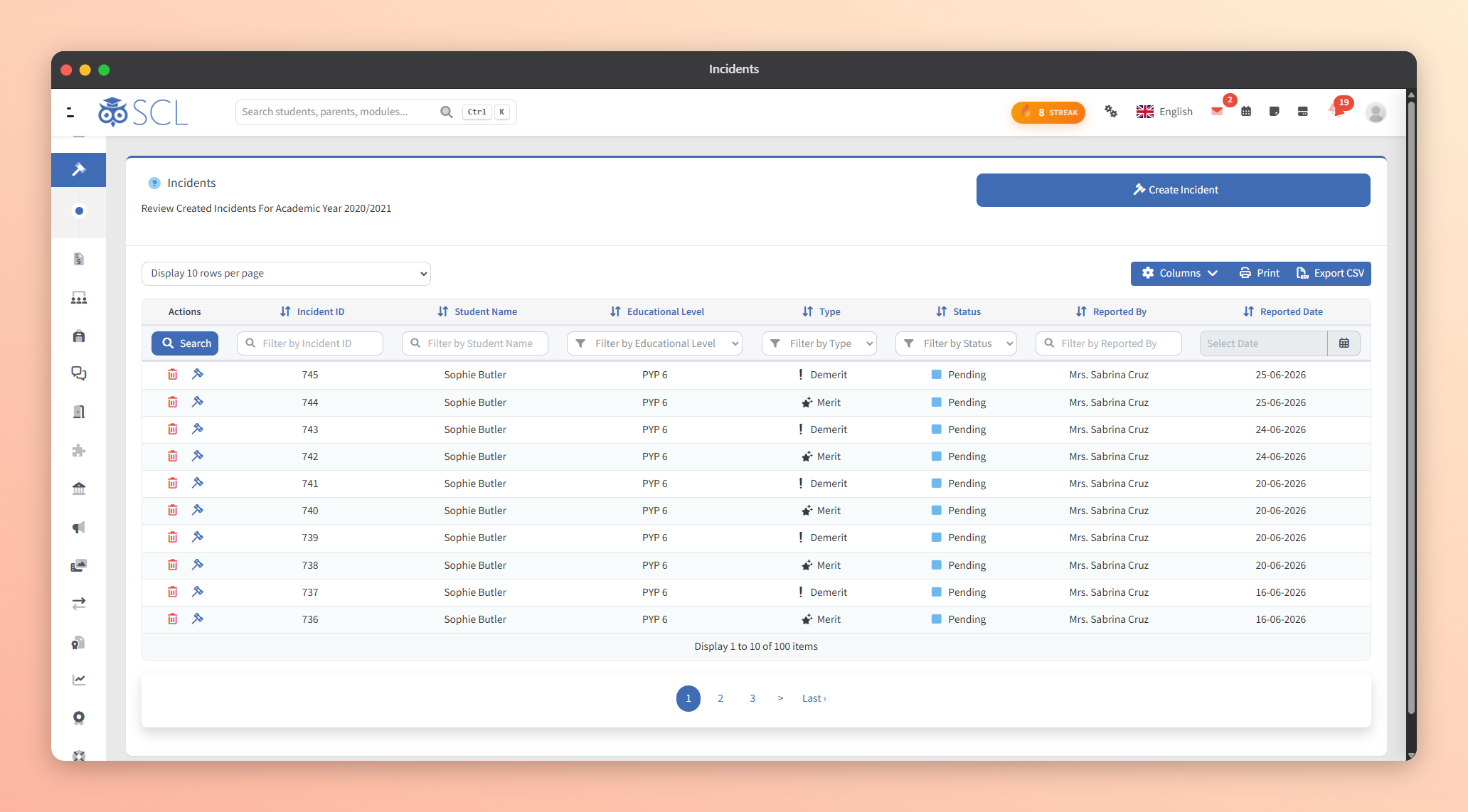
Every merit, demerit and incident stays on the student's own record with who logged it and how it was resolved, so a pattern is visible on the profile rather than in one teacher's memory. House standings come out as their own report.

Incident Management

SCL enables the recording of behavioral incidents, including the details of the incident, the students involved, and any actions taken. This helps in maintaining a record of disciplinary actions and interventions.

Parent Communication

SCL have feature to notify parents or guardians about their child's behavior, both positive and negative. This promotes transparency and encourages parental involvement.
Enhancing Learning Through Interactive Engagement and Rewards

Gamification in SCL

Gamification in SCL refers to the practice of incorporating game-like elements and mechanics into the online learning experience to increase engagement, motivation, and learner participation. It leverages principles from game design to make educational content more interactive, enjoyable, and rewarding, which in turn enhances the learning process.

Points and Badges

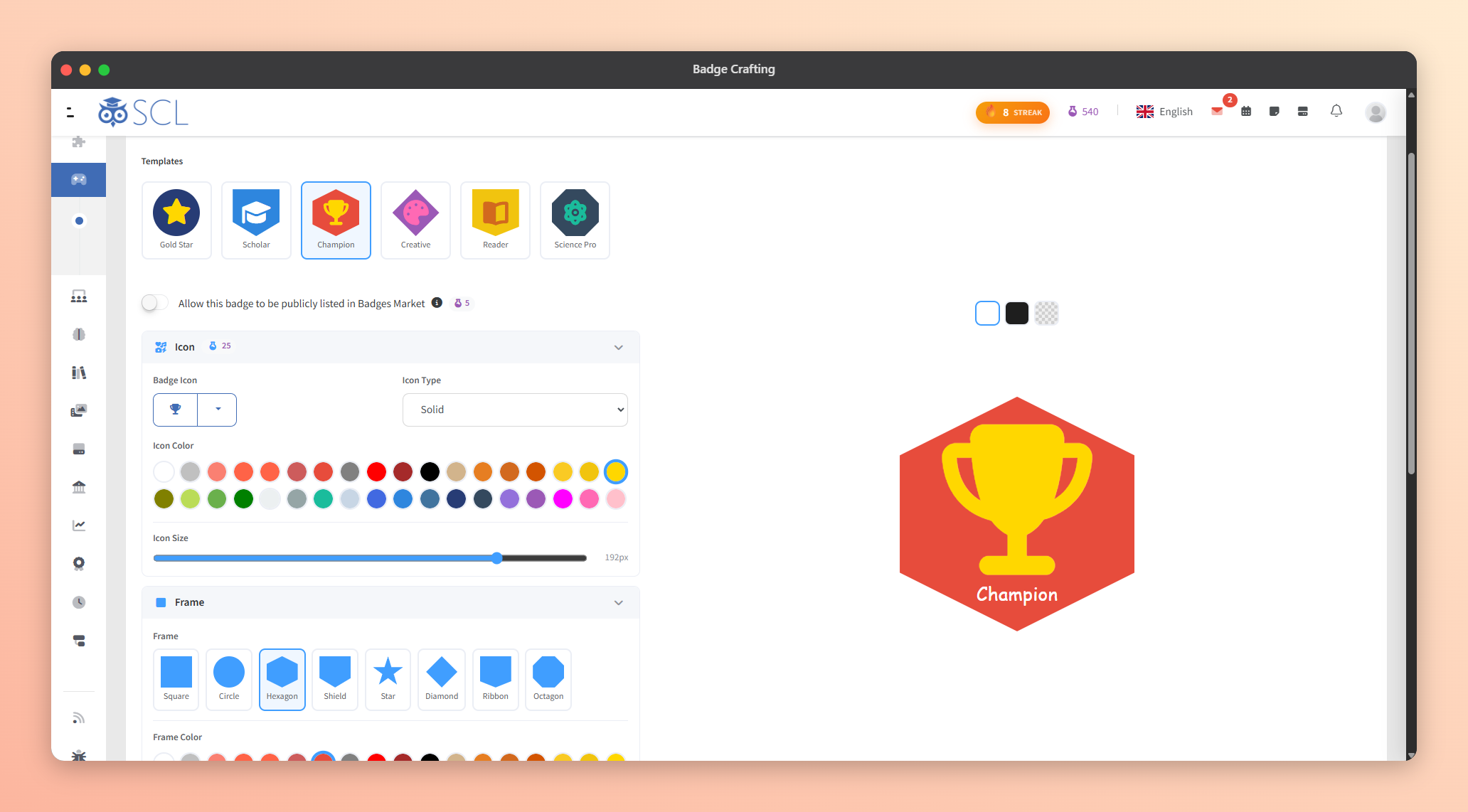
Learners receive rewards from their teachers for completing tasks, quizzes, assignments, or achieving specific milestones. These visual rewards, such as points and badges, serve as a form of recognition and encouragement, motivating learners to continue their progress and active participation in the learning process.

الملصقات

Teachers can award stickers to learners for various accomplishments, such as completing a course, achieving high scores in quizzes, submitting assignments on time, participating actively in discussions, or demonstrating exceptional performance.

House Points and Leaderboards

Points earned by students roll up to their house, and the leaderboard report shows where each house stands for the year. Schools run their own reward on top of it, in whatever form suits them.

مركز التعلم

The Learning Center gives students flashcards and quick reviews in the subjects your school actually teaches, drawn from a question bank organised by topic. Teachers use it in class, students use it whenever they want to revise.

مركز الألعاب

Dedicated section that incorporates educational games and interactive activities into the learning experience. It is designed to enhance student engagement, reinforce learning concepts, and make the learning process more enjoyable and effective.

لوحات المتصدرين

Leaderboards display the rankings of learners based on their performance. This element fosters healthy competition and motivates learners to improve their standings.
Effortless Integration for Students in SCL

Seamless Virtual Classrooms

SCL is founded upon cutting-edge technology that incorporates built-in virtual classrooms. This integration ensures a seamless experience within the application, making it effortless for even very young students with access to a smartphone to join their teachers with a single click, without any complexities.

Live Interaction

Virtual classrooms enable live communication between instructors and learners through various tools, such as video conferencing, chat, and audio communication. This fosters real-time interaction and immediate feedback.

Collaborative Learning

Learners can collaborate with each other, participate in group discussions, and work on projects together, enhancing peer-to-peer learning and teamwork.

Screen Sharing and Presentation

Instructors can share their screens to deliver presentations, showcase multimedia content, or demonstrate applications, making the learning experience more engaging.

Interactive Whiteboards

Virtual classrooms often include interactive whiteboards, allowing instructors to write, draw, or annotate content, similar to a physical whiteboard.

Polls and Quizzes

Instructors can conduct instant polls and quizzes to gauge learners' understanding and gather real-time feedback.

Recording and Playback

Sessions in virtual classrooms can be recorded for future reference or for learners who may have missed the live session. These recordings can be accessed later in SCL.

Watching Videos

Enjoy a seamless experience of co-watching YouTube videos or other streaming services within the SCL Virtual Classroom, with the presenter having full control over the content.

Effortless Attendance

The SCL virtual classroom automates the attendance-taking process for learners, allowing instructors to concentrate solely on teaching without the need to manually manage attendance records.
Enhancing Engagement with Interactive Learning Tools

مركز التعلم

The Learning Center empowers teachers and students by providing instant access to interactive resources, such as Flashcards and Quick Review. These tools facilitate immediate question-answer sessions, fostering an environment of active learning and on-the-spot revision.

Flashcards

Flashcards are drawn from the SCL Connect question bank and follow the topics of the subject a student is studying. Repeated exposure to the same key concepts is what makes them stick, and students can flag a card that looks wrong.

Quick Review

Quick Review delivers immediate multiple-choice questions, allowing students to test their understanding without the pressure of scoring. This approach encourages learning through immediate feedback.

شاهده مباشرة

See How SCL Supports Daily Teaching

Walk through the gradebook, skills assessments, the questions bank and virtual classrooms with our team, and see how teaching, grading and parent communication run in one system.