Skip to the content

Wallet

The Cashless School, Your Way

Parents add money to a child's wallet, children pay at the school's counters with a card, a wristband or a code from the app, and the school sees every balance, sale and shift.

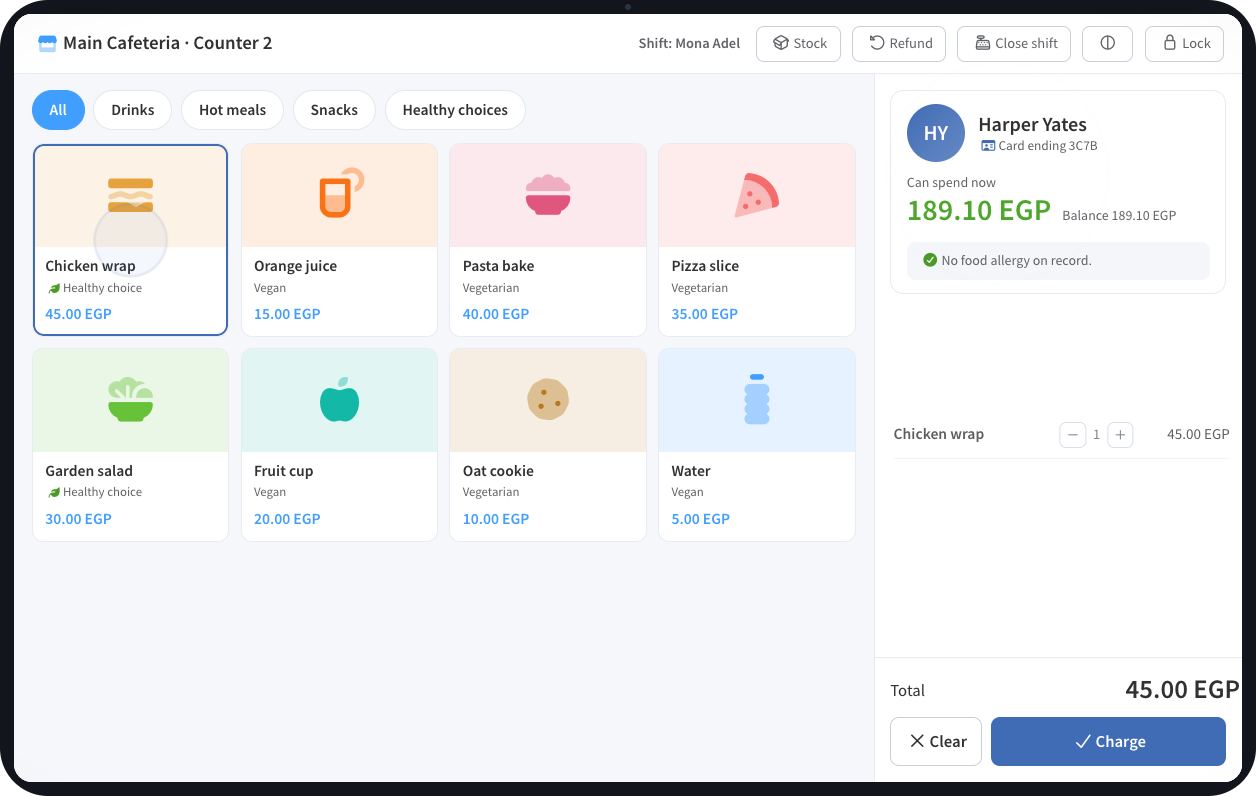
The SCL Wallet till on a tablet: the school cafeteria menu, the child at the counter with the amount they can spend, and the Charge button
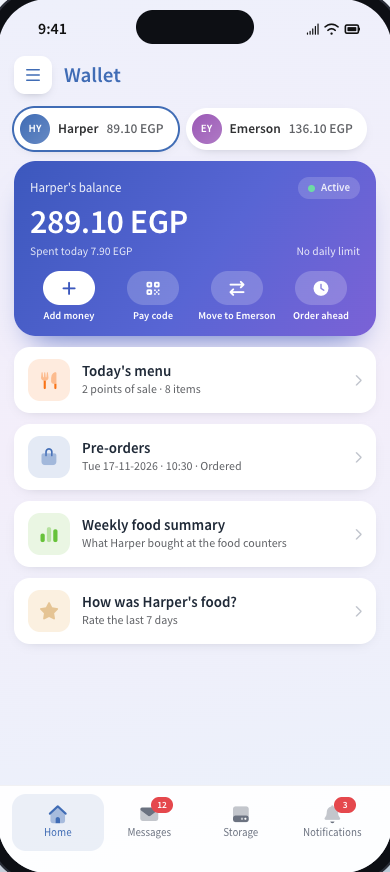
The SCL app Wallet home: each child balance, today menu, pre-orders and the weekly food summary

A wallet is a balance the school holds for each student and they spend only at the school's own points of sale: the cafeteria, the school shops and the vendors who run a counter. Parents add money in the parent portal or the SCL app, and every top-up is raised as an invoice in billing, so it is paid through the school's own gateway and recorded like any other payment.

The office sees the money held, the sales of every counter and what is owed to vendors in reports, without a spreadsheet.

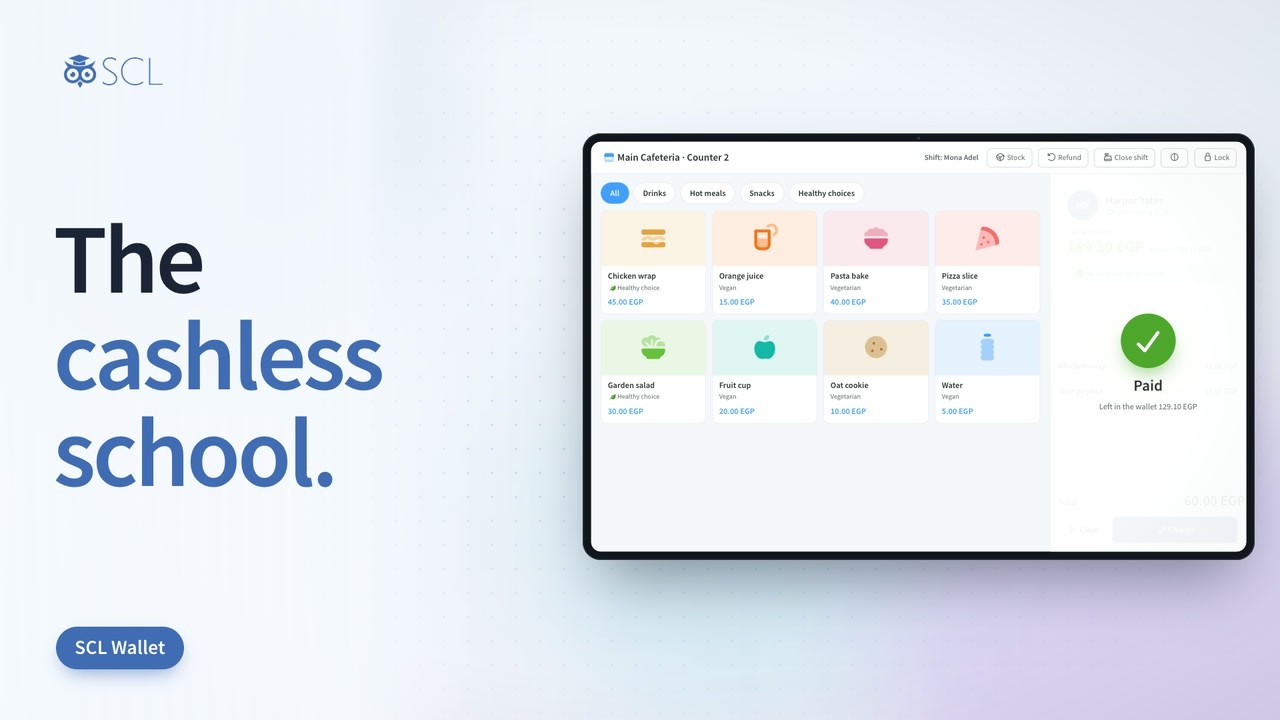
Wallet in 84 Seconds

Lunch Money Without the Loose Change

Parents add money from the app, the child taps a card or shows a code at the counter, and the balance, the limits and the allergy checks work quietly in the background. See a school day with an SCL wallet.

Every Meal, Counter and Balance in One Place

SCL Wallet is a prepaid balance for each student. Every top-up, purchase, refund and adjustment is a line in that wallet's history, so the office and the family can read back exactly where the money went.

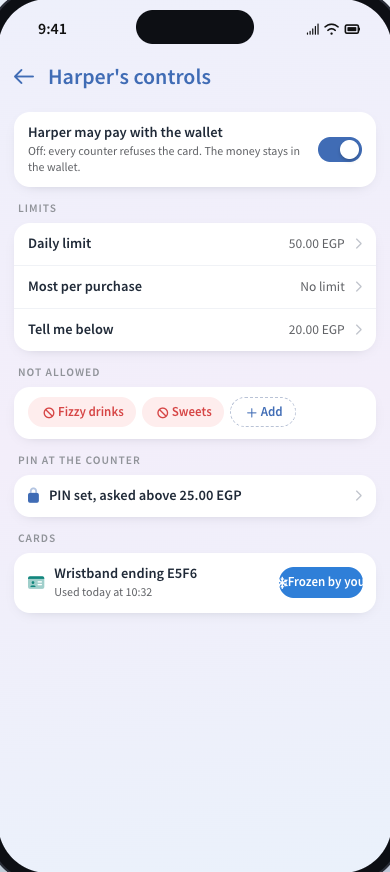
Parents set the rules for their own child: a daily limit, a limit for one purchase, a low-balance alert, items and categories the child may not buy, a PIN at the counter, and a switch that stops every counter from taking the card. A food that an allergy rules out is stopped at the till, and only a manager can approve it.

The school keeps control of the money. It decides whether parents may top up online, the largest balance a wallet can hold, the daily limit for every child and an emergency meal allowance, so no child goes without lunch.

Essential elements

Wallet

Top-ups and Gateways

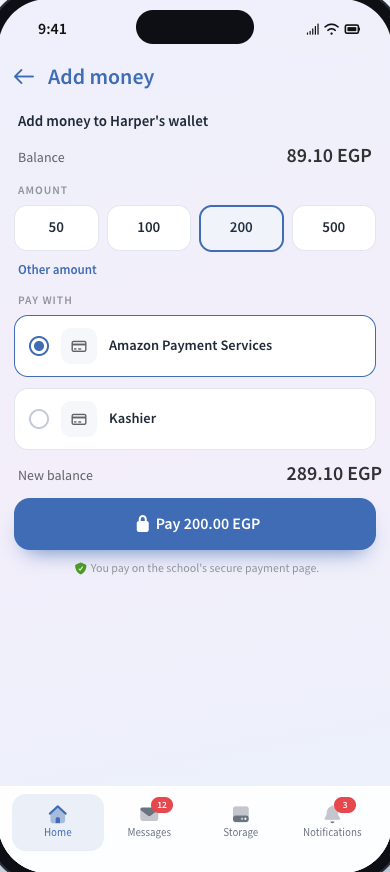
Parents add money online through the school's own Amazon Payment Services or Kashier account, or pay at the office desk by any method the school accepts. Each top-up is a billing invoice, so it is paid, receipted and recorded like any other payment.
Cards and Pay Codes

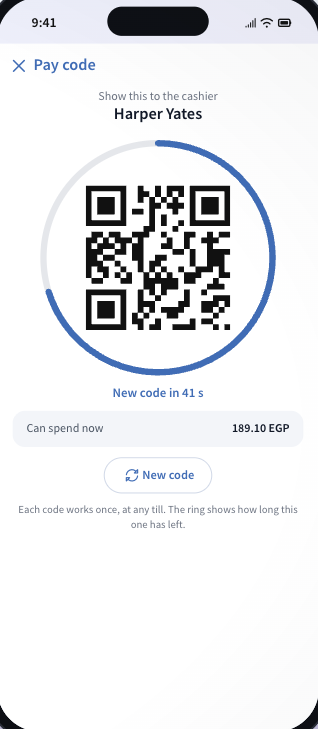
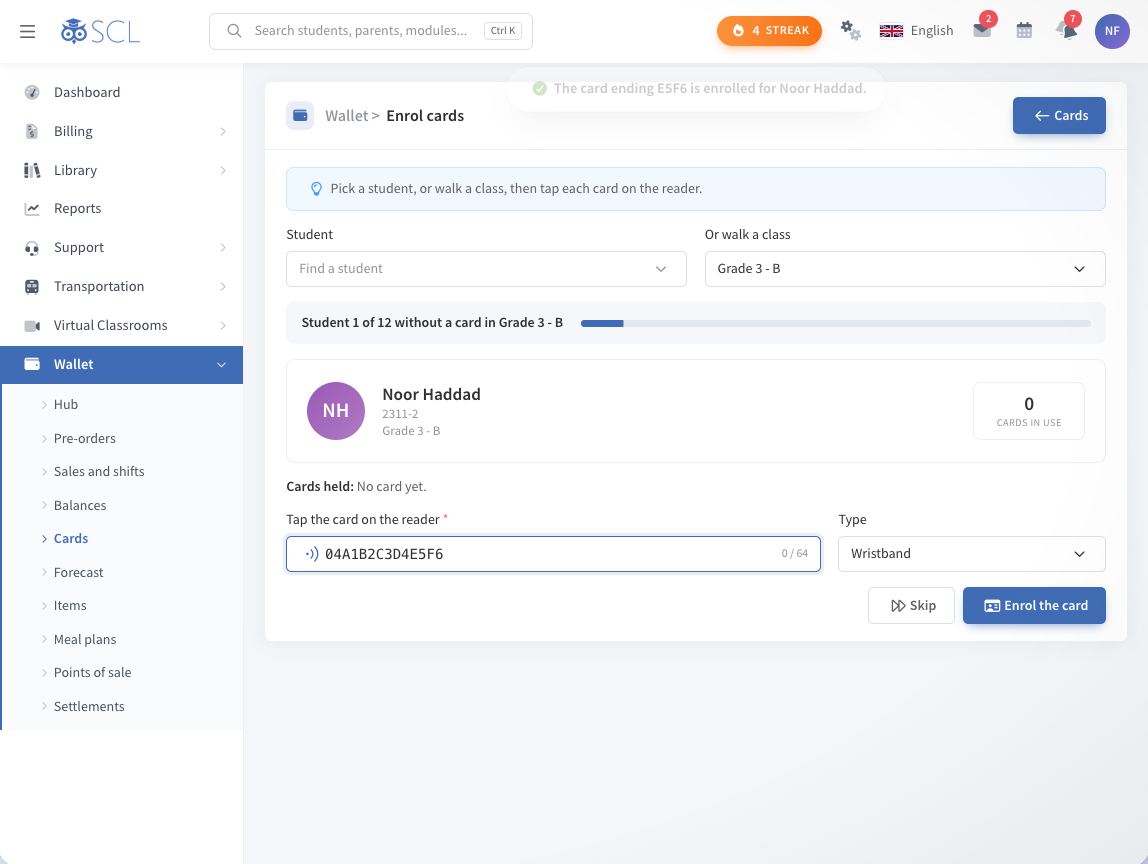
Students pay with an NFC or RFID card, a wristband, a key fob or a sticker, or with a one-minute code from the SCL app when no reader is at hand. The office enrols a whole class in minutes, and a parent can freeze a lost card from the app.

Parent Controls

Each parent sets a daily limit, a limit per purchase, a low-balance alert, blocked items and categories, and a PIN for larger purchases. A switch turns the wallet off for a child, and money moves between a parent's own children.

Allergy Protection

Food allergies on a student's record are checked at the counter. A matching item is refused with the allergen named, and only a manager can approve it. Today's menu in the app marks allergens too.

Pre-orders and Plans

Families order meals ahead for a pickup time, and the kitchen sees the counts it needs to prepare. Meal plans bought through the school store are honoured at the counter and give the day back when a meal is refunded.

Refunds and Leavers

A cashier refunds a purchase to the wallet within a window the school sets, and a manager after that. When a student leaves, the office returns the balance to the family with a signed receipt, or moves it to a sibling.

At the Counter

A Till That Knows the Child

The tablet till shows the child's name, what they can spend now and any food allergy on record before the sale is rung up. The kitchen screen follows each order, and cash can sit beside the wallet when a family pays that way.

  • Tap a card or scan the code from the app
  • Healthy choices marked on the menu
  • Refunds and shift closing at the till
The SCL Wallet till on a tablet: the school cafeteria menu, the child at the counter with the amount they can spend, and the Charge button

In the parent app

The Wallet in Every Parent's Pocket

At the office

See it in SCL

For the school

Reports and Settlements

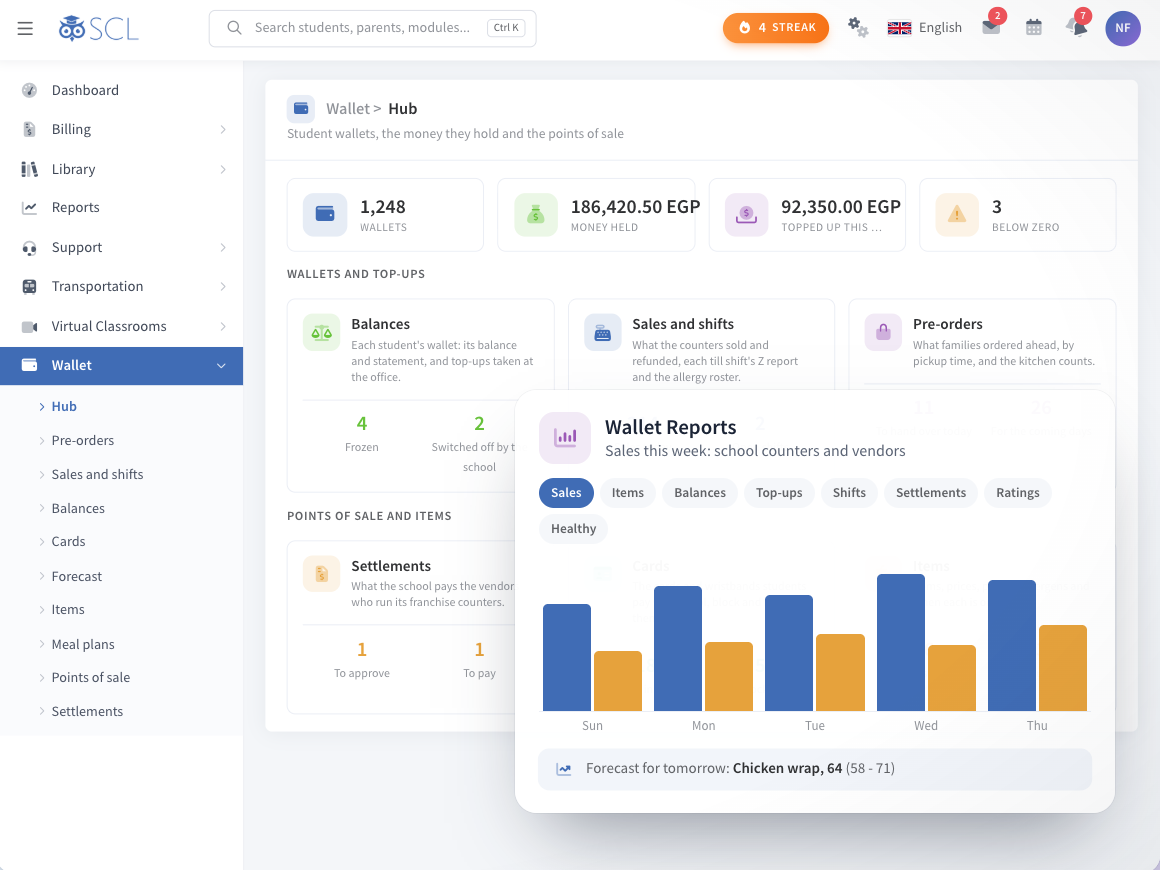
Wallet Reports

Sales, items, balances, top-ups, shifts, settlements, ratings and healthy choices, with a forecast of what the kitchen will need tomorrow. Heads of school see the counters without asking anyone.

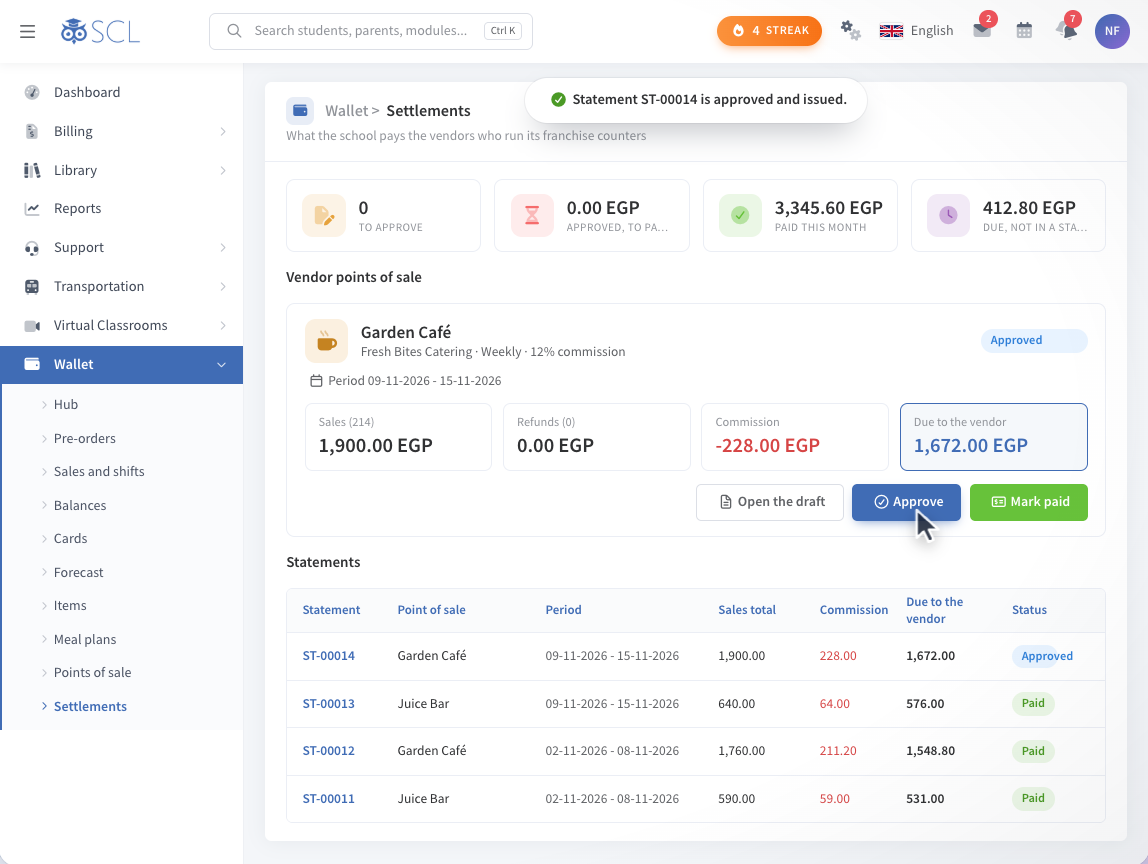
Vendor Settlements

Vendors who run a counter get statements of their sales, refunds and the school's commission. The school approves each one and marks it paid, with the amount due worked out for you.

Shifts and Z Reports

Each cashier opens and closes a shift, and the office reads the Z report of what the counter sold and refunded. Cash taken beside the wallet is counted in the same shift.

Notifications

Families hear about every top-up, purchase, refund and low balance, with a weekly food summary of what a child bought. The office sees who is below zero before lunch, not after.

Questions About SCL Wallet

Can parents pay tuition from the wallet?

No. The wallet is spent at the school's points of sale, such as the cafeteria, school shops and vendor counters. Tuition and other fees are paid through Billing.

How do parents add money?

Online through the school's Amazon Payment Services or Kashier account when the school allows it, or at the school office by any method the school accepts.

Can students top up their own wallet?

No. Students see their balance, history and menu, and can pre-order meals if the school allows it. Parents add the money.

Is Wallet on for every school?

No. The school switches it on in the wallet settings, then chooses its limits, its points of sale and whether parents may top up online.

What happens to the balance when a student leaves?

The office returns it to the family with a signed receipt, or moves it to a brother or sister.

Connected modules

Works Hand in Hand With

These modules share the same student record, so what happens in one shows in the others.

See How SCL Wallet Fits Your School Day

Walk through top-ups, the counter till, parent limits and vendor settlements with our team, and see how your school can go cashless.