
Flagship List
Record every operator behind your fleet, whether the school runs its own buses or a third-party provider does. Each route names the flagship responsible for it, so directors always know which contract covers which students.
Transportation
SCL Transportation is where your school's fleet, its routes and the students who ride them live in one record. Administrators keep the registry of vehicles, drivers and destinations; registrars assign each student to a route from the student's own profile; finance charges the subscription fee without leaving the billing screen.
Record every operator behind your fleet, whether the school runs its own buses or a third-party provider does. Each route names the flagship responsible for it, so directors always know which contract covers which students.
Keep every vehicle in one list with its model name and the number of students it seats. That capacity figure follows the vehicle into every route, roster and report where occupancy matters.
Hold each driver's name, mobile number and identity document number against the routes they run. When the front office needs to reach the driver on a route, the number is already on the roster report.
Define the destinations your buses serve and set the subscription fee for each one. Finance prices a destination once, and every transport invoice for a route serving it starts from that published fee.
SCL Today
Cancelling, refunding or deleting a transportation charge takes the child off that route and frees the seat, and an invoice brought back puts them on again if the bus still has room. A charge taken back no longer keeps a child on the driver's roster.
A student who transfers out or graduates no longer counts against a vehicle's capacity, so the seat is offered to the next family straight away. A returning student keeps the route only while the bus still has room, and the registrar is told if it does not.
Routes are held per academic year, so billing a family for next year's transport places the child on next year's route without moving them off the bus they ride today. Each year's roster stays accurate.
When a transport fee is billed to an applicant, enrolling the child places them on that route for each year billed, holding the seat that was sold. Admissions and transport never reconcile the bus list by hand.
Before a student is put on a route, SCL checks the seats left again at the moment of saving, so two staff on two screens cannot hand out the same last seat. A full route is refused on the payment screen too.
Routes and riders are a data source in Custom Reports, with a ready-made riders per route starter report, and each student's route appears in Students Information. Transport figures sit beside the rest of the school's data.
A route joins the flagship, the vehicle, the destination and the driver under one name your staff will know. Swap the vehicle or the driver on a route and every roster and report reflects it immediately.
Assign a student to a route from their own profile, recorded against the academic year so last year's arrangement never carries over by accident. The assigned route also prints on the student's school ID card.
Every route in the assignment list shows how many students are already on it against the vehicle's capacity. A route that has filled up is greyed out, so registrars do not oversubscribe a bus by accident.
The admission application asks whether a family wants school transport, so the answer arrives with the rest of the applicant's file. Admissions teams see the demand building before the year starts.
Transportation is a billing product type in its own right, so the fee is raised on the same invoice as tuition and charging a family enrolls the student on that route in the same step. Parents see it described by destination and academic year.
Transport fees split across the school's installment plan by percentage, exactly as tuition does. Finance can adjust the amount or apply a discount by percent or fixed value on the payment screen when a family qualifies.
Before a transportation charge is raised on Create Payment, SCL checks whether the student already carries one for the year, one student at a time, so nobody pays twice.
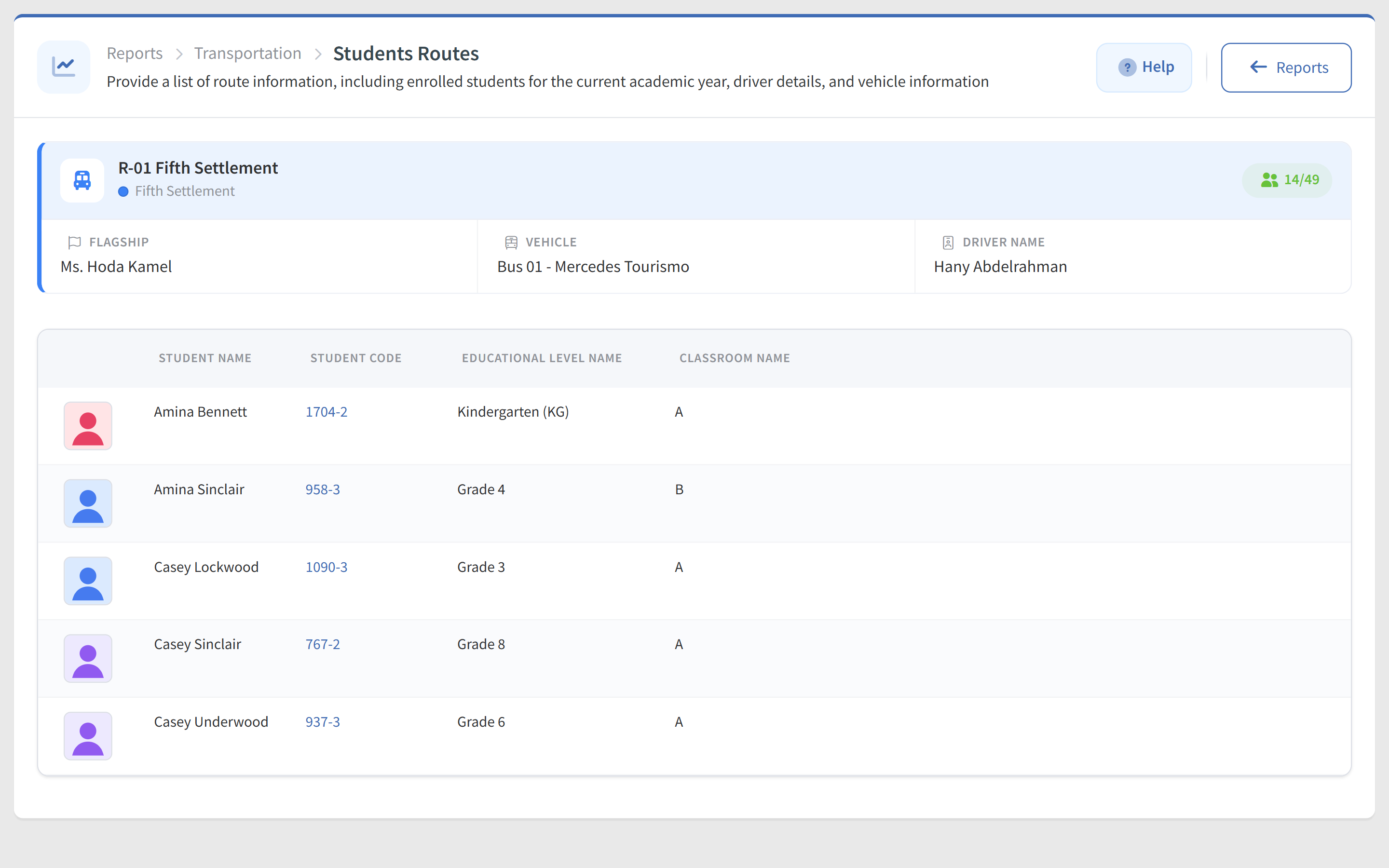
One report lists every route with its destination, occupancy and fee; another opens a single route to its driver, vehicle and full student roster. Every registry list also exports to CSV or prints.
Connected modules
These modules share the same student record, so what happens in one shows in the others.
Families apply online through a form you design, move through admission phases, book an assessment and pay the fee. Accepted applicants enroll in one click.
Admission fees, tuition instalments, transport subscriptions and store orders, charged to the student, paid online, and visible to parents in their portal.
Academic, attendance, admission, communication and wellbeing reports, ready to filter, view and export across every division and grade in your school.
Parent requests, school approvals, authorised collectors nominated per child and QR gate pickups, connected in one record instead of a paper list.