
One Card per Child
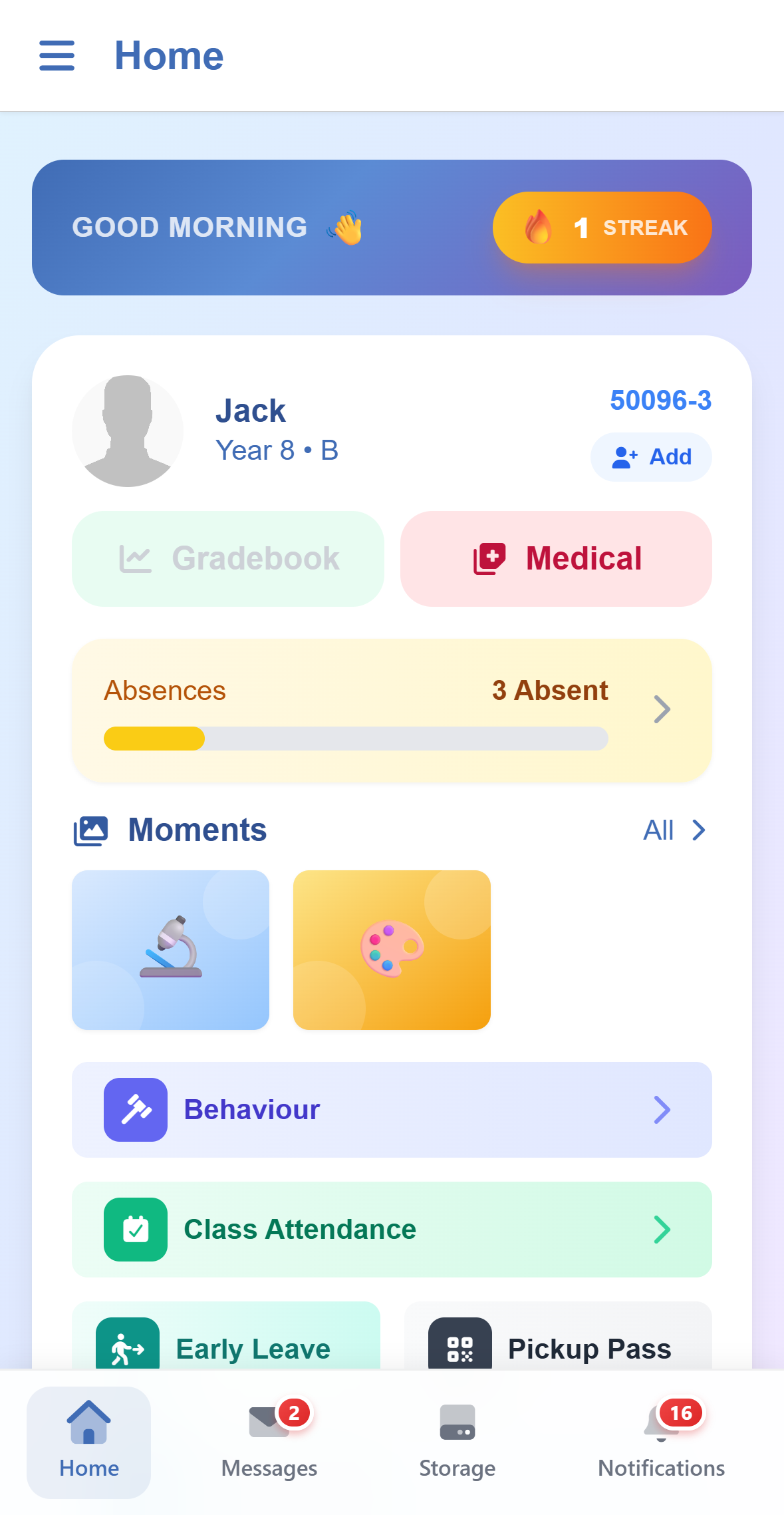
Each child has a card with their photo, year, class and code, and shortcuts to what you check most. More than one child? Keep scrolling: there is nothing to switch.
The SCL App
One app for the whole school community. Parents get a card for each child with grades, attendance, report cards, invoices and photos from class; students get their assignments, timetable and class moments. What each family sees is what the school has switched on.
For Parents
Each child has a card with their photo, year, class and code, and shortcuts to what you check most. More than one child? Keep scrolling: there is nothing to switch.
The gradebook, the progress report, skills assessments and the report card, which downloads and opens in the app.
The school day's attendance and the lesson by lesson register, with the absences counted.
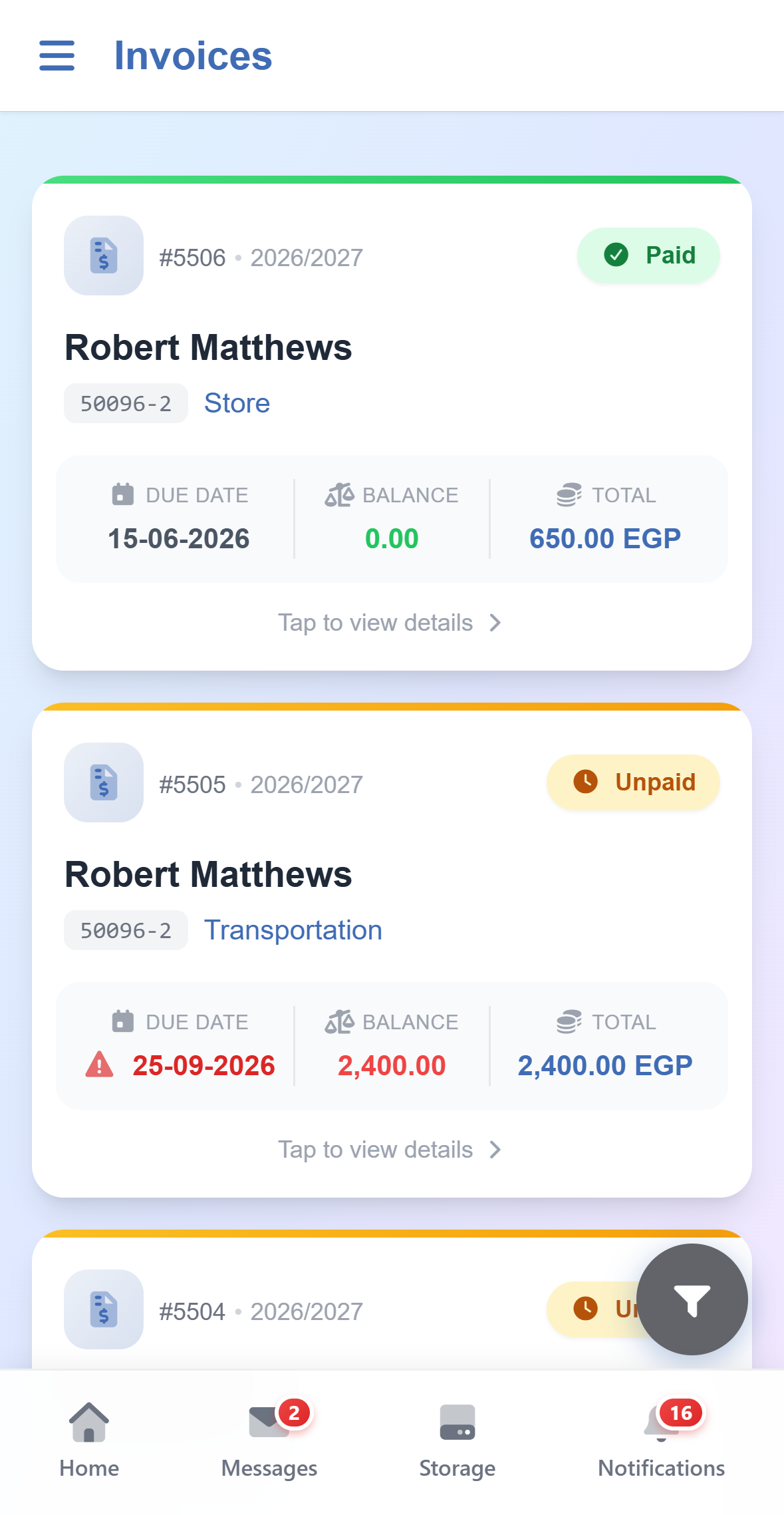
Every child's invoices in one list, for tuition, transport and store orders, paid online. The School Store turns a trip or a uniform into an invoice you pay in the app.
Ask for your child to leave early, and show the pickup pass the gate staff scan when someone collects your child.
Request a meeting from the times a teacher has opened, keep track of it, and see the school calendar.
The health record the school keeps for your child: medical needs, allergies to medication and food, and special diets.
The photos and videos from class that include your child.
The class's weekly round-up, subject by subject, with a red dot when a new one arrives.
For Students
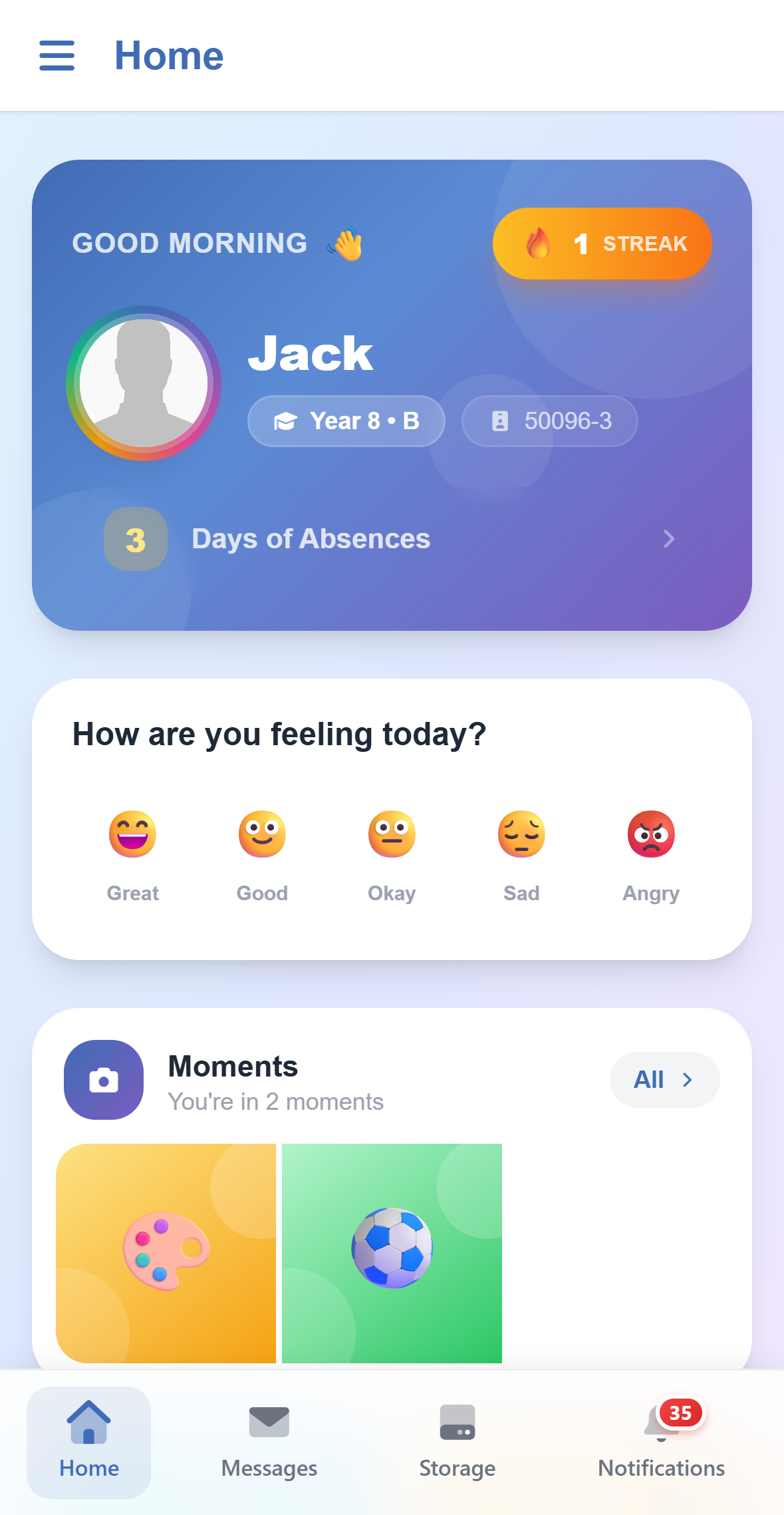
Students open the same app to a home screen of their own: who they are and how they are doing, a quick mood check-in, photos from their classes and shortcuts to everything else.
One App
Keep more than one account signed in on one phone and switch without signing out: a parent who also works at the school, or a family sharing a phone.
Add your children and sign in as them, to see the app exactly as they do. Remove them again at any time.
Edurealm ID, Google or Microsoft, when your school turns them on, with the same button as on the web.
Messages, notifications, the calendar, storage and the two-step sign-in code. A teacher's full toolset stays on the SCL web portal.
Download
Install the SCL app, enter your school code and sign in with your SCL account. Your school gives you both.


No. Parents, students and staff use the same SCL app, and each sees what their account and the school allow.
The school code, and the email address and password of the SCL account, or Edurealm ID, Google or Microsoft when the school turns them on.
No. Which shortcuts appear depends on what the school has switched on, what it shares with parents and whether that child has anything to show yet.
The staff side of the app is deliberately small: messages, notifications, the calendar, storage and the sign-in code. Everything else a teacher does stays on the SCL web portal.