
Skip to the content

Communication & Collaboration

Every School Conversation, in One Place

A school runs on conversations, and most of them still scatter across phone calls, paper slips and personal messaging groups. SCL brings them into one system: private messages between staff and families, class discussion boards for students, newsletters to any audience you can define, and a weekly bulletin that composes itself from what teachers have already recorded.

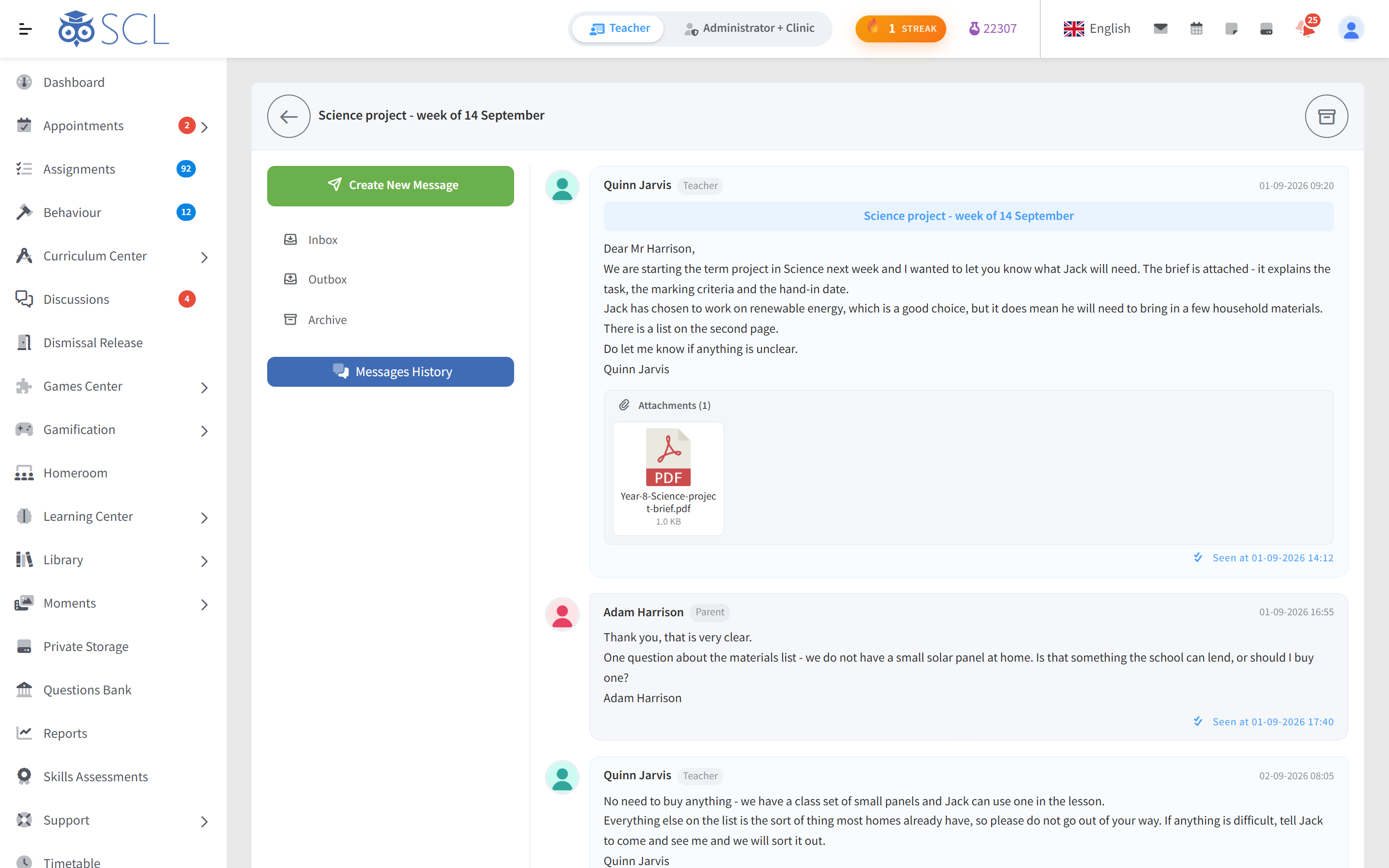
A private message thread in SCL between a science teacher and a parent about a term project, with the attached brief and read receipts on each message.

Each conversation reaches people where they already are. Parents and students read in the mobile app or the web portal in their own language, and every person chooses which notifications they want, event by event, so the messages that matter are not lost in noise.

Leadership keeps oversight without reading over anyone's shoulder. Messages Audit gives heads of school a read-only view of teacher conversations with parents and students, and opening one never marks it as seen.

Communication in 84 Seconds

One School, One Conversation

Send one newsletter by email, private message or SMS to exact levels, classrooms or lists, and see who opened it. Parents reach teachers directly with no numbers to swap, every class gets its own discussion board, and parents book an open slot with the teacher from their phone. Notifications arrive in each person's language.

Private Messages

Staff, parents and students message each other inside SCL, with attachments instead of another phone number, and staff can record voice clips that families play back. Schools decide who may message whom, and whether messages can be deleted at all.
Class Discussions

Every class gets a discussion board where a teacher posts an Announcement, asks a Question or opens a Discussion. Students reply, react and attach files, and the teacher marks the reply that settles it as the Best Answer.

Moderation per Board

Student posting stays off until you turn it on, board by board. Topics and replies can wait for a moderator's approval, quiet threads lock themselves after a set number of days, and teachers pin what matters to the top.

Moments

Teachers share classroom photos and videos with the parents and students of a classroom, mentioning the students who appear in them. Families see the moment in the app and can like it, with no public social network involved.

Files and Reading Time

Share folders from private storage with classes, students and parents. For PDFs opened inside SCL, teachers see how long each student read and how many pages they reached, so a set text is never just assumed to be read.

Weekly Bulletin

A weekly page for each student, composed automatically from the gradebook and other modules, with teachers adding their own notes by category. Parents and students open the week and see what was covered.

Newsletters to Anyone

Send as email, SMS or a private message, to whole grades, specific classrooms, all teachers, applicants or the entire school. SCL estimates the recipients before you send and shows you exactly who is on the list.

Reusable Recipient Lists

Build a list once from user groups or classrooms, name it, and send to it again next term. Teachers keep their own lists for private messages, so a regular group is never rebuilt by hand.

Read Receipts

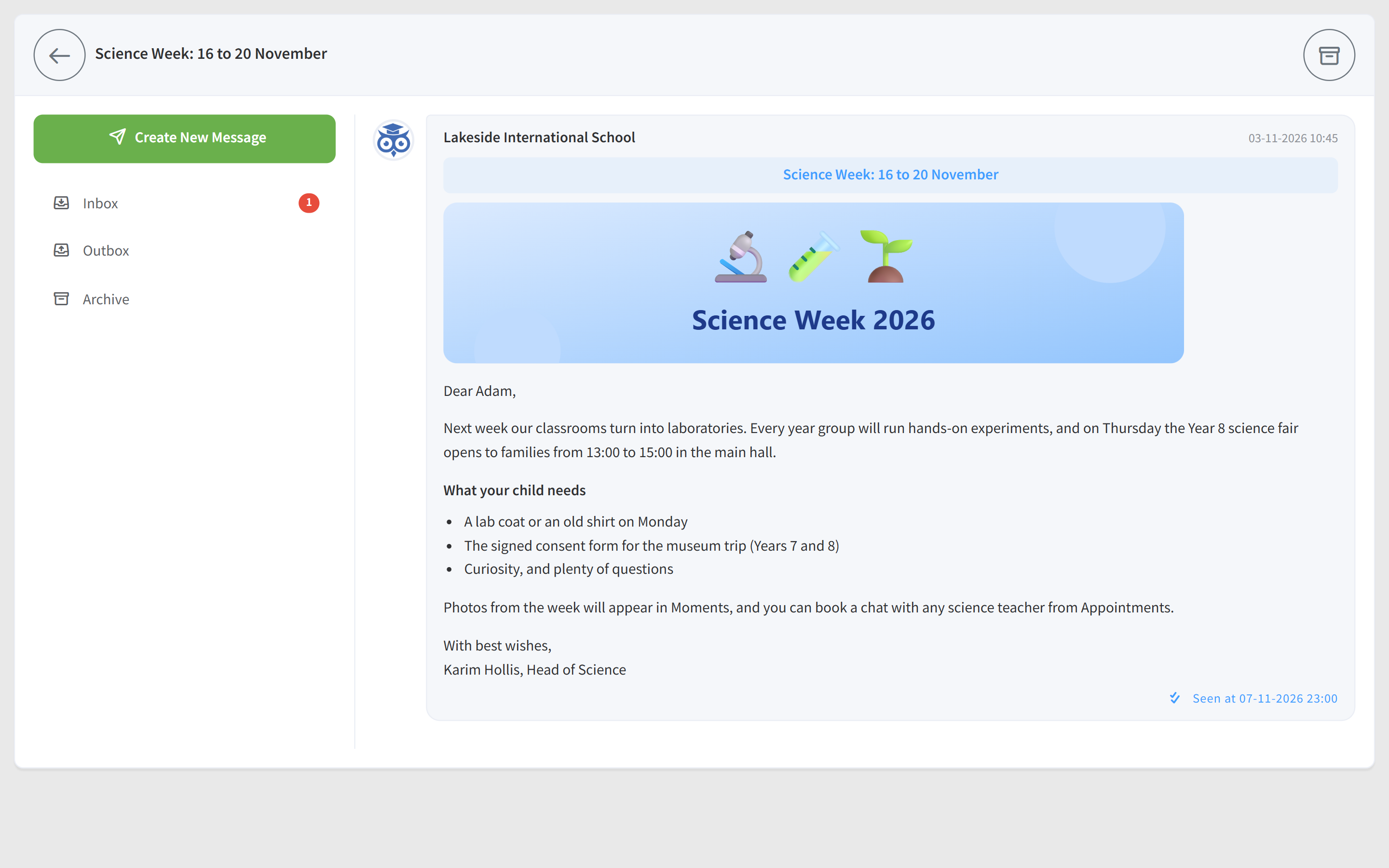
For private messages, and for newsletters sent as private messages, senders see who has opened each one and when. Follow up with the families who have not read it instead of resending to everybody.

Scheduled Send and Recall

Write a newsletter now and schedule it for the date and time it should land. If something changes before it is read, retract the send, and SCL records exactly how many messages were pulled back.

Messages Audit

Heads of school get a live, read-only view of teacher conversations with parents and students, with peak hour and reply statistics. Opening a conversation here never marks it as seen by anyone.

School Calendar

School events and holidays sit on one shared calendar, colour coded by the event types you define. Heads of department also see unit start and end dates from the curriculum planner laid over it.

See it in SCL

SCL Today

Delivery, Tracking and Oversight

Message Whole Classes

Teachers send one message to the students, the parents or both, across every class they choose. Each person gets a private copy, replies come back to the teacher alone, and a group message can be retracted from Messages History.

See Who Opened Each Email

Email newsletters carry Stats in the Messages Queue: who opened each email, when and how many times, ready to export to Excel, CSV or PDF. The Email Log gains a Seen column, and the school can switch tracking off or limit it to newsletters or notifications.

Missed Messages Explained

When an email or SMS cannot reach someone, the send shows a red count in the Messages Queue and a Delivery report names each person and the reason, such as no email address or mobile number on file. The office fixes the details and reaches those families.

A Form for Each Family

Attach a consent form or registration guide built in SCL to a private message, or to a newsletter sent as private messages, and SCL generates one PDF per child, filled in with that child's details and named after them. A live count shows how many families will receive one before you send.

AI Assist for Staff

Where the school turns on SCL's AI, staff compose, rephrase, improve or summarize a message, or generate a reply to the one they are reading, in their own writing tone and instructions. Parents and students never get these writing tools, so what families send stays their own.

Which Teachers Keep Up

Messages Analytics shows, teacher by teacher, how many messages each sent, received and replied to and how many are still unread, coloured so gaps stand out. Unread Messages lists every teacher with unread messages beside their last sign-in, so leadership follows up early.

Connected modules

Works Hand in Hand With

These modules share the same student record, so what happens in one shows in the others.

One Place for Every School Message

Walk through class discussions, newsletters and the weekly bulletin with our team, and see how read receipts and Messages Audit show leadership what is actually reaching families.