
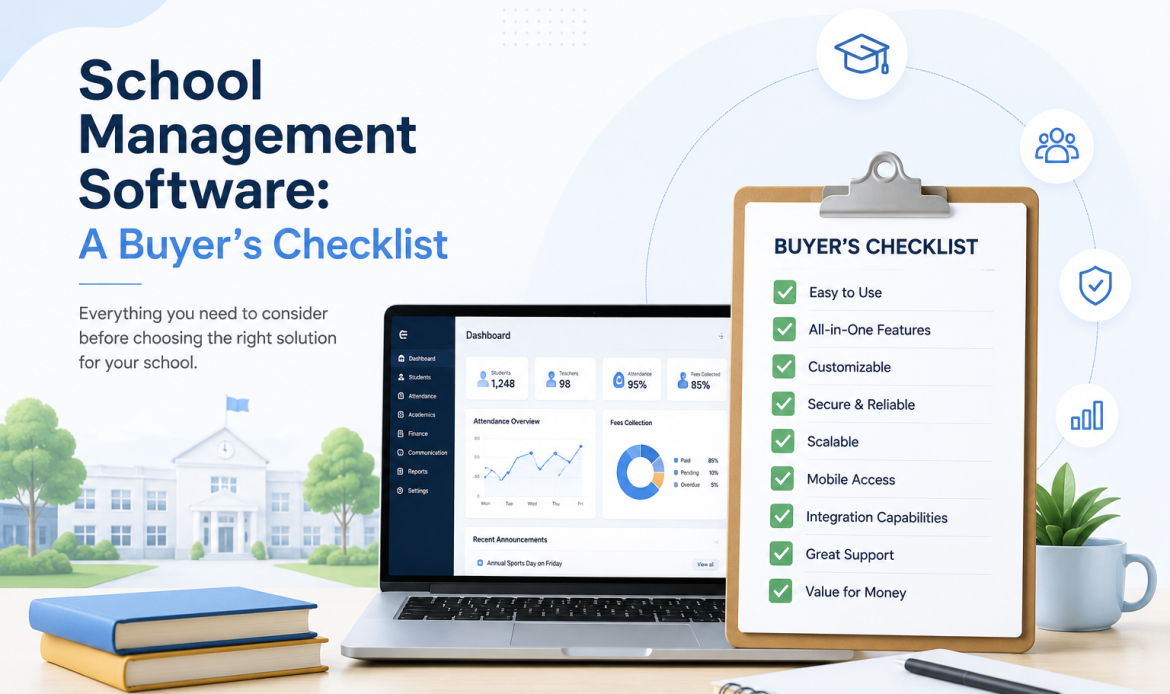
كل نظام لإدارة المدارس يبدو رائعاً في العرض التوضيحي. فمقدم العرض هو من يتحكم بالشاشة، والبيانات نظيفة، ولا شيء مما تراه مضطر إلى الصمود في يوم ثلاثاء من شهر أكتوبر. والغرض من هذه القائمة أن تتجاوز بك تلك الساعة إلى الأسئلة التي تحسم فعلاً ما إذا كان النظام سيصلح لمدرستك بعد عامين من الآن.
امض في القائمة بالترتيب. فالأسئلة الأولى هي التي يكون الخطأ فيها باهظ الثمن، لأنها أسئلة بنيوية: ولا يوجد قدر من حسن النية لدى المورّد يصلح بنيةً تحفظ سجلات طلابك في مكان والتدريس في مكان آخر.
1. اسأل كم نظاماً تشتري في حقيقة الأمر
هذا هو السؤال الأول، ومعظم المدارس تطرحه أخيراً. يحتفظ نظام معلومات الطلاب بالسجل: من هو الطالب، وفي أي صف وفصل يدرس، وحضوره وغيابه، ورسومه، وسجله الأكاديمي. ويحتفظ نظام إدارة التعلم بالتدريس: الواجبات، وسجل الدرجات، والنقاشات، والدروس المباشرة.
ينتهي الأمر بمعظم المدارس إلى شراء النظامين منفصلين، ثم إلى دفع الثمن، مالاً وساعات عمل من الموظفين، للحفاظ على توافقهما. ينتقل طالب إلى فصل آخر في SIS يوم الاثنين ويظل في سجل الدرجات القديم يوم الجمعة. وتُدفع رسوم ولا تعلم بها البوابة. كل واحدة من هذه الحالات فشل في المزامنة، وهي لا تنقطع تماماً أبداً.
ما الذي تسأل عنه: هل هذا نظام واحد على قاعدة بيانات واحدة، أم منتجان بينهما وصلة ربط؟ وإذا كانت الإجابة تتضمن كلمة "تكامل" أو "مزامنة"، فاسأل عما يحدث حين تفشل المزامنة، ومن الذي يلاحظ ذلك، وكم من الوقت يمكن أن يبقى الطرفان مختلفين قبل أن ينتبه أحد.
في SCL لا توجد وصلة ربط، لأنه ليس هناك منتجان. فالسجل والتدريس هما النظام نفسه، وما يبدو أنه SIS أو LMS ليس إلا الوحدات التي تكشفها صلاحيات المستخدم.
2. اختبر نموذج الصلاحيات بأصعب حالة لديك
سيقول لك كل مورّد إن الصلاحيات مرنة. لا تسأل في المطلق. أحضر إلى العرض التوضيحي أصعب ثلاثة أشخاص حقيقيين لديك، واجعل مقدّم العرض ينشئهم أمامك مباشرة:
- رئيس قسم يدرّس أيضاً، ويحتاج إلى الإشراف على قسمه دون أقسام غيره.
- ممرضة مدرسية يجب أن ترى التفاصيل الطبية لكل طفل، ويجب ألا ترى درجة واحدة أبداً.
- موظف مالية يعمل على الرسوم في المدرسة كلها، ولا شأن له بالسجلات الأكاديمية إطلاقاً.
لا يوافق أي من هؤلاء الثلاثة دوراً جاهزاً، والنظام الذي يأتي بقائمة ثابتة من الأدوار سيضطرك إلى منح وصول أوسع مما ينبغي حتى تنجح هذه الحالات. وهكذا ينتهي الأمر بالمدارس إلى اثني عشر شخصاً يستطيعون من الناحية التقنية رؤية كل شيء.
ما الذي تسأل عنه: هل يمكن تحديد الصلاحيات لكل مجموعة، ولكل شاشة، ولكل إجراء؟ يقسّم SCL كل وحدة إلى قراءة وكتابة وتعديل وحذف، ويمنحها إلى مجموعات تحددها بنفسك، وهو ما يجعل حالة الممرضة حالة عادية لا طلباً خاصاً.
3. تحقق من التقارير في ضوء منهجك الدراسي، لا في ضوء قالب عام
شهادات الدرجات هي الموضع الذي يظهر فيه أي تعارض بين مدرستك وبرنامجك أمام أولياء الأمور، وهو ما يجعلها أقل أجزاء النظام تسامحاً مع الخطأ. والمنصة المبنية لمنهج وطني واحد ستجعل كل منهج آخر يبدو وكأنه حل التفافي.
ما الذي تسأل عنه: أحضر شهادة الدرجات الفعلية للفصل الدراسي الماضي واطلب منهم إعادة إنتاجها. لا شيئاً يشبهها. وإذا كانت مدرستك تطبق أكثر من منهج دراسي عبر مراحلها الدراسية، فاطلب أن ترى شهادتين مختلفتين من النظام نفسه، لأن هذه هي الحالة التي تكسر القوالب العامة. ينتج SCL شهادات الدرجات الأمريكية والبريطانية والمصرية وشهادات IB من سجل الطالب نفسه.
4. إذا كنت تطبق مناهج IB، فاختبر IB تحديداً
دعم IB هو أكثر الفجوات شيوعاً بين ما تحتاجه المدرسة وما تقدمه منصة عامة الغرض، وعادة ما يُكتشف بعد التوقيع. فسجلات الدرجات بالنسبة المئوية والتقييم بالمعايير نموذجان ذهنيان مختلفان، وتركيب أحدهما فوق الآخر ينتج شيئاً لا يثق به المعلمون ولا المنسقون.
ما الذي تسأل عنه: هل يستطيع المعلم أن يقيّم بالمعايير مع واصفات المستويات دون أن يحولها إلى نسبة مئوية أولاً؟ وهل يستطيع المنسق أن يرى تغطية المنهج الدراسي على مستوى مرحلة دراسية كاملة؟ وهل يرتبط تخطيط الوحدات والدروس بما يجري تقييمه فعلاً، أم أن التخطيط مستند منفصل لا يفتحه أحد بعد سبتمبر؟ يحمل SCL المعايير وواصفات المستويات لكل مرحلة دراسية ومادة دراسية، ومهارات ATL، وإتقان المعايير، مع التفاصيل في صفحة مدارس البكالوريا الدولية وجانب التخطيط في مركز المناهج.
5. اسأل عما يحدث في العام الثاني
يعرض عليك كل عرض توضيحي تقريباً مدرسة في منتصف العام. وقليل جداً منها يعرض عليك الانتقال إلى العام الدراسي الجديد، وهو الموضع الذي تفشل فيه الأنظمة الهشة. ففي نهاية العام تحتاج إلى ترقية الطلاب إلى الصف التالي، وإعادة بناء الفصول، وترحيل المواد الدراسية والدرجات، ووسم الطلاب المغادرين بأنهم مغادرون دون أن يتبخر تاريخهم، وإلى بقاء سجلات العام الماضي قابلة للقراءة.
ما الذي تسأل عنه: أرني عملية الترقية. واسأل تحديداً عما ينتقل تلقائياً، وما الذي يجب إعادة بنائه يدوياً، وما إذا كانت الترقية التي تفشل يمكن تشغيلها مرة أخرى بأمان. واطلب أن ترى طالباً غادر قبل عامين، وتأكد من أن سجله ما يزال سليماً وما يزال مرتبطاً بالعام الدراسي الصحيح.
6. اجعلهم يعرضون عليك عملية نقل البيانات، لا يصفونها لك
عبارة "سنتولى نحن عملية نقل البيانات" ليست إجابة. فهي أكبر تكلفة خفية على الإطلاق عند تغيير الأنظمة، وهي السبب الذي يجعل مدارس كثيرة تبقى على برنامج لا يعجبها.
ما الذي تسأل عنه: اطلب أن ترى أداة الاستيراد ببياناتك أنت، ولو بعينة من ثلاثين سطراً. واسأل عما يحدث حين يكون أحد السطور خاطئاً: هل يخبرك النظام بأي سطر وأي عمود، أم يفشل برسالة واحدة لا تفيد بشيء؟ واسأل هل الملف الذي بعض سطوره خاطئة تُستورد سطوره السليمة ويُترك الباقي، أم يُرفض الملف كله. هناك إجابة صحيحة تناسب مدرستك، وأنت بحاجة إلى معرفة أي سلوك ستحصل عليه.
وقد كتبنا النسخة المطولة من هذا الموضوع على حدة، لأنه يستحق إجابة خاصة به: نقل سجلات الطلاب إلى نظام SIS جديد.
7. تحقق مما تحصل عليه الأسر فعلاً
يحكم أولياء الأمور على مدرستك من خلال البرنامج الذي تعطيه لهم، لا البرنامج الذي يستخدمه موظفوك. والنظام الإداري الخلفي القوي المرتبط بتجربة ضعيفة لولي الأمر مشكلة تمس السمعة، وهي تصل بهدوء في صورة أولياء أمور يتصلون بالإدارة هاتفياً ليسألوا عن أمور كان ينبغي أن يروها بأنفسهم.
ما الذي تسأل عنه: افتح تطبيق ولي الأمر على هاتف أثناء العرض التوضيحي، لا نسخة سطح المكتب. هل يستطيع ولي أمر لديه ثلاثة أبناء في صفوف مختلفة أن ينتقل بينهم بسهولة؟ وهل يستطيع أن يرى الحضور والغياب والدرجات والرسوم والرسائل دون تسجيل دخول ثانٍ؟ واطرح الأسئلة نفسها على واجهة الطالب.
8. اسأل أين تُحفظ بياناتك ومن الذي اطلع عليها
سؤالان منفصلان، وكلاهما يستحق أن يُطرح بصراحة. فمكان وجود البيانات مادياً يهم موقفك التنظيمي أنت، والنسخة المستقلة لكل مدرسة إجابة مختلفة عن قاعدة بيانات واحدة في بيئة مشتركة.
أما السؤال الثاني فهو المساءلة. فحين يعترض ولي أمر على درجة، أو يتغير سجل ولا يعترف أحد بتغييره، تحتاج إلى أن يجيب النظام بدلاً من موظفيك. يحتفظ SCL بسجلات الوصول المرتبطة بالسجلات، ويستطيع مديرو النظام رؤية الجلسات النشطة مع موقعها والمتصفح المستخدم، وإنهاء أي منها.
ما الذي تسأل عنه: هل يمكنك أن تريني من فتح سجل هذا الطالب آخر مرة؟ وهل أستطيع إنهاء جلسة شخص ما الآن من جهة الإدارة؟
9. تحقق من اللغات، ومن اتجاه الكتابة فيها
إذا كان أي جزء من مجتمع مدرستك يعمل بالعربية، فهذه ليست ميزة كمالية. فالكتابة من اليمين إلى اليسار ليست مشكلة ترجمة، بل مشكلة في تخطيط الواجهة، والبرنامج الذي تُرجم دون أن تُصمم واجهته لها سيبدو خاطئاً بطرق يصعب تجاهلها بعد ملاحظتها.
ما الذي تسأل عنه: بدّل الواجهة إلى كل لغة تحتاجها، أمام عينيك. يأتي SCL بالعربية والإنجليزية والفرنسية والألمانية والإسبانية.
10. اسأل بماذا يتصل النظام
ليس هناك نظام مدرسي يكون النظام الوحيد. والسؤال الواقعي ليس هل يتكامل مع كل شيء، بل هل يتكامل مع الأشياء المحددة التي تستخدمها بالفعل وترفض التخلي عنها.
ما الذي تسأل عنه: سمّ مزوّد الدخول الموحّد لديك، وبوابة الدفع، وأداة إعداد الجداول، واسأل عن هذه الثلاثة بالاسم. يدعم SCL الدخول الموحّد، وبوابات الدفع الإلكتروني، وإعداد الجداول، ومتصفحات الاختبارات المقيدة، وهي مدرجة في صفحة التكاملات كما يتزامن الجدول الدراسي لديه في الاتجاهين مع aSc TimeTables بدلاً من استيراده مرة واحدة ثم تركه يبتعد عن المصدر.
11. اسأل كيف تستعيد بياناتك من النظام
اطرح هذا السؤال وهم ما يزالون في موضع البائع لك، لأنه السؤال الذي إجابته أقل الإجابات راحة، ولن تكون قوتك التفاوضية أكبر مما هي عليه الآن.
ما الذي تسأل عنه: إذا رحلنا بعد ثلاث سنوات، فماذا نأخذ معنا، وبأي صيغة، وهل لذلك تكلفة؟ المورّد الواثق من منتجه يجيب عن هذا دون تردد.
القائمة، قصيرة بما يكفي لتأخذها معك إلى الاجتماع
- نظام واحد أم منتجان بينهما وصلة ربط؟
- أنشئ رئيس قسمي، وممرضتي، وموظف المالية لدي، أمامي مباشرة.
- أعد إنتاج شهادة الدرجات للفصل الدراسي الماضي بالضبط.
- إذا كنا نطبق مناهج IB: المعايير وواصفات المستويات، لا نسباً مئوية محوّلة.
- أرني الترقية في نهاية العام، وطالباً غادر قبل عامين.
- استورد ثلاثين سطراً من بياناتي الحقيقية، وفيها بضعة سطور خاطئة.
- افتح تطبيق ولي الأمر على هاتف، مع ولي أمر لديه ثلاثة أبناء.
- من فتح هذا السجل آخر مرة، وهل أستطيع إنهاء جلسة الآن؟
- بدّل إلى كل لغة نحتاجها، بما فيها الكتابة من اليمين إلى اليسار.
- الدخول الموحّد لدينا، وبوابة الدفع لدينا، وأداة إعداد الجداول لدينا، بالاسم.
- إذا رحلنا، فماذا نأخذ معنا وكم يكلف ذلك؟
ملاحظة عن السعر
ستلاحظ أنه لا توجد أرقام في هذه القائمة. ولا ينشر SCL خطط أسعار، لأن ما تدفعه المدرسة يتوقف على حجمها وعلى ما تشغّله، ولأن جدولاً بالفئات سيقول لك أقل مما تقوله محادثة. وإذا أردت رقماً يخص مدرستك، تحدث إلينا وسنعطيك إياه.
أما النصيحة الأنفع بشأن التكلفة فهي: نادراً ما يكون الترخيص هو الجزء المكلف. الأجزاء المكلفة هي نقل البيانات، والتدريب، وساعات عمل الموظفين التي تُنفق كل أسبوع في التوفيق بين أنظمة لم تُصمم قط لتتفق. فاحسب تكلفة هذه الثلاثة حين تقارن، وستتغير المقارنة.