
Ask ten school leaders what the difference is between a student information system and a learning management system and you will get ten answers, several of them wrong. The confusion is understandable. Vendors use the terms loosely, the categories genuinely overlap, and most schools acquire the two systems years apart for unrelated reasons.
It matters, though, because the answer determines what you buy next and how much of your staff’s year disappears into keeping records straight.
What a student information system actually does
An SIS is the school’s system of record. It answers questions of fact about a child: who they are, who their guardians are, which grade and class they are in, whether they were in school on Tuesday, what they have been charged, what their official academic record says.
The distinguishing feature is that an SIS holds information the school is accountable for. A transcript is a legal document. An attendance register may be inspected. A medical record has to be right and has to be private. This is the system a registrar lives in, and it typically covers:
- Student profiles, guardians and contact details
- Admissions and enrolment
- Attendance
- Fees and billing
- Report cards and transcripts
- Health and behaviour records
- Transfers, re-enrolment and leavers
An SIS is not usually where teaching happens. It records the outcome of teaching.
What a learning management system actually does
An LMS is where teaching happens. It answers questions about learning rather than about record-keeping: what was set, what was submitted, what it scored, what the unit was meant to cover.
This is the system a teacher lives in, and it typically covers:
- Assignments and submissions
- The gradebook
- Curriculum, unit and lesson planning
- Rubrics, criteria and standards
- Class discussions and collaboration
- Live or virtual lessons
- Learning resources
An LMS is rarely the system of record. It produces the marks. Something else has to turn them into a report card the school will stand behind.
Where the two overlap
The overlap is small but it is exactly where the trouble lives.
Both systems need to know your class lists. Both need to know which students are enrolled, in which grade, taking which subjects, with which teacher. That roster is created in the SIS, because that is where admissions and enrolment happen, and it is consumed by the LMS, because you cannot set an assignment for a class that does not exist.
Both also touch grades. The LMS produces them. The SIS has to publish them on a report card and keep them on the academic record.
So the answer to “does my school need both?” is yes. Every school does both jobs, whether or not it has software for either. The real question is a different one.
The question that actually matters
Not “do I need both?” but “should both live in the same system?”
Most schools end up with two, and not by decision. They buy an SIS when the registrar’s spreadsheets stop coping, then adopt an LMS during a period of remote teaching, or because a group of teachers liked one. The two products come from different vendors and were never designed to meet.
What follows is predictable, and if you are running this arrangement you will recognise all of it:
- Rosters drift. A student moves from 7B to 7C in the SIS. Until somebody updates the LMS, their teacher cannot see them and their work goes to the wrong class.
- Marks get retyped. Teachers enter grades in the LMS gradebook. At the end of term, somebody exports them, reformats the columns and imports them into the SIS to build report cards. Every export is an opportunity for a mistake nobody catches until a parent does.
- New students arrive twice. The registrar enrols them, then somebody creates their LMS account, usually a few days later, usually by hand.
- Leavers linger. A student transfers out and is deactivated in one system. The other keeps them on a class list for months.
- Parents get two logins. One for grades and homework, one for fees and attendance. They use neither reliably, and the school concludes that parents do not engage.
- Nobody can answer a simple question. “How is grade 9 doing?” needs data from both systems, so it becomes a request, then a spreadsheet, then a meeting.
None of this is dramatic. That is why it persists. It is a slow tax paid in administrative hours, and schools tend to absorb it as the cost of doing business rather than recognise it as a solvable problem.
The integration promise, and why it disappoints
The usual answer is an integration. The two vendors offer a sync, or you commission one.
Integrations do help, and some are good. But it is worth being clear about what an integration is: a scheduled copy of data from one database into another. Which means it inherits the problems of any copy.
It runs on a schedule, so there is always a window where the two disagree. It maps fields, so anything that does not map cleanly gets dropped or mangled, and custom fields are usually the first casualty. It breaks when either vendor changes their API, and it breaks quietly. It typically syncs one way, so a fix in the wrong system gets overwritten. And when something goes wrong, each vendor can reasonably point at the other.
An integration turns a data problem into a maintenance problem. That is an improvement, but it is not the same as solving it.
The alternative: one system doing both jobs
The other option is a platform where the SIS and the LMS are not two products at all, but one system with one database.
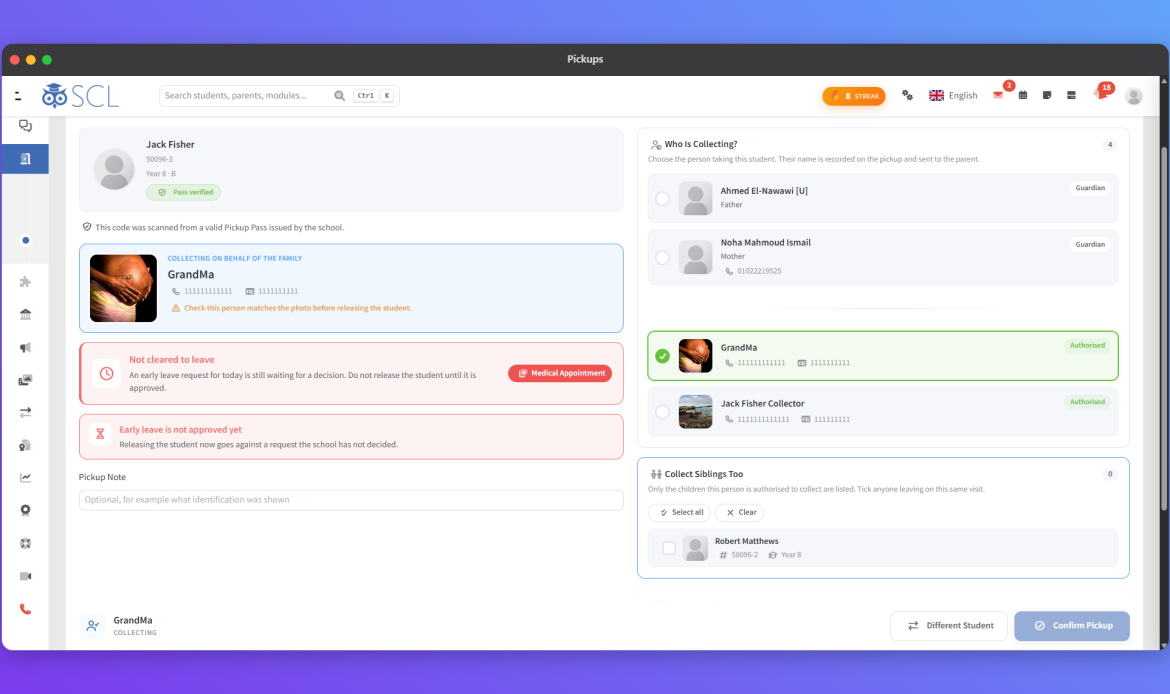
This is how SCL is built. There is no SIS licence and a separate LMS licence, and no integration between them, because there is nothing to integrate. The student information system and the learning management system are the same installation reading the same records. What a given member of staff can reach is a matter of permissions, not of which product the school bought.
The practical difference shows up in ordinary work:
- The class list a teacher sees is the enrolment the registrar made. There is no second copy to fall out of step.
- A mark entered in the gradebook is already on the student’s academic record the moment it is saved.
- Report cards are generated from those marks directly, for a whole quarter at once, rather than rebuilt from an export.
- An absence taken in homeroom, a merit logged by a teacher, and a tuition instalment posted by finance all land against the same student.
- Parents open one app covering every child they have at the school, showing grades, attendance, fees, messages and medical details together.
The trade-off is real and worth stating. A single platform means you are not picking a best-of-breed LMS and a best-of-breed SIS independently. If your school has a specific pedagogical requirement that only one specialist product meets, two systems plus an integration may genuinely be the right call. Most schools do not have that requirement. They have a registrar retyping marks in March.
What to ask a vendor
Whichever way you go, these questions separate a real answer from a demo:
- When a student changes class, what has to happen for every part of the system to know? If the answer involves a sync, ask how often it runs and what happens in between.
- Show me a report card being produced from marks a teacher entered. Ask to see it end to end, without an export step. Watch for the spreadsheet.
- How many logins does a parent with three children need? The honest answer is one. Anything more will be explained rather than defended.
- Which of these modules are separately licensed? Ask before the quote, not after.
- Can I see attendance, grades and fees for one student on one screen? If not, somebody at your school will be reconciling them by hand.
- What happens to last year’s data when we promote the school a grade? Ask specifically about historical records, not just current ones.
In short
An SIS keeps the record. An LMS runs the teaching. Every school does both, so every school needs both capabilities, and the question is only whether they sit in one system or two.
Two systems is a legitimate choice, and with a well-maintained integration it can work. It is just rarely the choice a school actually made. It is usually the arrangement a school ended up with, and then paid for quietly, in hours, every term.
If you want to see what the single-system version looks like on your own data, book a demo and we will walk through a real student record, from the application form to the transcript.